


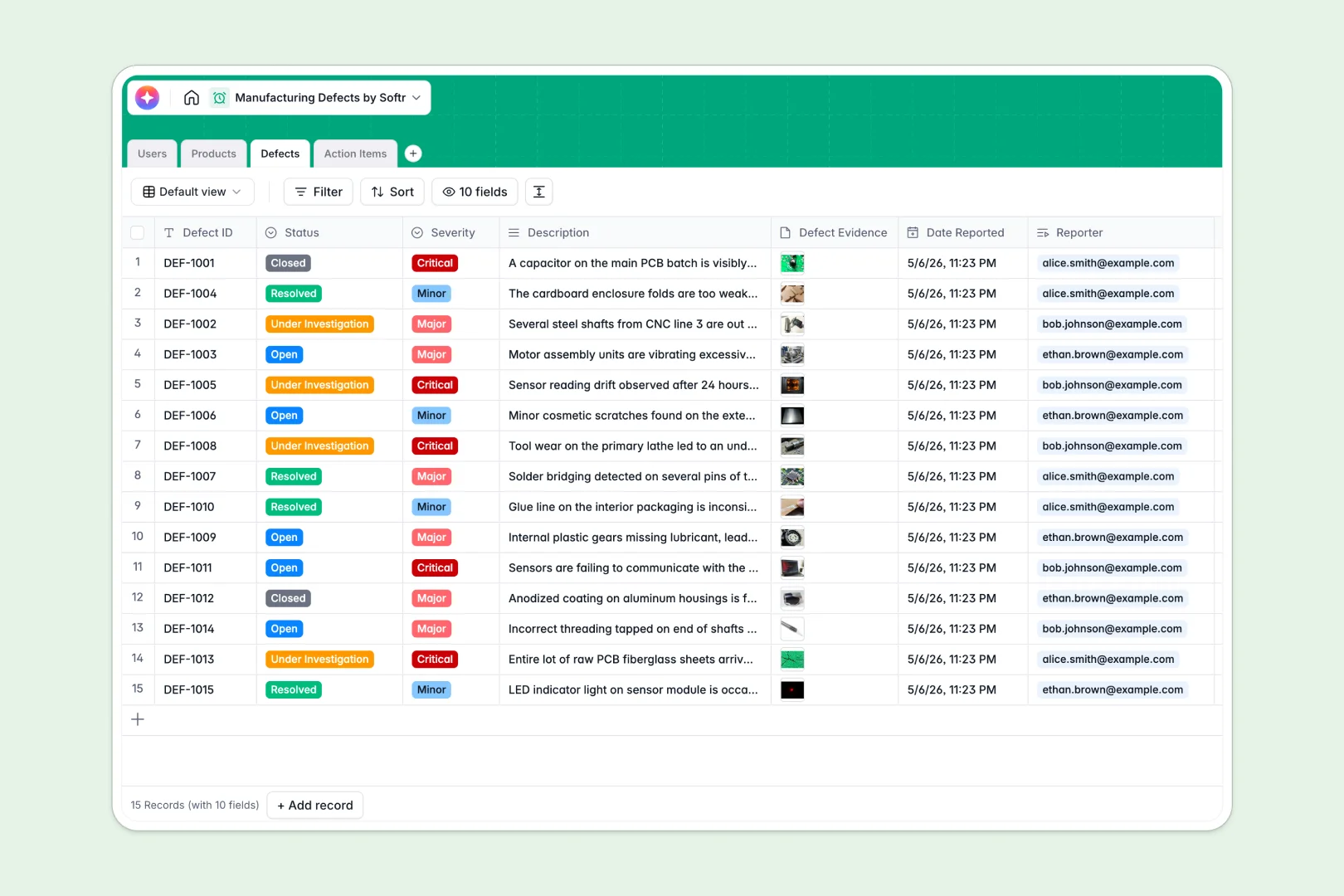
Your Manufacturing Defects database at a glance
This template replaces messy sheets with a structured system to log quality issues, link them to specific products, and assign resolution tasks. It enforces strict data standards so your floor staff and managers are always aligned on active defects.
It organizes four key areas: Users, Products, Defects, and Action Items. Instead of copying data across rows, you simply connect a defect to a product and assign it to a quality inspector who can upload exact photo evidence.
Native AI features automatically draft root-cause analyses based on defect descriptions. They also polish rough inspector notes into professional resolution logs instantly.
Why manufacturing defects get messy in spreadsheets
Tracking quality control in a spreadsheet works until your row count grows and vital photo evidence gets lost in formatting errors.
What a structured database changes
Spreadsheets rely on fragile formulas and force you to cram files or long text into tiny columns. A structured database enforces strict data types, keeping defect photos, severity dropdowns, and target dates perfectly organized.
It also links related information cleanly—like tying multiple action items to a single critical defect without duplicating product SKUs. This native connectivity is exactly what Softr Databases are intuitively designed for.
What you can do with this template
Log quality issues rapidly with precise severity levels, statuses, and connected inspector profiles. You can monitor the resolution pipeline seamlessly from the moment a defect is opened until it is closed.
Track exact accountability by assigning actionable tasks to your team and monitoring their progress. This ensures critical manufacturing flaws are never forgotten.
Use built-in Database AI agents to speed up administrative work. They generate potential root-cause analyses on the spot and clean up task resolution notes for your official logs automatically.
-
Users
Manage manufacturing personnel, tracking roles and linked task assignments
-
Products
List parts and products with AI-generated descriptions and defect counts
-
Defects
Track quality issues featuring AI-powered root cause analysis suggestions
-
Action Items
Organize defect resolutions with AI-enhanced professional response logs
Who is this Manufacturing Defects database for
This system is built for operations teams who need strict quality control without the overhead of complex legacy software.
- QC Inspectors: Log localized defects rapidly with photo evidence and generate instant AI-backed root-cause analysis drafts.
- Production Managers: Uncover which product categories have the highest defect rates using built-in rollup columns that count all issues.
- Floor Staff: Monitor assigned action items and update statuses without digging through emails or chaotic shared documents.
How to take it further
Make this database your own by customizing any of the fields to match your actual factory floor. Readjust severity levels, tweak the existing product categories, or modify user roles natively in seconds.
Bring your historical defect logs into the system immediately instead of starting from zero. Upload existing spreadsheets via CSV import or use the provided API to sync live quality data from other plant tools.
When you are ready to scale, you can build an app directly on top of this structured data. Instead of giving everyone direct database access, you can quickly spin up a secure, customized quality control portal for the team.
Using flexible users and permissions, you can ensure floor staff only see action items assigned to them, while leadership accesses high-level performance dashboards. Starting with this clean data structure makes scaling into a full application incredibly simple.
-
1
-
2
-
3
-
4
Frequently asked questions
-
What is a manufacturing defects database?
-
Why use a no-code database to track manufacturing issues?
-
How can AI help managing data for manufacturing defects?
-
Can I build an app with this manufacturing defects database?
-
Is this manufacturing defects template free?
-
How is a manufacturing defects database different from spreadsheets?
Start building today. It's free!
Build and launch your first app in under 30 minutes.