


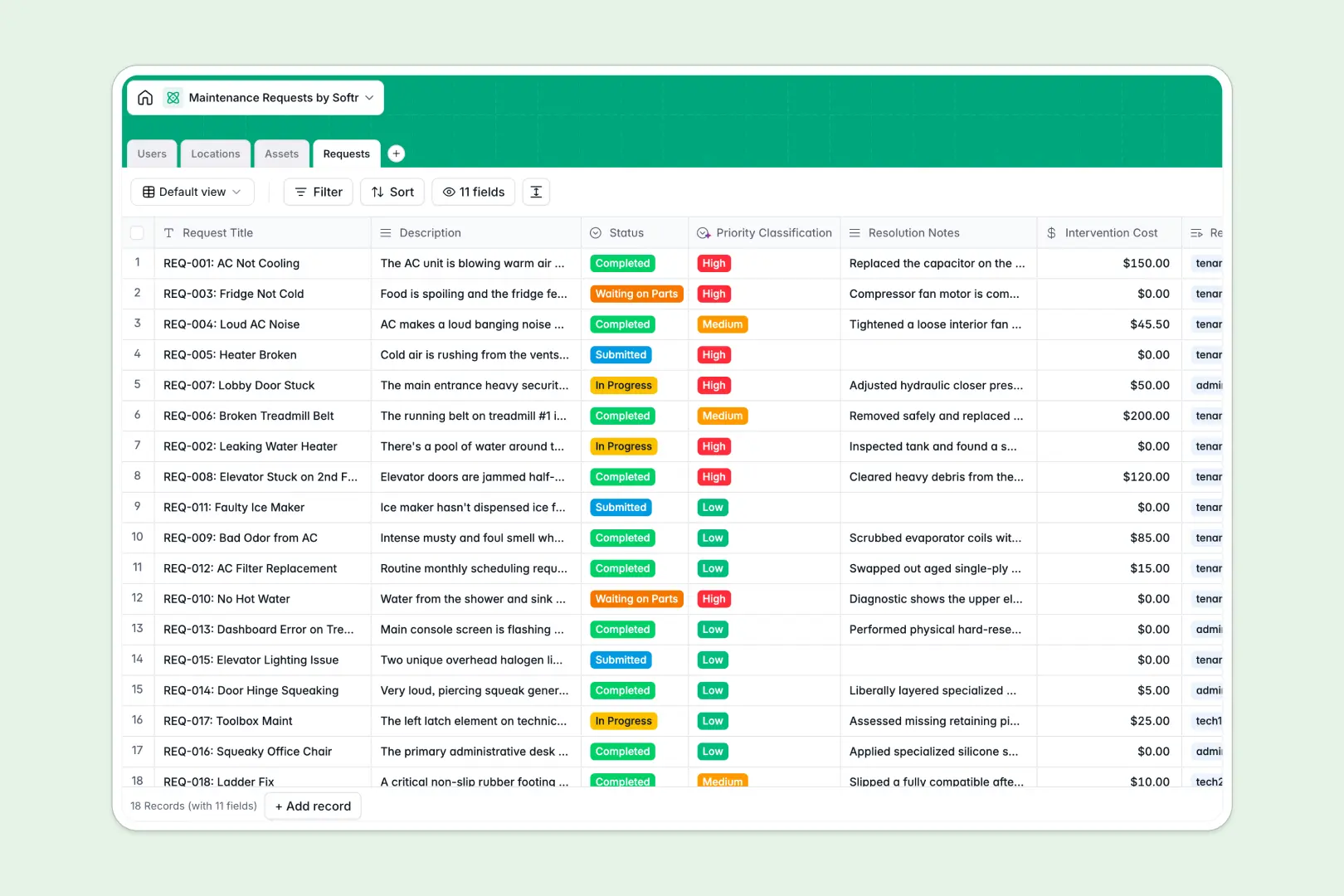
Your Maintenance Requests database at a glance
This database centralizes every repair ticket, asset detail, and tenant request in one connected system. It helps property teams resolve issues faster and track total repair costs per building effortlessly.
Core tables separate your Users, Locations, Assets, and Requests. Because they are relationally linked, assigning a technician to a broken HVAC system inside a specific apartment unit happens with just a click.
Built-in AI automatically classifies the priority of incoming requests based on the problem's description. It also generates concise task summaries once a repair is wrapped up, saving your team from writing manual reports.
Why tracking maintenance requests in spreadsheets breaks down
Managing work orders across endless rows and tabs quickly becomes a headache. Data gets overwritten, status updates fall out of sync, and calculating total repair costs for a specific asset requires fragile formulas.
What a structured database changes
A structured system ensures every piece of property data lives in its proper format. Equipment manuals stay safely attached as files, intervention costs remain clear as currency, and status updates are locked to predefined options like "In Progress" or "Waiting on Parts."
Instead of copy-pasting tenant details across sheets, you can securely link requests directly to user profiles and building locations. This is exactly what Softr Databases are designed for.
What you can do with this template
You can instantly log new tickets, assign them to available technicians, and attach relevant appliance manuals from the asset directory. Everything is connected, making it incredibly easy to review the complete maintenance history of any property.
With native Database AI agents, the system works proactively for you. The database acts on newly submitted issues, categorizing them automatically as High, Medium, or Low priority so your staff knows exactly what to tackle first.
-
Users
Manage tenants and maintenance staff with roles, contact info, and locations
-
Locations
Track residential units and common areas including active maintenance counts
-
Assets
Monitor property equipment and appliances with repair history and documentation
-
Requests
Log work orders using AI for priority classification and task summarization
Who is this Maintenance Requests database for
This system is built for property managers, facility crews, and operations teams handling daily repairs.
- Property Managers: Track multiple property locations, monitor unit availability, and oversee all tenant requests in one unified view.
- Maintenance Technicians: See exactly which HVAC systems or appliances need fixing and access their installation manuals instantly.
- Facility Admins: Review total repair costs automatically rolled up by asset to make smarter equipment replacement decisions.
How to take it further
You can easily customize this database to match your exact property workflows. Add new location types, update the work order status options, or include custom fields for vendor invoices.
If you are moving from a messy maintenance requests spreadsheet, you do not have to start from scratch. Simply import your existing open tickets, tenant histories, and asset inventories via bulk CSV upload.
When you are ready to scale, you can build a secure portal tailored for your properties. Tenants can log in to submit tickets, while your technical staff views and updates their assigned work orders on the go.
Using the interface builder, you can turn this database into a full web app in minutes. With built-in users and permissions, you guarantee that tenants only see their own apartment requests while admins monitor the entire operation.
-
1
-
2
-
3
-
4
Frequently asked questions
-
What is a maintenance requests database?
-
Why use a no-code database to build a maintenance tracking system?
-
How can AI help managing data for maintenance requests?
-
Can I build an app with this maintenance requests database?
-
Is this maintenance requests template free?
-
How is a maintenance tracking database different from a spreadsheet?
Start building today. It's free!
Build and launch your first app in under 30 minutes.