


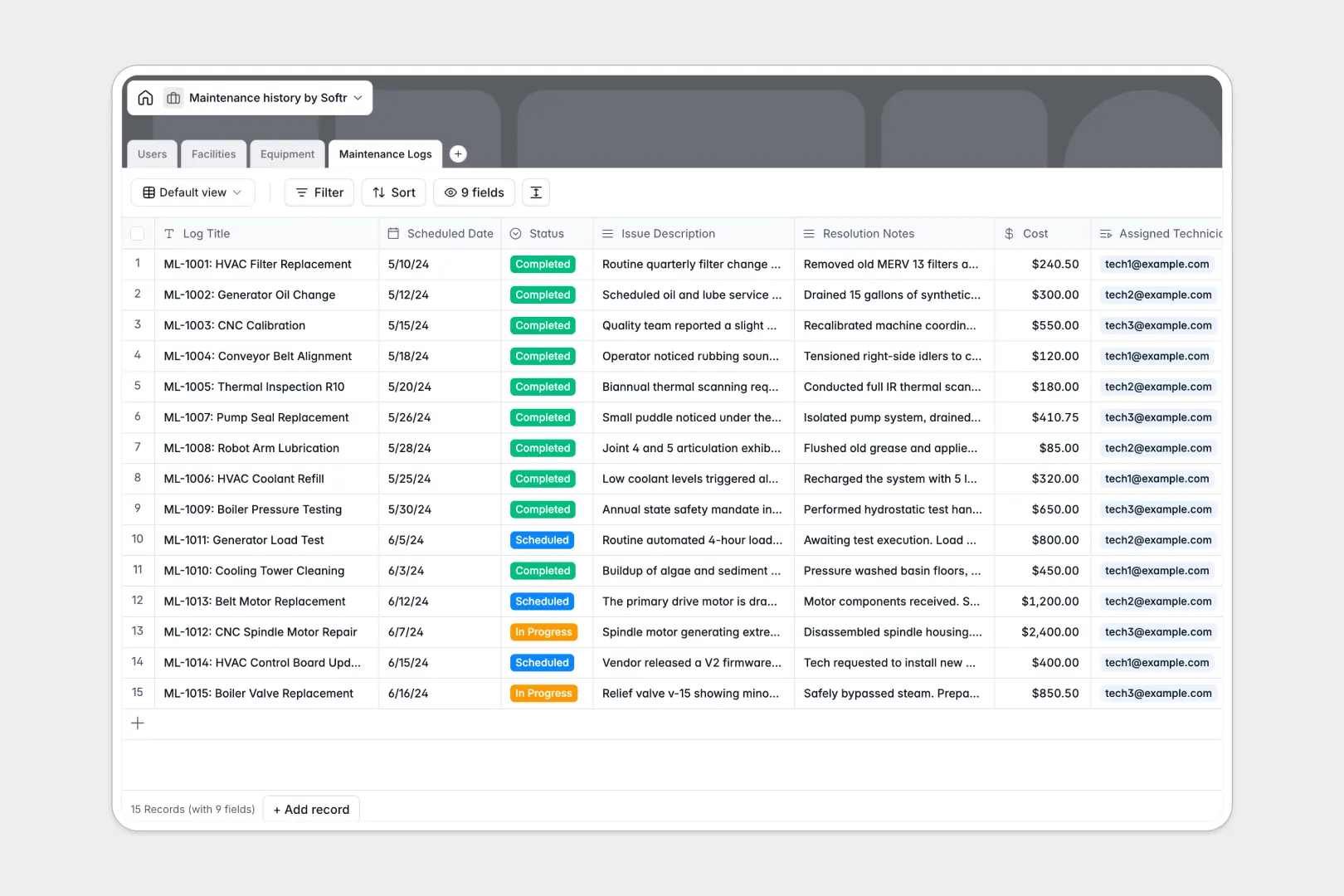
Your Maintenance History database at a glance
This template centralizes your equipment inventory, facility locations, and repair logs into one clean system. It helps maintenance teams track what needs attention and who is handling it without relying on messy spreadsheets.
It features connected tables for Users, Facilities, Equipment, and Maintenance Logs. When you schedule a repair, you can instantly link it to a specific technician and the exact piece of machinery.
Built-in AI fields automatically search the web for equipment manuals and summarize long resolution notes into quick bullet points. This saves your technicians hours of manual data entry while keeping records perfectly detailed.
Why keeping a maintenance history spreadsheet breaks down
Tracking expensive assets and repair schedules across multiple spreadsheet tabs quickly turns into chaos. Rows get accidentally deleted, and tying a specific log back to the correct facility constantly relies on easily-broken VLOOKUPs.
What a structured database changes
In a proper system, every column enforces a clear data type—so repair costs stay natively formatted as numbers and statuses cannot be misspelled. You can seamlessly map a work order to an asset and a technician without copy-pasting information across different sheets.
This is exactly what Softr Databases are meticulously designed for. As your business scales and inspection logs multiply, your operational data remains completely organized and infinitely searchable.
What you can do with this template
You can effortlessly group overdue work orders, track total maintenance costs per facility, and monitor your entire equipment fleet at a glance. It quickly becomes the single, reliable source of truth for your day-to-day operations.
Thanks to native Database AI agents, the template will even auto-generate repair summaries and fetch manufacturer specifications completely hands-off.
-
Users
Manage staff members and technicians with specific roles and contact info
-
Facilities
Organize building locations and sites where equipment assets are stored
-
Equipment
Track machinery assets with AI-powered specification and manual lookups
-
Maintenance Logs
Record service history with AI-generated summaries of issues and repairs
Who is this Maintenance History database for
This template is built for operations teams who desperately need clear, actionable visibility into their assets and repair queues.
- Facility Managers: Keep track of all equipment housed across different buildings and closely monitor total asset counts.
- Maintenance Technicians: Instantly access manufacturer manuals and view their specific scheduled work orders in one clean view.
- System Administrators: Maintain a directory of staff members and accurately track repair budgets and historical costs over time.
How to take it further
Customizing the database to fit your exact needs takes mere seconds. You can easily add new fields to track warranty expiration dates or modify the status labels to match your team's existing workflow.
To get started immediately, import your existing history via a simple CSV bulk upload or trigger an automated API sync. All your historical records will automatically populate into the correct corresponding tables.
When your team is ready, you can seamlessly turn your database into a bespoke internal app using the interface builder. You can easily deploy an internal portal where technicians log in from their phones to update repair statuses right on the warehouse floor.
Using flexible users and permissions, you can confidently ensure technicians only see the work orders explicitly assigned to them. A well-structured relational database makes building these highly secure, custom portals incredibly simple.
-
1
-
2
-
3
-
4
Frequently asked questions
-
What is a maintenance history database?
-
Why use a no-code database to build a maintenance tracking tool?
-
How can AI help managing data for maintenance tracking?
-
Can I build an app with this maintenance history database?
-
Is this maintenance history spreadsheet alternative free?
-
How is this template better than Excel or Google Sheets?
Start building today. It's free!
Build and launch your first app in under 30 minutes.