


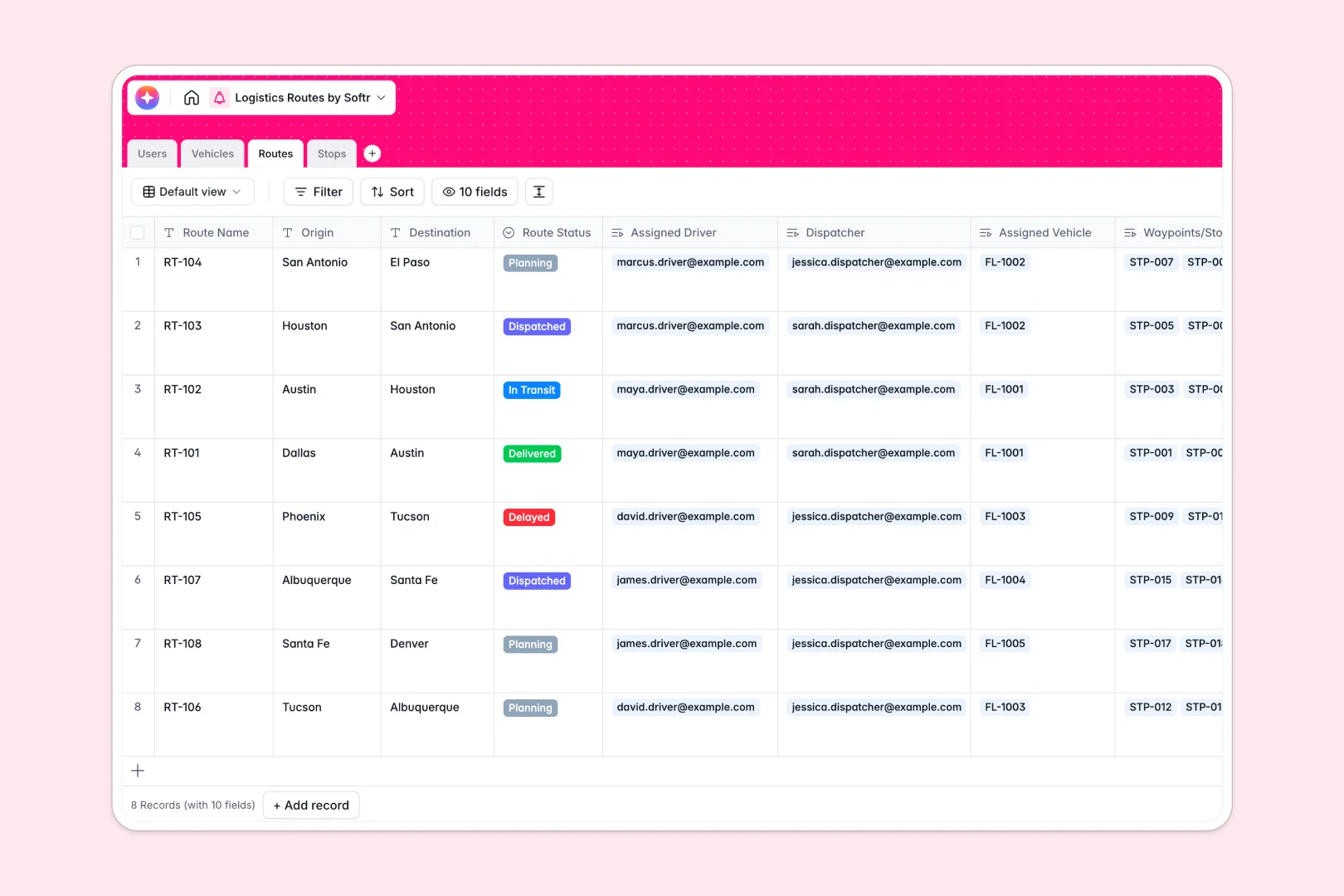
Your Logistics Routes database at a glance
This Logistics Routes database gives you complete control over your fleet, drivers, and daily dispatching in one centralized view.
It seamlessly connects your logistics data by linking Users, Vehicles, Routes, and individual Stops together without manual data entry.
AI automatically summarizes daily routes and classifies delivery zones, so dispatchers can focus on smooth operations rather than paperwork.
Why logistics routes get messy in spreadsheets
Managing constantly changing routes across multiple drivers and vehicles quickly creates a tangled web of broken spreadsheet formulas.
What a structured database changes
A structured database ensures every element of your logistics chain has its own dedicated table with strict rules. When a vehicle's maintenance status changes to "In Shop", it updates everywhere instantly.
Instead of copy-pasting driver names or vehicle registrations, you simply link a route directly to the vehicle and driver using native connections. This setup is exactly what Softr Databases are designed for.
Your dispatch data stays clean as you scale, ensuring team members never accidentally delete a column or overwrite crucial delivery updates.
What you can do with this template
You can track every route's progress from planning to delivery while monitoring vehicle capacity and driver assignments in real time.
Built-in AI automatically generates clean route summaries based on origin and destination points, while sorting individual stops into urban or rural delivery zones.
Your logistics team gets a ready-to-use dispatch system that eliminates costly manual routing errors from day one.
-
Users
Manage logistics staff profiles, driver contact info, and assigned roles
-
Vehicles
Track the delivery fleet with capacity details and maintenance logs
-
Routes
Control delivery journeys and use AI to generate concise path summaries
-
Stops
Organize delivery nodes with AI-powered location zone classification
Who is this Logistics Routes database for
This database empowers logistics and operational teams to standardize their daily dispatching workflows.
- Dispatchers: Assign drivers to routes and monitor delivery stop outcomes instantly.
- Fleet Managers: Track vehicle capacities, primary drivers, and maintenance statuses seamlessly.
- Logistics Admins: Maintain an accurate, up-to-date directory of all staff and their operational histories.
How to take it further
You can easily customize this database to fit your exact operational needs. Add new vehicle categories, adjust the delivery outcome options, or modify route statuses perfectly to match your depot's workflow.
Connect your existing dispatch data effortlessly to start operating immediately. You can import a CSV of daily client addresses or sync via API to populate your fleet and driver records in bulk.
When your operations grow, you can seamlessly build an app on top of this structured foundation. Create a dedicated driver portal where field staff can log their stop completions from their phones.
By leveraging users and permissions, you guarantee that drivers only see their own assigned routes while dispatchers access the entire fleet overview. Starting with a perfectly structured database makes launching your custom logistics tool simple and fast.
-
1
-
2
-
3
-
4
Frequently asked questions
-
What is a logistics routes database?
-
Why use a no-code database to build a dispatch system?
-
How can AI help managing data for logistics routes?
-
Can I build an app with this logistics routes database?
-
Is this Logistics Routes database free?
-
How is a logistics routes database different from a spreadsheet?
Start building today. It's free!
Build and launch your first app in under 30 minutes.