


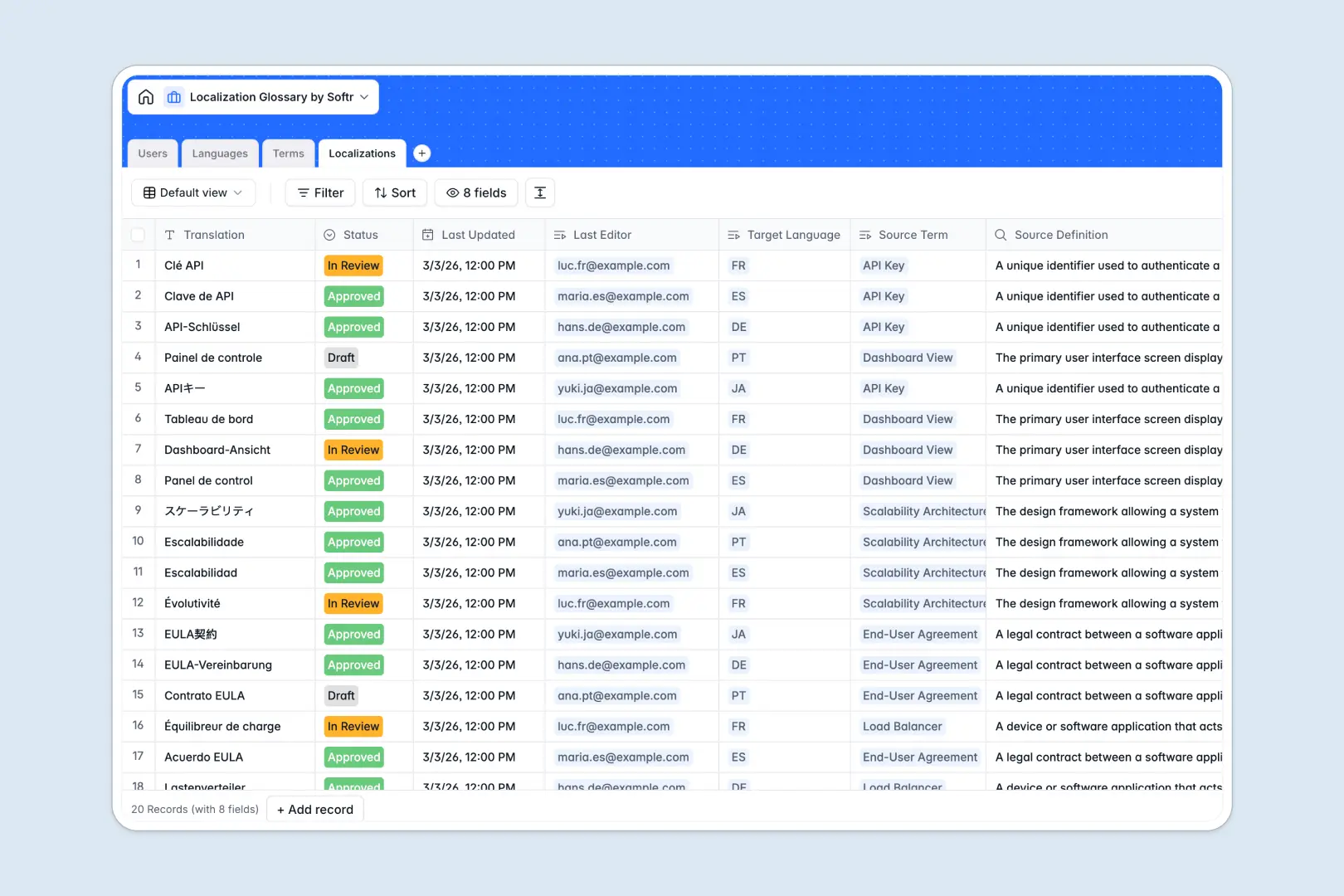
Your Localization Glossary at a glance
This ready-to-use template centralizes your entire translation process, from base definitions to approved multilingual strings. It provides a clean, automated environment for your reviewers, translators, and managers to collaborate.
By natively connecting your target languages to master terms and specific user roles, it eliminates the confusion of scattered documents. You can instantly see who edited a string last and whether a translation is in draft or approved.
It also comes equipped with smart AI features to speed up your workflow. The database automatically generates contextual usage examples for source terms and drafts summaries assessing translation quality.
Why a localization glossary spreadsheet quickly breaks down
Managing translations in a spreadsheet inevitably leads to an unmanageable mess of fragmented tabs, broken VLOOKUPs, and lost context. When you scale across dozens of languages, duplicating source definitions across rows quickly becomes a nightmare for data integrity.
What a structured database changes
A structured system enforces clear content types—meaning statuses stay consistent, text fields protect formatting, and external translators can't accidentally overwrite your source definitions.
You easily link a single master term to dozens of different language translations securely, without ever copy-pasting across tabs. This is exactly what Softr Databases are designed for.
What you can do with this template
You can instantly organize thousands of distinct technical, marketing, or UI terms and assign them to specific languages and reviewers. It provides immediate visibility into localization progress and bottlenecks.
By utilizing native Database AI agents, your glossary practically maintains itself. The system will automatically auto-generate realistic usage sentences for new terms and summarize translation quality based on the original definition.
-
Users
Manage internal staff profiles with roles, avatars, and edit histories
-
Languages
Catalog supported language pairs for global content localization efforts
-
Terms
Manage master technical terms and generate AI examples for usage context
-
Localizations
Store translated strings with status tracking and AI-powered quality summaries
Who is this Localization Glossary database for
This template provides the perfect foundation for teams managing global products and multilingual content.
- Product Teams: Ship multi-language UI updates faster with centralized, verified strings.
- Localization Managers: Track translation progress from draft to approved without chasing people down.
- Marketing Departments: Maintain a consistent brand voice across all international markets seamlessly.
- Translation Agencies: Assign specific reviewers and keep freelancer outputs highly organized.
How to take it further
Customize the database
You can immediately adapt this localization system to match your precise workflow. Easily modify the language options, expand the categorization tags, or tweak the review statuses in just a few clicks.
Import your existing data
Stop starting completely from scratch. Simply import a CSV of your old spreadsheet to instantly populate your master terminology and historical translations into a structured format.
Build a full app around it
When your localization team expands, you can transform this backend to a custom portal using an intuitive interface builder. This lets you invite external contractors to translate securely without exposing your entire data structure.
You can implement precise users and permissions so that freelance linguists only see strings assigned to their specific language pairs. Getting your data out of spreadsheets into a well-structured database makes launching an app effortless.
-
1
-
2
-
3
-
4
Frequently asked questions
-
What is a localization glossary database?
-
Why use a no-code database to build a localization glossary?
-
How can AI help managing data for localization glossaries?
-
Can I build an app with this localization glossary database?
-
Is this Localization Glossary database free?
-
Why are spreadsheets bad for localization efforts?
Start building today. It's free!
Build and launch your first app in under 30 minutes.