


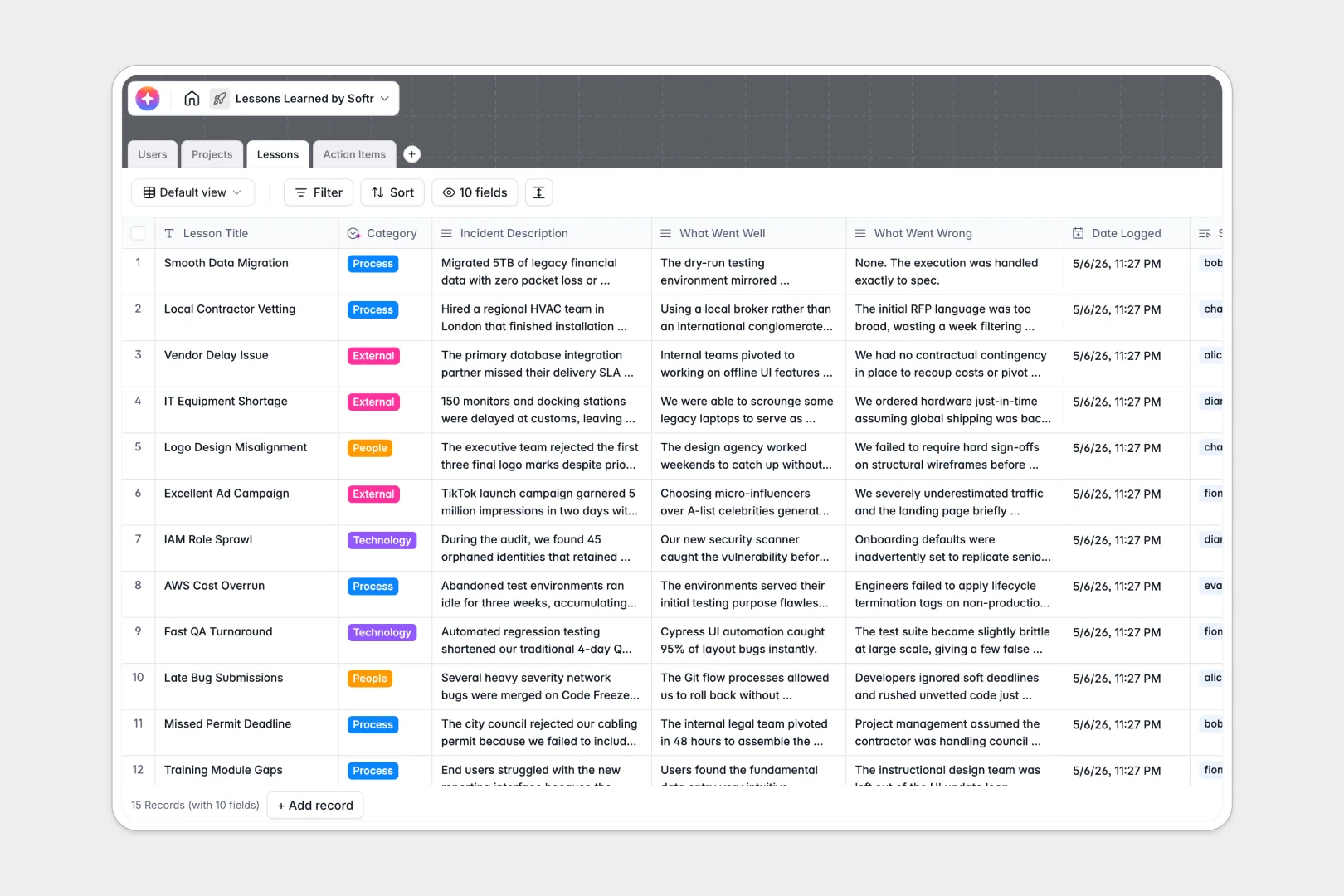
Your Lessons Learned database at a glance
This pre-built database captures organizational knowledge effortlessly, turning past successes and failures into actionable improvements.
It cleanly links critical projects to specific lessons and their corresponding action items. Rather than jumping between isolated tabs, everything flows intuitively from an initial incident report straight to an assigned resolution.
Integrated AI instantly categorizes incidents, synthesizes executive summaries, and drafts step-by-step implementation plans to save your team hours of manual review.
Why tracking lessons learned gets messy in spreadsheets
Most teams rely on basic grids to log project retrospectives, but as records grow, insights quickly get buried in static, disconnected rows.
What a structured database changes
Spreadsheets struggle to link new action items to historical lessons without relying on fragile formulas that break when heavily edited. A proper database enforces structure, ensuring every task ties perfectly back to its source lesson and the overarching project manager.
This intuitive workflow is exactly what Softr Databases are designed for. You get complete data integrity, robust relational links between teams and projects, and a single source of truth that scales effortlessly.
What you can do with this template
Instantly log successful strategies or process bottlenecks and assign follow-up tasks without copy-pasting information across endless tabs.
Leverage built-in Database AI agents to automatically summarize long incident descriptions and generate step-by-step execution frameworks the moment a new record is saved.
-
Users
Manage system users with roles, contact details, and linked project outcomes
-
Projects
Track initiatives with AI-powered synthesis of retrospective insights and summaries
-
Lessons
Capture key events using AI to summarize findings and categorize incident types
-
Action Items
Organize improvement tasks with AI-generated implementation plans and due dates
Who is this Lessons Learned database for
This system is built for teams that demand continuous operational improvement without wrestling with administrative busywork.
- Project Managers: Consolidate post-mortem feedback and track overall project health in one centralized view.
- Operations Leads: Identify recurring process failures and efficiently monitor the execution of corrective tasks.
- Team Contributors: Easily log field insights and understand exactly what action items they need to review or complete.
- Executives: Instantly access AI-generated, high-level summaries of organizational learning without digging through raw data.
How to take it further
Customize your fields: Easily add new dropdown choices for project statuses or tweak the AI prompts to extract insights specific to your industry. Because this operates as a native database, adjusting the structure takes just seconds.
Import your existing data: Move away from your old sheets easily by uploading a CSV file in bulk. You can instantly map your historical retrospectives into this clean, newly connected structure.
Build a full app around it: When you are ready to share this system with the wider company, you can build an app straight on top of this structured data.
Apply strict users and permissions to ensure contributors only edit their specific assignments while giving directors full visibility. A cleanly structured backend makes launching a full-scale knowledge portal incredibly fast and secure.
-
1
-
2
-
3
-
4
Frequently asked questions
-
What is a lessons learned database?
-
Why use a no-code database over a spreadsheet for lessons learned?
-
How can AI help manage project retrospectives?
-
Can I build an app with this lessons learned database?
-
Is this lessons learned spreadsheet alternative free?
-
Why do spreadsheets fail for action item tracking?
Start building today. It's free!
Build and launch your first app in under 30 minutes.