


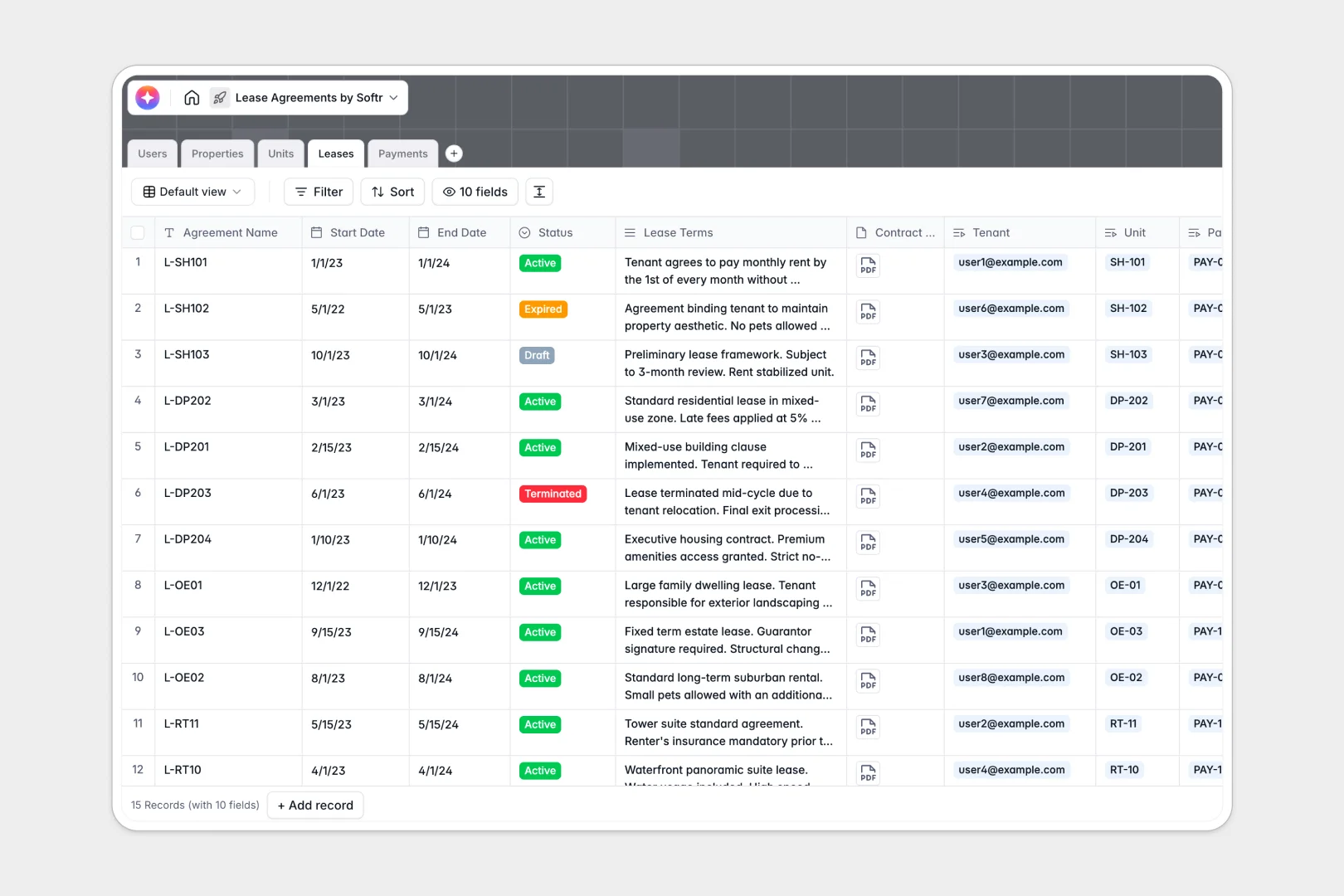
Your Lease Agreements Database at a glance
Manage your entire property portfolio, track active leases, and monitor rent payments in a single, organized system. This structure eliminates tedious manual data entry and keeps your rental operations flowing smoothly.
This template naturally links your overarching properties, individual units, tenants, and payment records. By connecting these tables natively, every lease agreement instantly pulls in the right tenant and unit details without copy-pasting.
Built-in AI agents do the heavy lifting by automatically summarizing dense lease terms into readable bullet points and drafting marketing copy directly from your unit listings.
Why lease agreements get messy in spreadsheets
Tracking units, diverse tenant data, and recurring rent payments across tabbed spreadsheets quickly leads to disjointed records. Furthermore, it is incredibly cumbersome and insecure to attach heavy lease contract documents directly to spreadsheet rows.
What a structured database changes
By moving away from fragile VLOOKUPs, you enforce structure where every core object—properties, units, and leases—has its own dedicated home. Dates stay dates, currencies remain accurate, and you can reliably track late or failed payments.
Instead of hunting through shared drives, you can securely attach contract PDFs directly to the tenant's profile. This is exactly what Softr Databases are designed for.
What you can do with this template
Eliminate data silos by instantly checking which tenant is assigned to which unit, the real-time status of their lease, and whether their latest scheduled payment cleared.
You can even leverage built-in Database AI agents to automatically categorize maintenance memos on payment records or draft professional property descriptions right inside the database field.
-
Users
Manage platform accounts for administrators, property managers, and tenants
-
Properties
Organize real estate assets and generate AI-powered professional overviews
-
Units
Track rentable spaces and use AI to auto-generate catchy marketing copy
-
Leases
Execute legal agreements with AI-generated summaries of complex terms
-
Payments
Log rent transactions and use AI to classify payment memos automatically
Who is this Lease Agreements database for
This database provides a reliable foundation for real estate professionals looking to scale their rental operations safely.
- Property Managers: Track active leases, monitor expiring contracts, and easily assign units to new tenants.
- Real Estate Investors: Keep a unified, reliable log of properties to monitor occupancy rates and rental revenue.
- Landlords: Maintain clear payment histories to instantly track scheduled, paid, and failed rent transactions.
How to take it further
Customize this database in seconds to match your exact portfolio. Add specific unit features, modify the lease status dropdowns, or introduce new payment methods to suit your current workflows.
Easily bring over your existing property rolls and tenant lists. Simply run a CSV import or connect via API to instantly populate your clean, highly organized new system.
When you are ready to enhance the tenant experience, you can seamlessly connect this database to the interface builder to construct a fully functional application. It serves perfectly as the backend for a comprehensive property management portal.
You might launch a dedicated renter dashboard where tenants can log in to view their active leases and payment history. By establishing custom users and permissions, you ensure every resident securely accesses only their own private information.
-
1
-
2
-
3
-
4
Frequently asked questions
-
What is a lease agreements database?
-
Why use a no-code database to track lease agreements?
-
How can AI help managing data for lease agreements?
-
Can I build an app with this lease agreements database?
-
Is this Lease Agreements template free?
-
How is a lease agreements database different from a spreadsheet?
Start building today. It's free!
Build and launch your first app in under 30 minutes.