


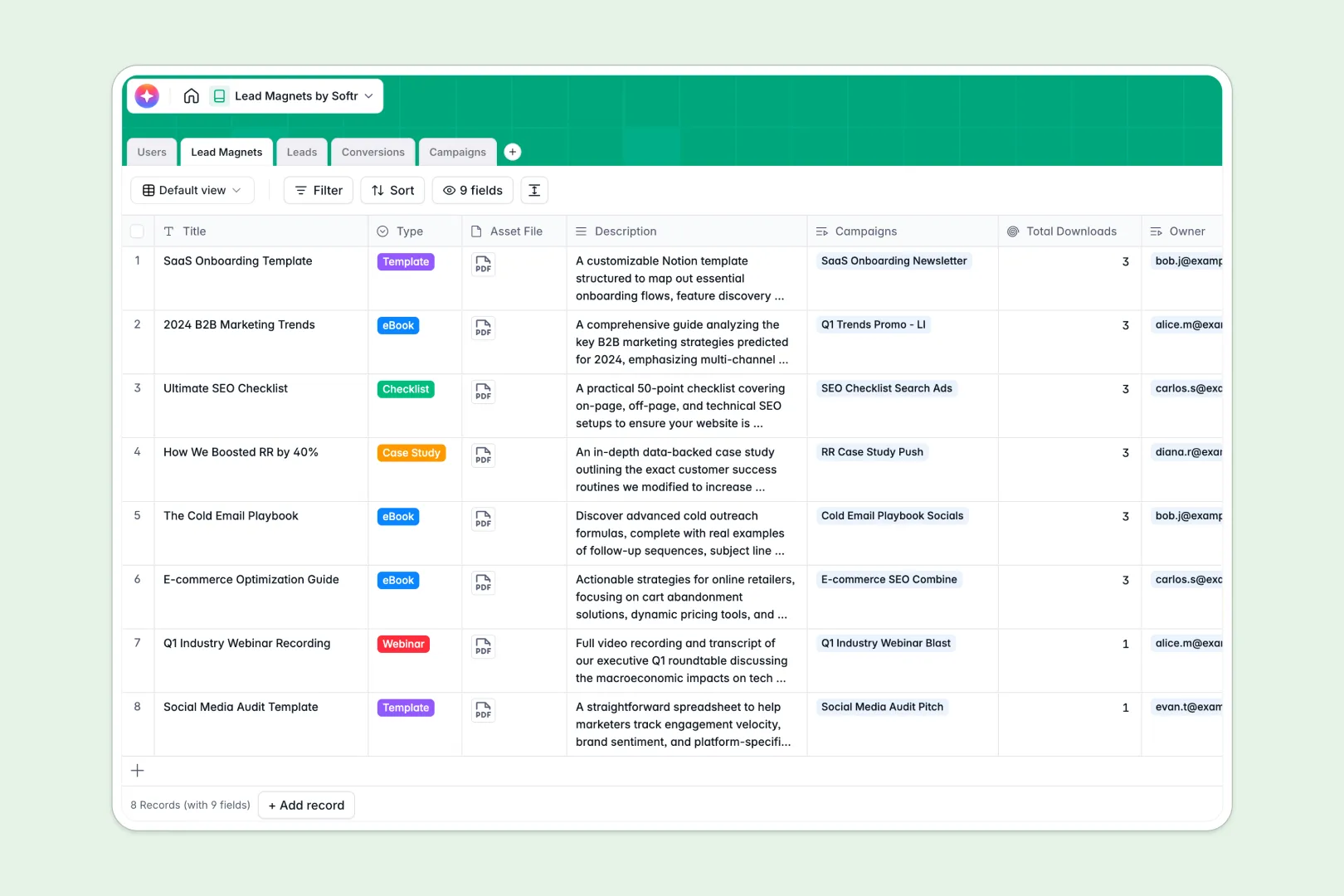
Your Lead Magnets database at a glance
This template tracks every digital asset you offer, the campaigns promoting them, and the specific leads they generate all in one place. It eliminates the friction of managing marketing funnels across scattered files.
It works by connecting distinct tables for assets, campaigns, structured leads, and conversions. When someone downloads an asset, a conversion record automatically links the contact to the exact source campaign without any manual data entry.
Native AI features seamlessly summarize asset descriptions into quick pitches and instantly generate platform-specific promo copy. The system even searches the web to automatically pull company insights for every new lead.
Why tracking lead magnets in spreadsheets gets messy
As your marketing efforts grow, dropping leads, downloads, and campaign budgets into a flat spreadsheet quickly becomes a chaotic mess of duplicate rows and fragile formulas.
What a structured database changes
Instead of repeatedly copying and pasting eBook details or struggling with VLOOKUPs, a database enforces clean relationships. Every column has a specific, strict format so dates stay dates and budgets stay true numbers.
Following a strict "one table equals one object" rule means you can safely link a single lead magnet to hundreds of downloads without breaking your layout. This is precisely what Softr Databases are designed to handle effortlessly.
What you can do with this template
You can clearly attribute every single download to its source campaign, ensuring you always know which marketing channels drive real value. Rollup columns automatically count total conversions on your assets without requiring a single complex formula.
You can also leverage native Database AI agents to automatically gather market insights about new leads the moment they are captured. They can even generate fresh ad copy for ongoing campaigns, transforming manual admin work into a reliable, automated workflow.
-
Users
Manage internal team members, account permissions, and assigned assets
-
Lead Magnets
Store digital assets and use AI to generate concise value summaries
-
Leads
Capture contact data and use web-aware AI to research company insights
-
Conversions
Track links between individual leads and the digital assets they download
-
Campaigns
Organize marketing ads with AI-generated promo copy based on platform
Who is this Lead Magnets database for
This template provides a reliable, scalable backbone for any team driving business growth through digital content.
- Marketing Managers: Track which assets drive the most valuable conversions across various paid and organic channels.
- Sales Representatives: Access rich, AI-generated company insights for each lead before ever reaching out.
- Content Creators: Easily monitor how many times their downloaded templates, case studies, or eBooks are accessed over time.
How to take it further
Adjust the template to fit your exact marketing taxonomy in seconds. You can easily modify native specific field names, change campaign statuses, or define custom asset types under the select dropdowns.
Bring in your historical performance seamlessly. Upload your previous contacts or campaign metrics via CSV, or use the API to automatically sync live downloads straight from your marketing site.
When your team needs broader access, transform this foundation into a complete internal portal. Well-structured data naturally lends itself to creating dashboards where sales reps view their mapped leads safely and efficiently.
By configuring native users and permissions, you securely control exactly who sees and edits each campaign or lead record.
-
1
-
2
-
3
-
4
Frequently asked questions
-
What is a lead magnets database?
-
Why use a no-code database to build a lead magnet tracking tool?
-
How can AI help managing data for lead magnets?
-
Can I build an app with this lead magnets database?
-
Is this Lead Magnets database free?
-
How is a lead magnets database different from tracking in Google Sheets?
Start building today. It's free!
Build and launch your first app in under 30 minutes.