


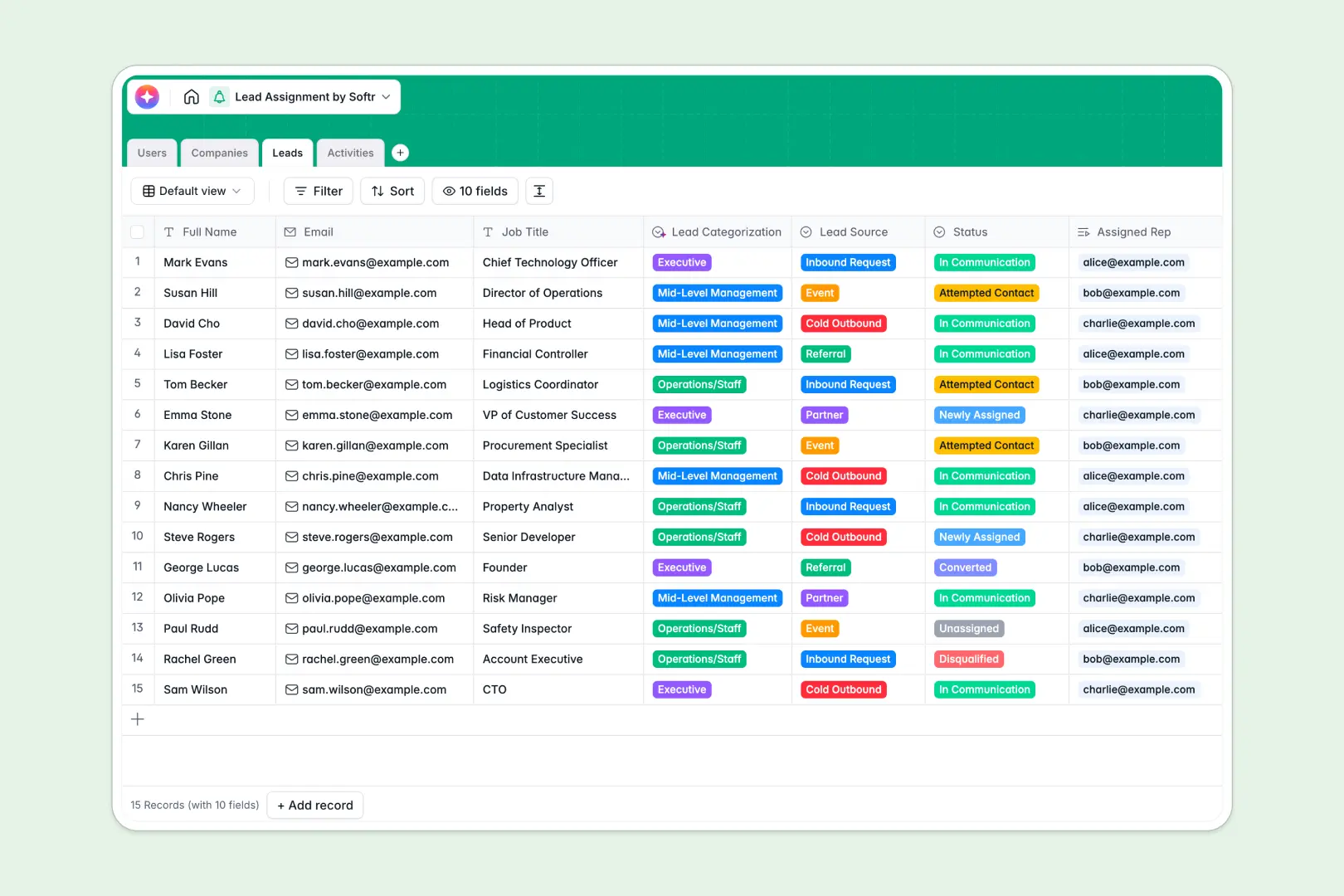
Your Lead Assignment database at a glance
This ready-to-use template helps you distribute prospects to the right sales reps securely. It gives your team a clear, real-time view of every pipeline interaction.
Track your data across interconnected tables for Leads, Companies, Users, and Activities. When a rep logs a call or email, it automatically links back to the prospect and their organization.
Built-in AI agents instantly research company websites to summarize what they do. They also automatically categorize leads based on job titles to save you manual entry.
Why a lead assignment spreadsheet gets messy
Using rows and columns to hand off valuable prospects quickly leads to overwritten data and lost context.
What a structured database changes
In a spreadsheet, you end up copy-pasting company details and activity notes across multiple tabs just to see the big picture. As your sales team scales, tracking who owns which lead becomes impossible.
A relational setup fixes this by keeping each piece of data properly organized and safely isolated. You can link a sales activity directly to a lead without duplicating rows, which is exactly why Softr Databases exist.
What you can do with this template
You can immediately assign new inbound or outbound leads to specific reps while tracking their real-time contact status. The single source of truth ensures no prospect falls through the cracks.
Plus, you can leverage native AI to automatically summarize actionable next steps from your reps' call notes. It completely removes the manual research and administrative work that slows sales teams down.
-
Users
Manage sales team profiles, roles, and track lead assignment metrics
-
Companies
Store client organizations with AI-powered descriptions and industry classification
-
Leads
Track individual prospects with AI-driven job title and seniority categorization
-
Activities
Log interactions using AI to generate actionable summaries from meeting notes
Who is this Lead Assignment database for
This template cleanly supports teams looking to streamline their sales pipeline and handoffs without technical setup.
- Sales Managers: Easily distribute inbound requests and monitor the exact status of every attempted contact.
- Sales Representatives: See exactly which leads you own and log your emails or calls intuitively.
- Operations Leads: Keep company records cleanly structured and automatically enriched with accurate industry classification.
How to take it further
Customizing this database takes just a few clicks to match your exact sales process. You can easily modify the lead statuses, adjust the source dropdowns, or add new activity types.
To get started quickly, you can import your historical lead lists and company directories via a simple CSV upload. You can also connect it to your existing lead generation tools using our API.
When your team is ready, transform this operational data into a secure internal application using the interface builder. This lets you create a dedicated portal where reps log in to exclusively view their assigned pipeline.
Because you built this on structured data, setting up users and permissions is effortless. Managers can securely see the entire board, while reps only alter the records they are authorized to manage.
-
1
-
2
-
3
-
4
Frequently asked questions
-
What is a lead assignment database?
-
Why use a no-code database to build a lead assignment system?
-
How can AI help managing data for lead assignment?
-
Can I build an app with a lead assignment database?
-
Is this Lead Assignment template free?
-
Why is a lead assignment spreadsheet a bad idea for scaling teams?
Start building today. It's free!
Build and launch your first app in under 30 minutes.