


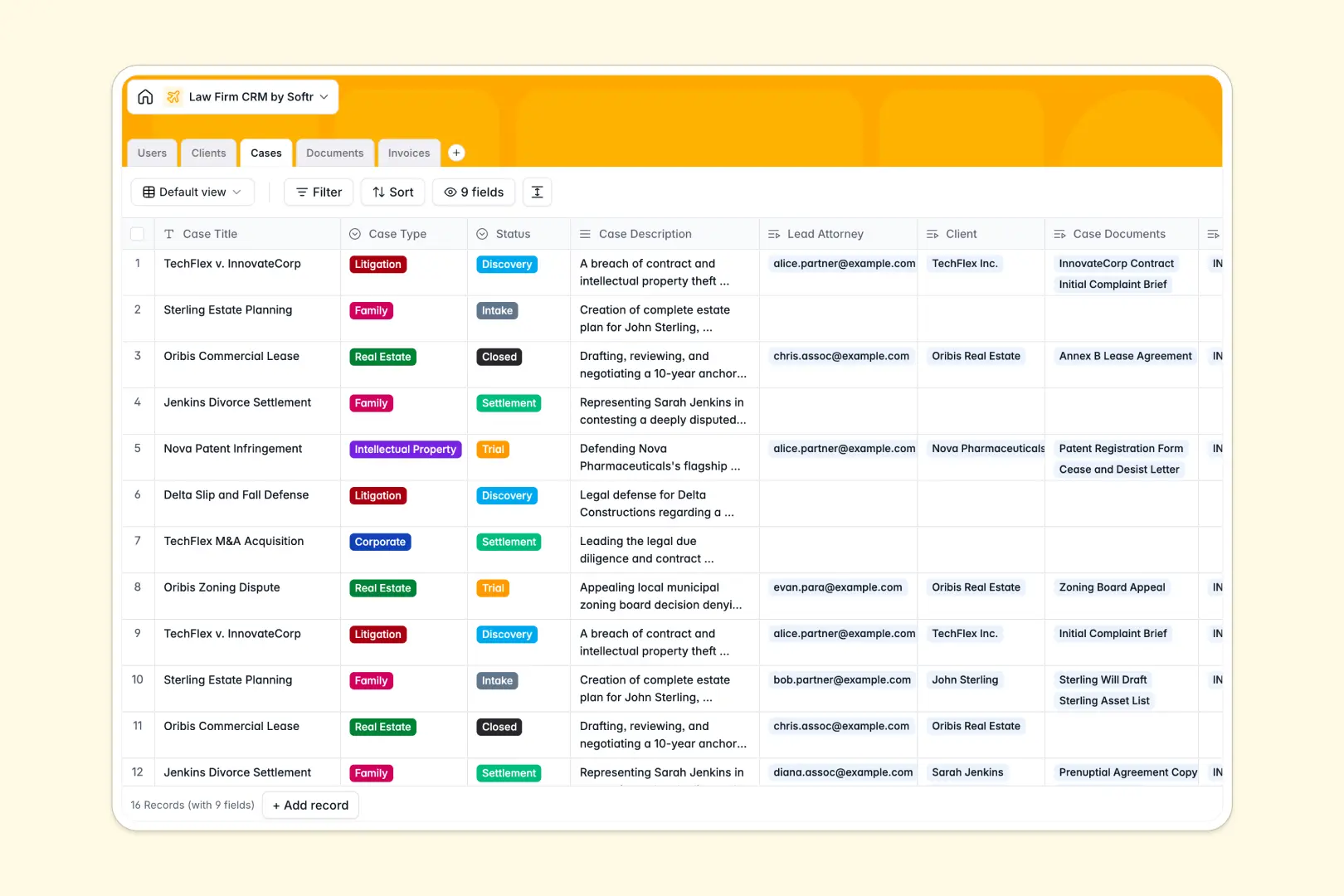
Your Law Firm CRM Database at a glance
Track clients, legal matters, and billing in one secure system instead of scattered spreadsheets. This template gives your firm a clear, structured view of every active case and its associated documents.
It connects your data naturally. You can link clients to their cases, assign lead attorneys, and organize invoices and evidence securely without relying on fragile formulas.
Built-in AI features handle the heavy lifting. The system automatically browses the web to generate client background profiles, summarizes long case descriptions, and flags the risk level of uploaded legal documents.
Why tracking legal cases gets messy in spreadsheets
Managing a growing law firm in Excel or Google Sheets quickly turns into a liability. Tracking client details, case statuses, and billing across disconnected tabs leads to duplicate data, broken links, and lost documents.
What a structured database changes
A true database ensures every piece of information has a strict format. Case statuses stay consistent, billing amounts remain accurate, and documents are securely attached directly to the appropriate case record.
Instead of breaking VLOOKUPs to match clients to cases, you simply link them natively. A single update reflects everywhere, keeping your whole team perfectly aligned. This is exactly what Softr Databases are designed for.
What you can do with this template
Centralize your entire practice, from client intake to final settlement. Track partners, associates, and paralegals alongside their assigned workloads in real time.
Let Database AI agents do your firm's busywork. They automatically search the web to build client profiles and scan extracted document text to classify legal risks as high, medium, or low.
-
Users
Manage law firm staff profiles with roles and case assignments
-
Clients
Store client details with AI-generated background summaries and billing
-
Cases
Track legal proceedings using AI to generate concise matter summaries
-
Documents
Store case files with AI-powered legal risk analysis and classification
-
Invoices
Handle billing records and payment statuses for client legal services
Who is this Law Firm CRM Database for
This system is built for legal practices that need reliable structure without complex software setups.
- Partners: Monitor firm-wide caseloads, billing statuses, and overall firm performance at a glance.
- Associates: Track personal case assignments, manage client communications, and review AI-summarized briefs.
- Paralegals: Safely organize evidence, upload court filings, and let AI assess document risk levels.
- Billing Teams: Keep track of draft, sent, paid, and overdue invoices linked directly to the right client.
How to take it further
Start by customizing the database to fit your exact practice areas. You can easily modify the case types, add new document categories, or adjust your billing statuses.
Move off your old spreadsheets by importing your existing client rosters and active caseloads via CSV. Your firm's historical data will instantly map into this clean, relational structure.
When you're ready, turn this database into a secure client portal or practice management app. Using a visual interface builder, you can create custom views for your staff or clients. Set up strict users and permissions so clients only see their own active cases and invoices, while partners see everything.
-
1
-
2
-
3
-
4
Frequently asked questions
-
What is a law firm CRM database?
-
Why use a no-code database to build a law firm CRM?
-
How can AI help managing data for law firm CRMs?
-
Can I build an app with a law firm CRM database?
-
Is this Law Firm CRM Database free?
-
How is a law firm database different from spreadsheets?
Start building today. It's free!
Build and launch your first app in under 30 minutes.