


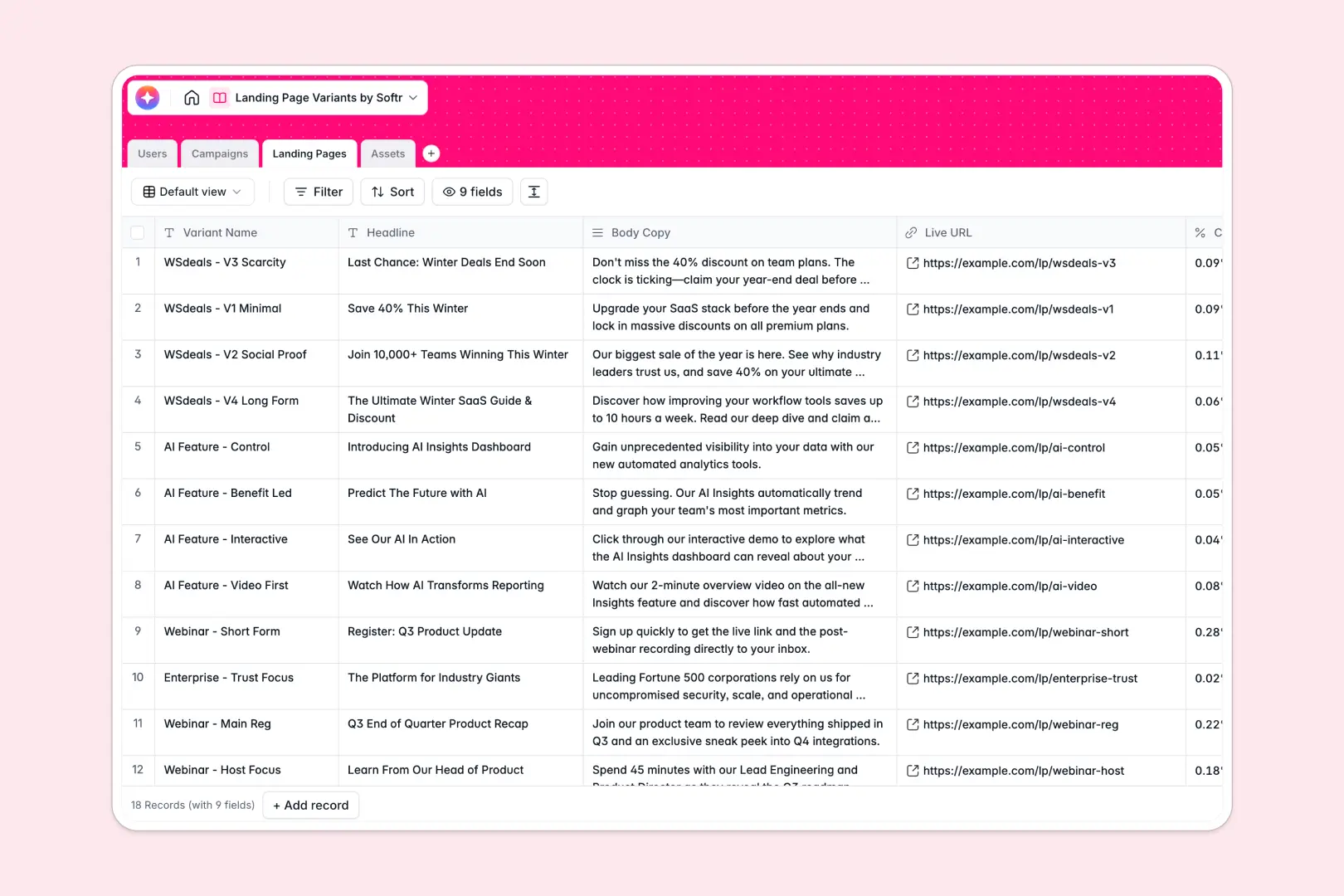
Your Landing Page Variants Database at a glance
This template gives your marketing team a central source of truth for every landing page test. You can easily track headlines, conversion rates, and assigned tasks without digging through scattered files.
It connects your high-level campaigns directly to specific page variants, assigned creators, and visual assets. This means a designer can upload a hero image once and instantly link it to multiple active landing pages.
Built-in AI automatically drafts SEO meta descriptions from your copy and writes accessibility alt text for your images. You get faster campaign launches straight from your database with zero manual data entry.
Why landing page variants get messy in spreadsheets
Managing A/B tests and landing page copy in spreadsheets quickly becomes chaotic as your marketing scales. Rows get accidentally deleted, tracking live URLs next to heavy image attachments is clunky, and keeping campaign briefs aligned with specific variants feels impossible.
What a structured database changes
Unlike spreadsheets, a true database keeps your marketing assets strictly organized. Images stay securely attached to their records, text fields comfortably hold long body copy, and percentages remain formatted as actual conversion rates.
Instead of fragile VLOOKUPs, tables connect cleanly and naturally. You can tie a specific creative brief directly to the ten landing pages testing it, which is exactly what Softr Databases are built to handle seamlessly.
What you can do with this template
Set campaign statuses, map specific background visuals to high-performing pages, and track total variants rolling up into your main initiatives. Everything stays visible, organized, and accessible to the whole marketing team in one clean space.
Thanks to native Database AI agents, this system actively works for you as you drop in new records. It automatically summarizes long creative briefs into readable bullet points and generates precise SEO meta descriptions based on your variant's headline.
-
Users
Manage team roles and assignments for landing page creative workflows
-
Campaigns
Organize marketing initiatives and use AI to summarize creative briefs
-
Landing Pages
Test page variants and generate AI-powered SEO descriptions for better reach
-
Assets
Store design media and use AI to generate descriptive alt text for accessibility
Who is this Landing Page Variants database for
This system is designed for marketing teams, copywriters, and designers who need to launch tests fast without losing track of their assets.
- Growth Marketers: Monitor conversion rates across different variants and clearly see which campaigns perform best.
- Copywriters: Manage body copy safely and automatically generate SEO descriptions without leaving the workspace.
- Designers: Upload hero images and icons to a central asset library that links directly to active pages.
- Campaign Managers: View total variants per campaign and quickly scan AI-summarized creative briefs.
How to take it further
You can easily customize this database to match your exact marketing workflow or team structure. Add new asset types to the select fields or adjust the AI prompts to guarantee your SEO copy always matches your brand's voice.
Bring in your existing campaign history seamlessly to get immediate value. Import your historical variant data and copy via CSV, or use the API to sync live conversion rates from your analytics tools directly into the records.
When your team is ready, you can transform this structure into a complete marketing portal. Using a visually intuitive interface builder, you can create simple, custom views for freelancers or external agencies.
This lets you securely share specific campaigns outward while protecting sensitive internal performance metrics. Proper users and permissions ensure that designers only see asset requests while managers see the complete active roadmap.
-
1
-
2
-
3
-
4
Frequently asked questions
-
What is a landing page variants database?
-
Why use a no-code database to build a landing page tracking system?
-
How can AI help managing data for landing page variants?
-
Can I build an app with this landing page variants database?
-
Is this Landing Page Variants database free?
-
How is this variations database different from a spreadsheet?
Start building today. It's free!
Build and launch your first app in under 30 minutes.