


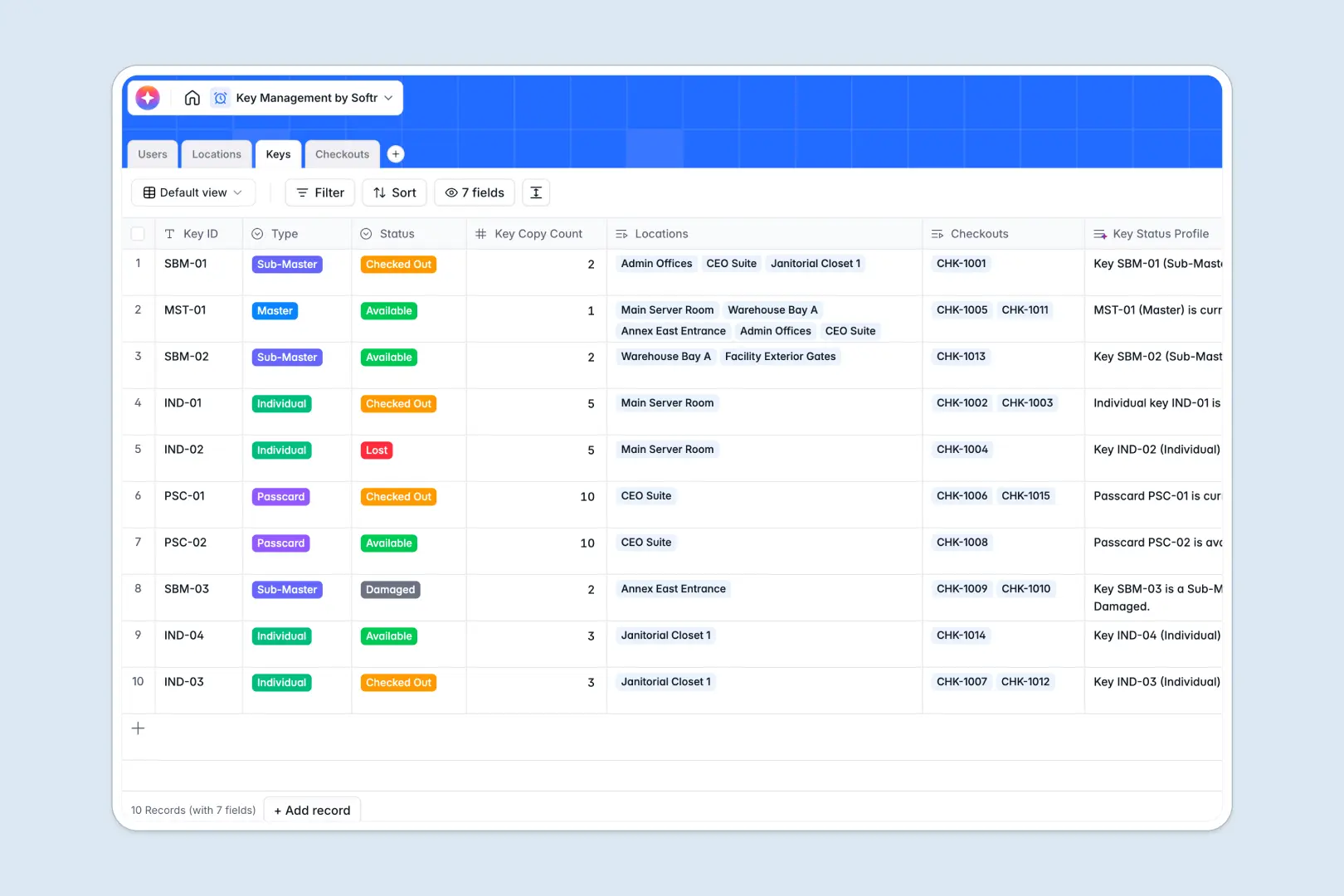
Your Key Management database at a glance
This template gives facility teams and operations managers a reliable system to track physical keys, manage borrower history, and maintain complete facility security.
It connects Keys, Locations, Users, and Checkouts into a single relational structure. When someone borrows a key, the checkout links directly to their profile and updates key availability automatically.
Built-in AI fields draft location security summaries, generate readable key status profiles, and highlight incident summaries from checkout notes.
When key logs multiply across disconnected tabs
A static key management spreadsheet often starts cleanly but fractures over time. As checkouts get logged in separate monthly sheets, column names drift, return dates go untracked, and nobody knows who holds the master key to the server room.
Why relational tracking beats a manual log
A dedicated database separates physical assets from transaction history. Typed fields ensure dates stay valid timestamps and key statuses remain consistent across your inventory.
Instead of retyping names and room numbers across rows, native relations link every checkout record directly to the specific user and key. This is exactly what Softr Databases are designed for.
What you can do with this template
Instantly view which keys are available, checked out, damaged, or lost without sorting through conflicting rows. Rollup fields track active checkout counts per user so managers can spot unreturned keys immediately.
Embedded Database AI agents analyze return notes on checkout records to generate management briefs for missing or damaged keys automatically.
-
Users
Manage personnel and authorized borrowers with roles and checkout counts
-
Locations
Track facility access points and generate AI security profiles
-
Keys
Monitor physical key inventory with AI-generated status profiles
-
Checkouts
Log key issuances and returns with AI-generated incident summaries
Who is this Key Management database for
This database helps teams maintain physical access control and asset accountability:
- Facilities Managers: Keep an accurate register of building keys, sub-masters, and high-security access points.
- Office Operations Leads: Track day-to-day key handoffs and passcards issued to employees or visiting contractors.
- Campus Security Teams: Monitor overdue checkouts and log access incidents across multiple buildings and annexes.
How to take it further
1. Customize your key structure
Adjust the predefined security levels, add custom building areas, or create specific key categories like fobs and passcards directly in the table settings.
2. Import your existing inventory
Bring your current key registers and employee rosters into the database instantly using CSV upload or direct API sync.
3. Build a full key tracker app
When your team is ready, transform this database into a secure operational portal. Use Softr's AI app generator to generate checkout request forms, admin dashboards, and mobile scanner interfaces in seconds. Set granular users and permissions so borrowers only see their active checkouts while security managers handle full inventory approvals.
-
1
-
2
-
3
-
4
Frequently asked questions
-
What is a key management database?
-
Why use a no-code database to build a key management tool?
-
How can AI help managing data for key tracking?
-
Can I build an app with this key management database?
-
Is this Key Management database free?
-
How does this database differ from a key management spreadsheet?
Start building today. It's free!
Build and launch your first app in under 30 minutes.