


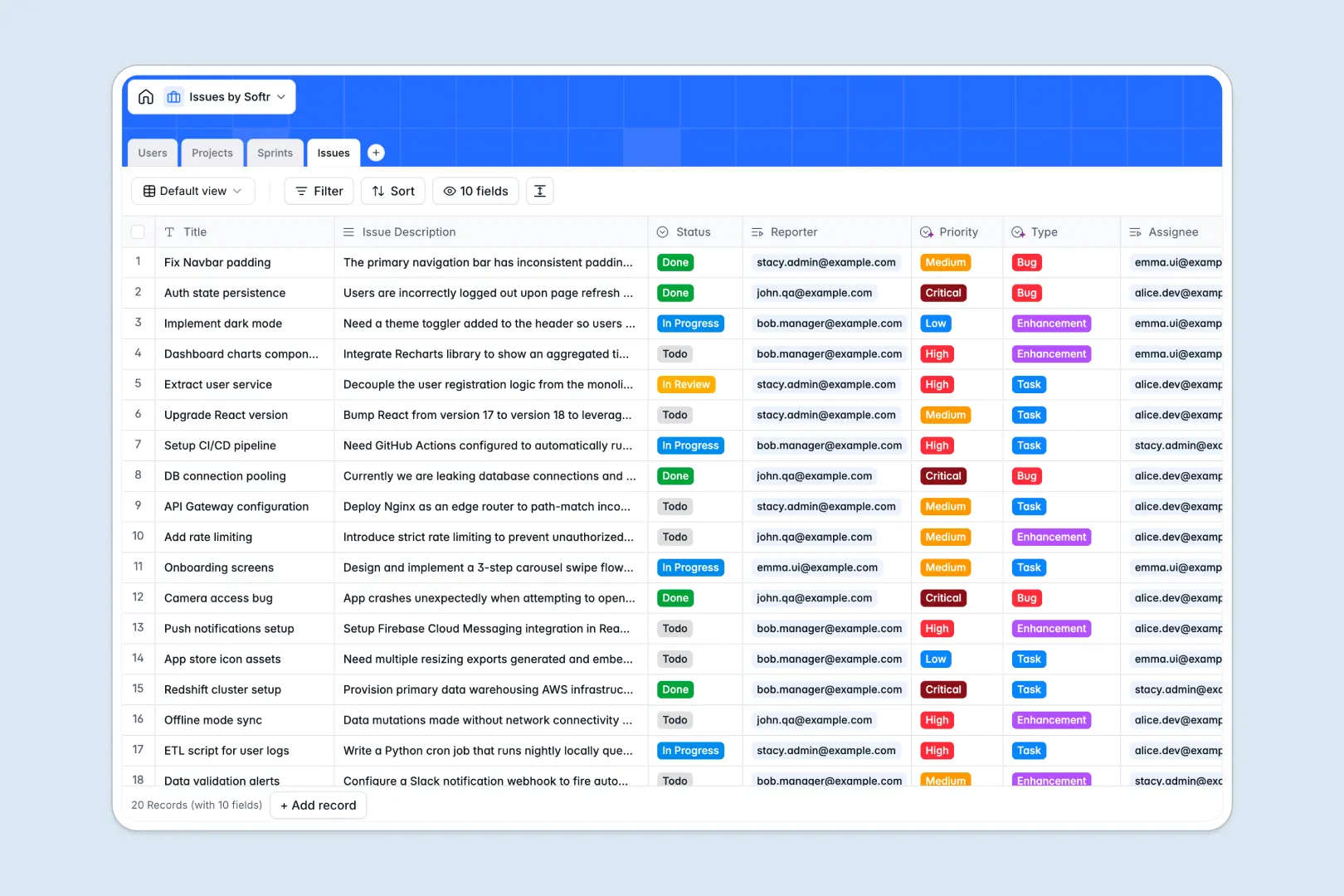
Your Issues Database at a glance
This template replaces chaotic task lists with a structured, reliable system to track bugs, tasks, and enhancements. It keeps your development team aligned and ensures nothing falls through the cracks.
The database seamlessly connects your tables. Every reported issue links natively to specific projects, time-boxed sprints, and assigned team members without fragile formulas.
Built-in AI automatically extracts summaries from long bug descriptions and categorizes ticket priority based on the context. It even searches the live web to pull external framework best practices directly into your project scopes.
Why tracking issues in spreadsheets breaks down
Spreadsheets rely on manual updates and copy-pasting, making it incredibly difficult to manage fast-moving sprints, changing statuses, and assigned developers contextually.
What a structured database changes
In a spreadsheet, columns get mixed up, formulas break, and tracking sprint assignments across hundreds of rows scales poorly. A structured database enforces proper field types, meaning statuses stay locked to your specific dropdowns and dates stay formatted strictly as dates.
You can link issues to users or large project scopes natively, avoiding complex VLOOKUPs that constantly break. Maintaining one central source of truth is exactly what Softr Databases are designed for.
What you can do with this template
You can easily group tickets by project, visualize sprint progress, and assign reporters to critical bugs. The clean relational setup means statuses update reliably across your entire workspace.
Thanks to Database AI agents, this system is also self-maintaining. It automatically grades issue priority, tags ticket types (like Bug or Enhancement), and researches tech frameworks without any human intervention natively in the column.
-
Users
Manage team members with profile details and linked issue assignments
-
Projects
Oversee project scopes with AI-powered framework and tech summaries
-
Sprints
Plan specific delivery timeframes with goals for defined issue sets
-
Issues
Track tickets using AI to summarize tasks and classify priority or type
Who is this Issues Database for
This system is built for teams that need velocity and absolute clarity on what to build or fix next.
- Product Managers: Organize upcoming sprints, track cross-functional projects, and monitor overall issue resolution progress.
- Engineering Teams: Navigate clear tasks, enhancements, and bugs without hunting through long email threads or messy cell rows.
- QA Testers: Instantly report bugs, assign them to developers, and document crucial replication steps clearly.
- Project Leads: Aggregate all sprint tickets into high-level project views to ensure deadlines and goals are met reliably.
How to take it further
1. Customize the database
You can easily modify the dropdown select values to match your specific agile terminology. Adjust the sprint timeframes or add new task types directly into the fields with zero coding required.
2. Import your existing data
Upload your existing backlog via a simple CSV import to get moving immediately. You can also use the API to sync bugs directly from external forms, alerts, or customer support tools.
3. Build a full app around it
When your team grows, you can easily turn this database into a robust internal tool using Softr's interface builder. A front-end interface allows you to create dedicated, secure dashboards for developers and reporters.
By natively managing users and permissions, you guarantee that external contractors or varied departments only see the bugs assigned directly to them. A well-structured database means building these customized workflows later takes minutes.
-
1
-
2
-
3
-
4
Frequently asked questions
-
What is an issues database?
-
Why use a no-code database to build an issue tracking tool?
-
How can AI help managing data for issues?
-
Can I build an app with an issues database?
-
Is this Issues Database free?
-
How is an issues database different from an issues spreadsheet?
Start building today. It's free!
Build and launch your first app in under 30 minutes.