


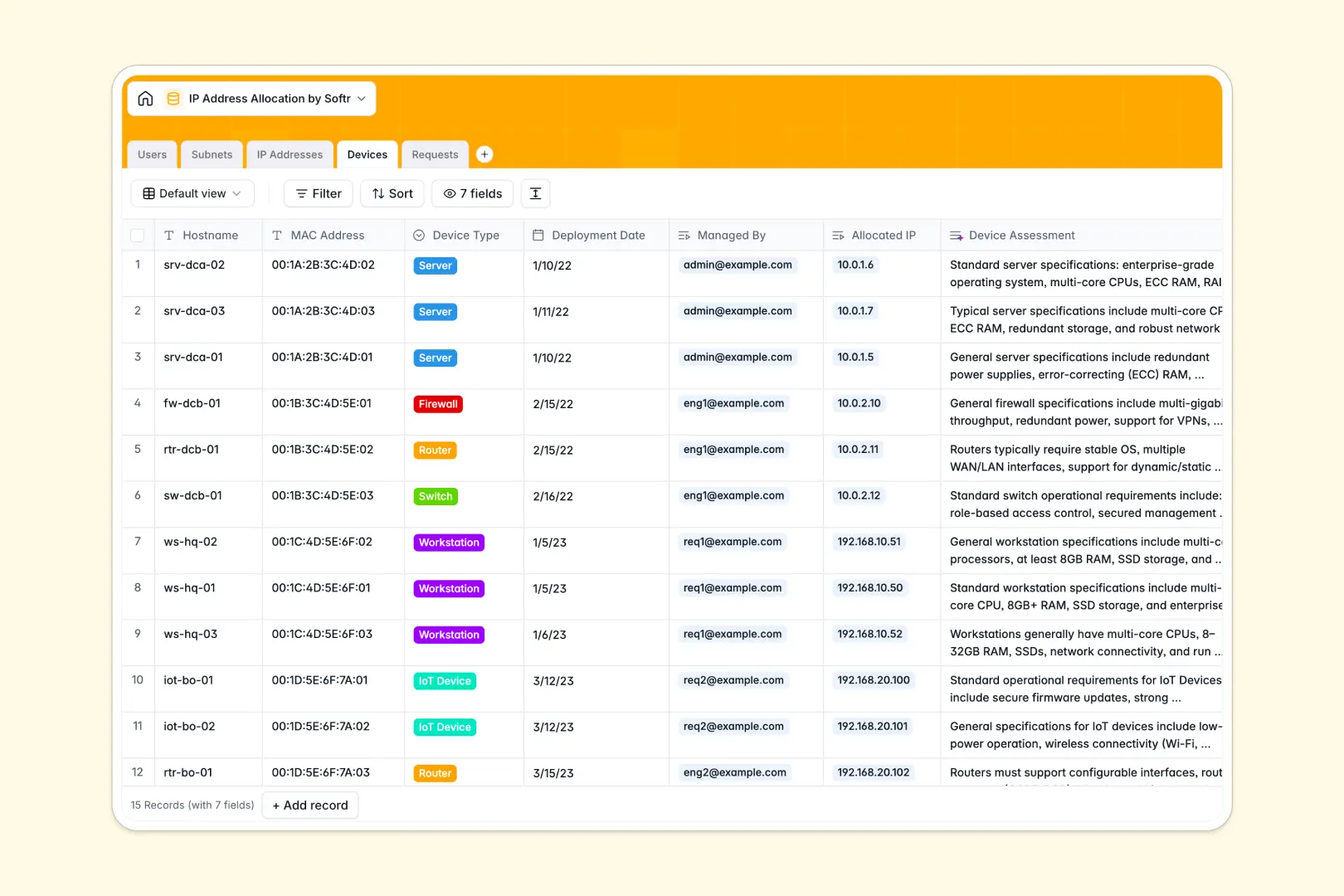
Your IP Address Allocation database at a glance
This template provides a reliable structure to assign, track, and reserve IP addresses across your infrastructure without accidental overlaps. It centralizes your subnets, connected hardware, and user requests in one structured workspace.
Five dedicated tables link your network environment seamlessly: Subnets connect to individual IP Addresses, which map directly to Devices and network engineers in Users. Meanwhile, the Requests table links incoming allocation tickets directly to target subnets and assigned addresses.
Built-in AI fields auto-summarize request justifications, generate subnet overviews, and assess device specifications using live web research to keep technical records current.
Why shared workbooks break down across subnets and devices
Tracking network assignments in offline workbooks often leads to duplicate static IP assignments. When multiple network engineers update local copies of an allocation file, address conflicts go unnoticed until an outage occurs.
What a structured database changes
A database enforces strict data integrity so an IP address can only belong to one active device at a time. Status fields prevent conflicting assignments, while relational links tie each address directly to its parent subnet and managing engineer.
Instead of dealing with broken VLOOKUP formulas across tabs, rollups automatically calculate total IP usage per subnet in real time. This structured environment is exactly what Softr Databases provide natively for IT and infrastructure teams. You can also connect an online Excel file if you maintain data in the cloud.
What you can do with this template
Manage allocation requests from intake to fulfillment without risking IP address collisions. Track devices by MAC address, hostname, and deployment date while keeping hardware linked to verified subnets.
Native Database AI agents automatically condense complex user justifications into quick bullet points and look up technical device specs automatically.
-
Users
Manage network admins and requesters with assigned subnets and devices
-
Subnets
Organize CIDR blocks with location data and AI-generated summaries
-
IP Addresses
Track allocation status, ping checks, and device mappings for each IP
-
Devices
Monitor hardware assets using AI assessments for technical specs
-
Requests
Handle IP assignment workflows with automated AI justification summaries
Who is this IP Address Allocation database for
This database helps technical teams maintain clear visibility over their static and dynamic IP pools:
- Network Engineers: Prevent IP address collisions and keep subnets structured across office and data center locations.
- IT Systems Administrators: Map physical and virtual servers to dedicated static IPs with complete hardware records.
- DevOps Teams: Coordinate infrastructure provisioning and cloud subnet blocks across staging and production environments.
- IT Helpdesk Leads: Manage incoming allocation tickets and track requester details without manual back-and-forth.
How to take it further
1. Customize the database
Adapt the template to your exact architecture by adding custom fields like VLAN IDs, DNS records, or gateway configurations. You can also modify the location choices to match your specific data centers and branch offices.
2. Import your existing data
Quickly migrate your current network inventory using CSV import to populate subnets and existing hardware in seconds. You can also connect an API to sync allocation data automatically with your network monitoring tools.
3. Build a full app around it
When your team needs dedicated access, use Softr to build an app on top of your database. You can generate an internal IP management portal where team members submit allocation requests and engineers approve them.
Use granular users and permissions to allow requesters to view only their pending tickets while giving network admins full editing rights. A clean, structured database makes launching a secure internal portal simple and fast.
-
1
-
2
-
3
-
4
Frequently asked questions
-
What is an IP address allocation database?
-
Why use a no-code database to build an IP address allocation system?
-
How can AI help managing data for IP address allocations?
-
Can I build an app with an IP address allocation database?
-
Is this IP Address Allocation database free?
-
How does this template prevent IP address conflicts compared to static files?
Start building today. It's free!
Build and launch your first app in under 30 minutes.