


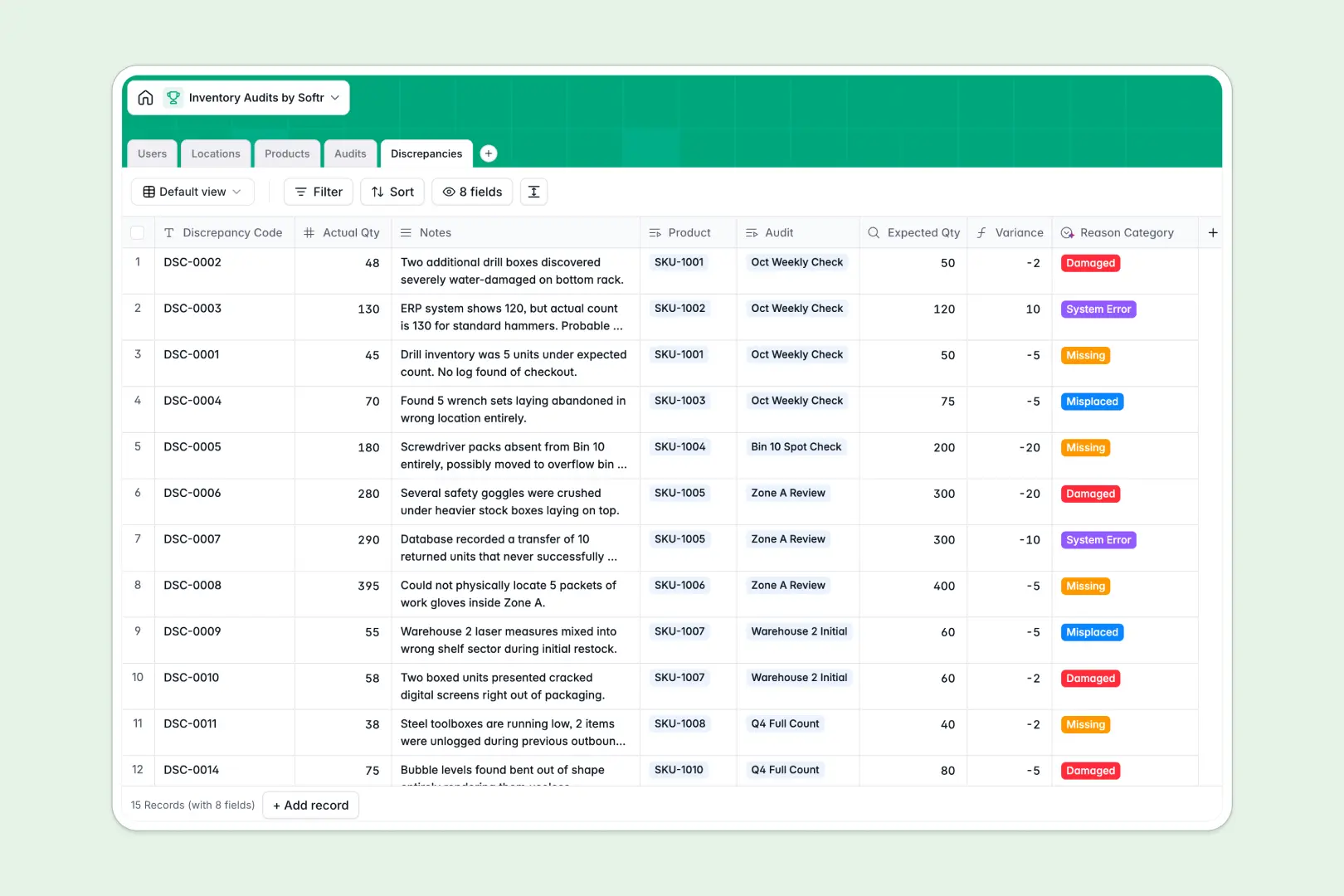
Your Inventory Audits database at a glance
This template replaces messy spreadsheets with a structured system to plan counting events and log stock issues. Identify variances instantly and keep your warehouse aligned.
It consists of connected tables for Products, Locations, Audits, and Discrepancies. When an auditor logs an actual quantity, the database automatically calculates the variance without fragile formulas.
Plus, built-in AI agents automatically categorize discrepancies and write audit summaries from your notes. You spend less time formatting and more time fixing stock issues.
Why inventory audits get messy in spreadsheets
Tracking warehouse counts in spreadsheets works until your product list grows. Soon, rows accidentally get deleted, and VLOOKUPs break when storage locations change.
What a structured database changes
In a relational database, every piece of data has a strict format that scaling teams can trust. Dates stay dates, actual quantities stay numbers, and formulas calculating variances never get accidentally overwritten.
Tables link directly to each other, meaning you can tie a specific discrepancy back to a product and an auditor instantly. This is exactly what Softr Databases are designed for.
There is no risk of mixed data types or broken references as your inventory scales across multiple warehouse zones and aisles.
What you can do with this template
Schedule upcoming audits and assign them directly to specific warehouse managers or auditors. Filter views to see exactly what is planned, in progress, or completed.
Use Database AI agents to automatically categorize stock variances as misplaced or damaged based on auditor notes. You can also deploy AI to research and fill out missing product descriptions on the fly.
Stop struggling with copy-pasting across tabs and start relying on a ready-to-use, scalable tracking system today.
-
Users
Manage warehouse personnel roles and track audit assignments per user
-
Locations
Organize physical warehouse zones and bins for targeted inventory checks
-
Products
Catalog items with expected stock and AI-generated product descriptions
-
Audits
Track count schedules and progress with AI summaries of audit notes
-
Discrepancies
Log stock variances using AI to categorize the reasons for mismatches
Who is this Inventory Audits database for
This database is built for teams that need to maintain accurate stock levels without getting tangled in endless rows.
- Warehouse Managers: Schedule regular counts, monitor progress, and review discrepancies in one central view.
- Inventory Auditors: Log actual quantities from the floor while the system handles variance calculations natively.
- Operations Leads: Analyze systemic issues like damaged or missing goods using AI-categorized discrepancy reports.
How to take it further
Customize this database instantly to fit your operations seamlessly. Add new columns for barcode numbers, or modify the select field values for custom location zones.
Bring your existing master data over in minutes to get immediate value. Use a CSV upload to populate your Products and Locations tables securely without any technical setup.
When you are ready, use Softr to turn this backend into an interactive field portal. Full-stack apps combine your simple database with dynamic interfaces and automated workflows in one complete platform.
Because this is a true database, you can set distinct access control to ensure auditors only see their assigned tasks, while admins see global stock. A well-structured database makes building your custom tool effortless.
-
1
-
2
-
3
-
4
Frequently asked questions
-
What is an inventory audits database?
-
Why use a no-code database to build an inventory audits system?
-
How can AI help managing data for inventory audits?
-
Can I build an app with an inventory audits database?
-
Is this Inventory Audits database free?
-
How is an inventory database different from Google Sheets?
Start building today. It's free!
Build and launch your first app in under 30 minutes.