


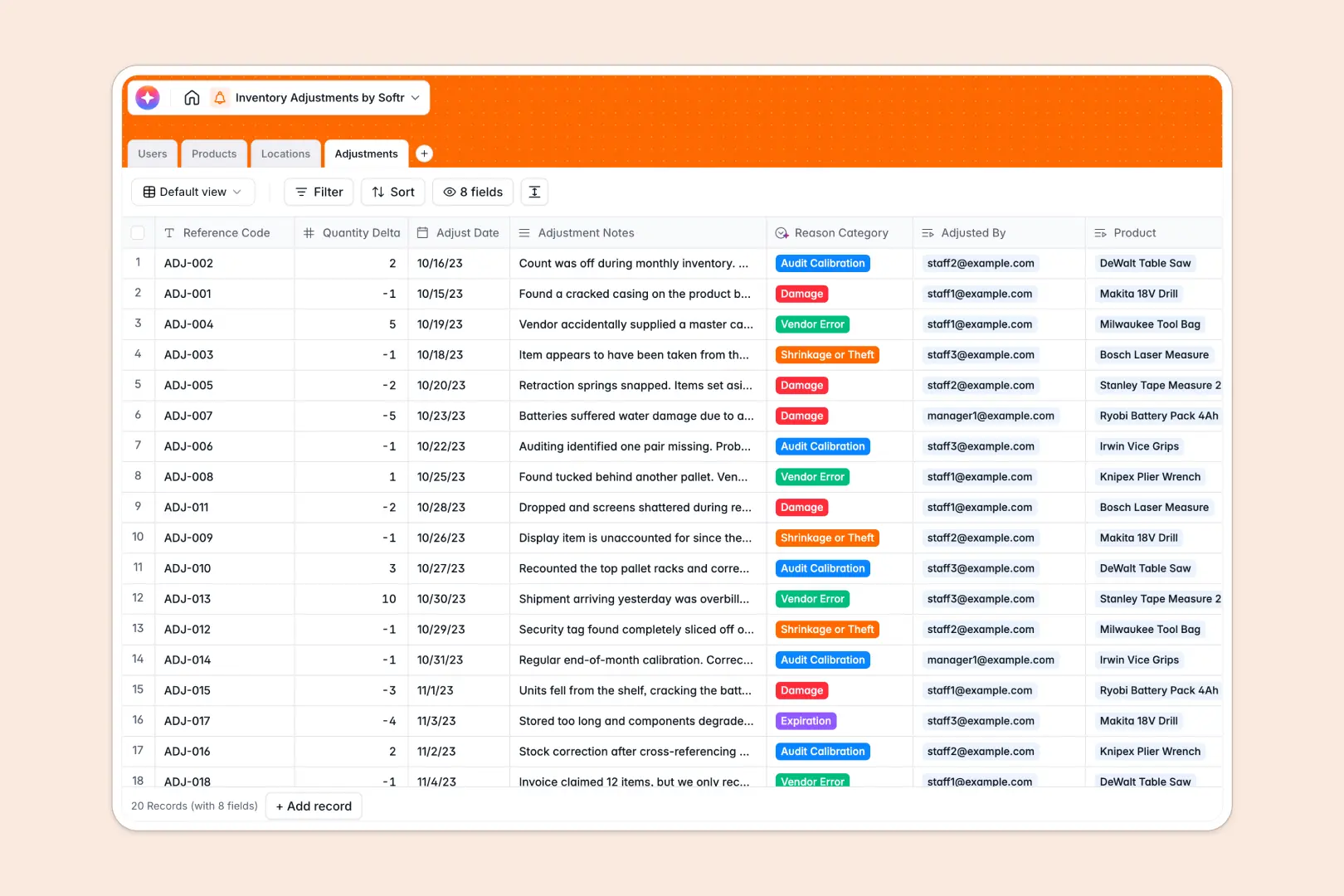
Your Inventory Adjustments database at a glance
This template gives you a reliable system to log stock changes, track damage or shrinkage, and protect your margins. It automatically calculates net adjusted quantities across your entire catalog in real time.
The database seamlessly links your Products, Locations, and Adjustments. When staff logs a change, the system updates the relevant item stock and tags the specific storage zone without manual data entry.
Built-in AI automatically tracks product descriptions by searching the web. It also reads your adjustment notes and automatically categorizes the exact reason for the change, such as theft, expiration, or vendor error.
Why inventory adjustments get messy in spreadsheets
Logging stock adjustments in a spreadsheet quickly leads to operational chaos. Columns end up mixing dates with text, and relying on formulas to connect products with locations inevitably causes ghost inventory.
What a structured database changes
A structured system gives every piece of data a strict format, so numbers stay numbers and dates stay dates. You can cleanly link a stock discrepancy directly to an item and a warehouse zone without copy-pasting details across tabs.
This ensures your data scales gracefully without fragile formulas breaking or rows inexplicably disappearing. This is exactly what Softr Databases are designed for.
What you can do with this template
You can instantly log quantity changes and track which staff member made the update. The net stock impact calculates securely as adjustments roll up to the core product profile.
Using AI agents, this system self-organizes your logs by instantly categorizing the reason for every adjustment. It transforms a tedious manual auditing process into a self-maintaining stock tracker.
-
Users
Manage warehouse staff and managers with roles and audit adjustment history
-
Products
Track stock levels and use AI to generate technical product descriptions
-
Locations
Organize warehouse facilities and specific storage zones for inventory stock
-
Adjustments
Log inventory changes and use AI to categorize reasons from staff notes
Who is this Inventory Adjustments database for
This system is perfect for operational teams needing strict control over their product catalogs and inventory lifecycles.
- Warehouse Managers: Track shrinkage, audit calibrations, and damages by specific storage zones.
- Retail Operators: Monitor front store and backroom stock levels seamlessly to prevent stockouts.
- Supply Chain Leads: Hold vendors accountable by logging and categorizing supplier errors accurately.
How to take it further
You can easily customize this database to fit your exact warehouse workflow. Modify the storage zones, tweak the AI classification prompts, or add new columns to track batch numbers.
Import your existing product catalog via CSV in just a few clicks. You can also use the API to sync live product counts directly from your current e-commerce platform.
When your team needs more access, you can build an app directly on top of this data to serve as an internal portal. This setup ensures warehouse staff can log inventory adjustments securely via mobile devices on the warehouse floor.
By configuring proper users and permissions, you guarantee that staff only submit shift logs while admins retain full editing rights and visibility. A well-structured database makes launching these custom apps effortless.
-
1
-
2
-
3
-
4
Frequently asked questions
-
What is an inventory adjustments database?
-
Why use a no-code database to track inventory adjustments?
-
How can AI help managing data for inventory adjustments?
-
Can I build an app with this inventory adjustments database?
-
Is this inventory adjustments template free?
-
Why do inventory adjustments get messy in spreadsheets?
Start building today. It's free!
Build and launch your first app in under 30 minutes.