


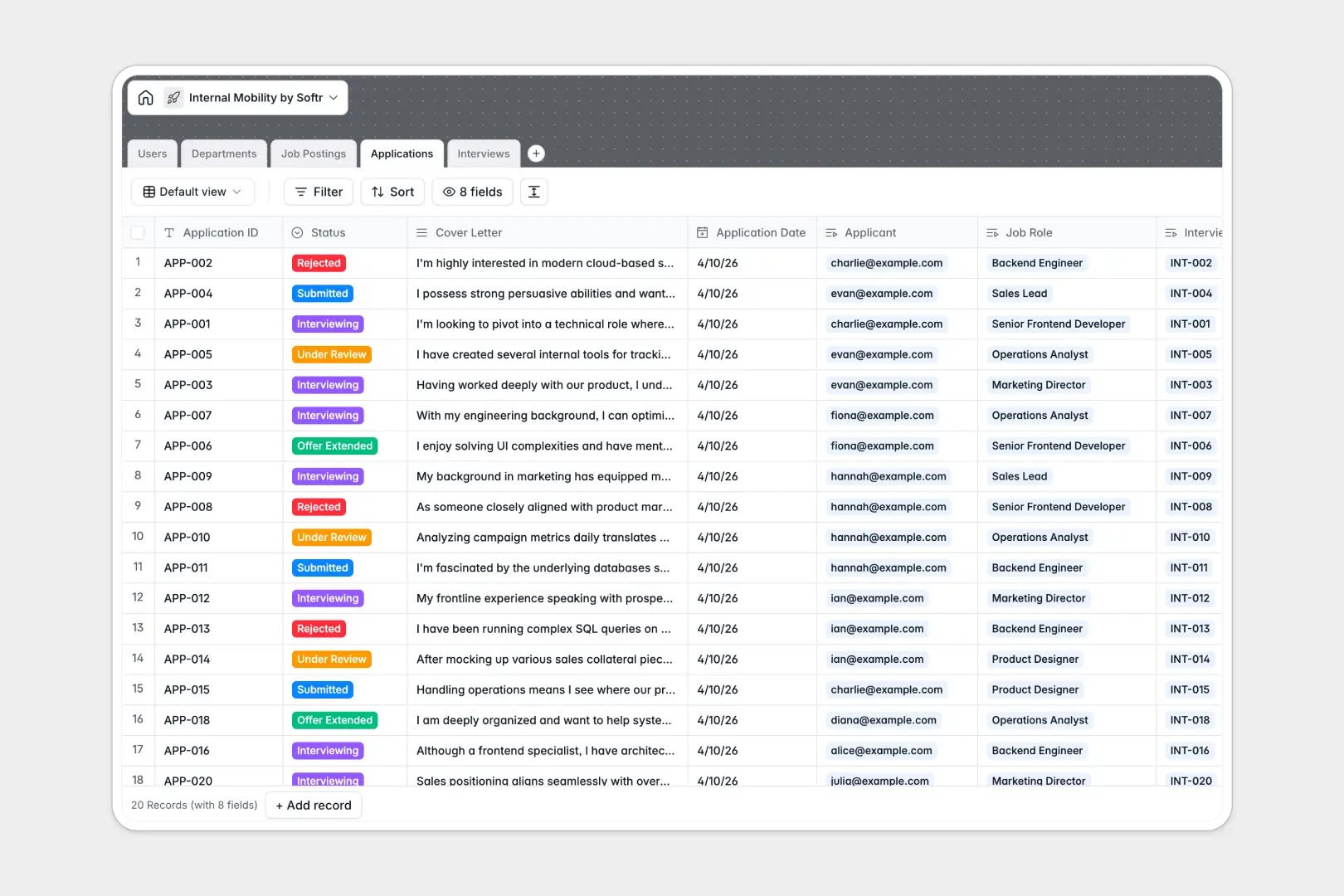
Your Internal Mobility Database at a glance
This template gives your HR and hiring teams a secure, centralized place to track internal job postings, applications, and interview feedback. It ensures employee data stays organized so you can confidently promote from within.
The database connects multiple tables together logically. When an employee applies, their application links directly to their user profile, the specific job role, and any scheduled interviews—eliminating double data entry.
Built-in AI fields automatically draft engaging job descriptions based on core requirements and summarize thick cover letters into quick bullet points for faster hiring manager reviews.
Why tracking internal mobility in spreadsheets breaks down
Managing internal hiring in spreadsheets quickly becomes a privacy and logistical nightmare. You end up with mixed data, hidden columns to protect interview notes, and broken formulas when employees change departments.
What a structured database changes
A structured database enforces column types, meaning applicant emails stay emails and interview dates stay dates. You can securely link a candidate's application to a hiring manager without copy-pasting their information across multiple tabs.
This prevents data leaks and keeps your talent pipeline clean as your company scales. This is exactly what Softr Databases are designed for.
What you can do with this template
Stop juggling Google Docs and email threads to evaluate internal candidates. Track the entire lifecycle from job posting to offer extension in one unified view.
You can also use Database AI agents to automate the busywork. AI will instantly summarize applicant cover letters into three crisp bullet points, helping hiring managers evaluate internal talent faster.
-
Users
Manage employee profiles including roles, departments and recruitment access
-
Departments
Organize company units with linked team members and available internal roles
-
Job Postings
List internal openings with AI-generated job pitches for better engagement
-
Applications
Track candidate progress with AI-powered summaries of applicant cover letters
-
Interviews
Schedule candidate rounds and log interviewer feedback and hire recommendations
Who is this Internal Mobility database for
This template is built for teams looking to streamline internal hiring and career growth.
- HR Teams: Track every internal application, interview schedule, and offer status in a single secure pipeline.
- Hiring Managers: Quickly review AI-summarized applications and log interview feedback directly tied to candidates.
- Department Heads: Monitor open roles across your teams and visualize talent moving between departments seamlessly.
How to take it further
Customize the database
Easily adapt this template to match your exact hiring process. You can quickly add new departments or modify the interview outcome select fields to match your company's rating system.
Import your existing data
Bring in your current employee roster instantly with a quick CSV upload. You can also use the API to sync department data directly from your HRIS to push updates automatically.
Build a full app around it
When you are ready to open this up to employees, you can transform this database into a fully functional internal job portal.
Granular users and permissions ensure that employees only see open roles and their own applications, while hiring managers access private test scores and interview notes. Starting with a structured database makes building this custom internal app incredibly easy.
-
1
-
2
-
3
-
4
Frequently asked questions
-
What is an internal mobility database?
-
Why use a no-code database to build an internal mobility tool?
-
How can AI help managing data for internal mobility?
-
Can I build an app with this internal mobility database?
-
Is this internal mobility database free?
-
How is an internal mobility database better than spreadsheets?
Start building today. It's free!
Build and launch your first app in under 30 minutes.