


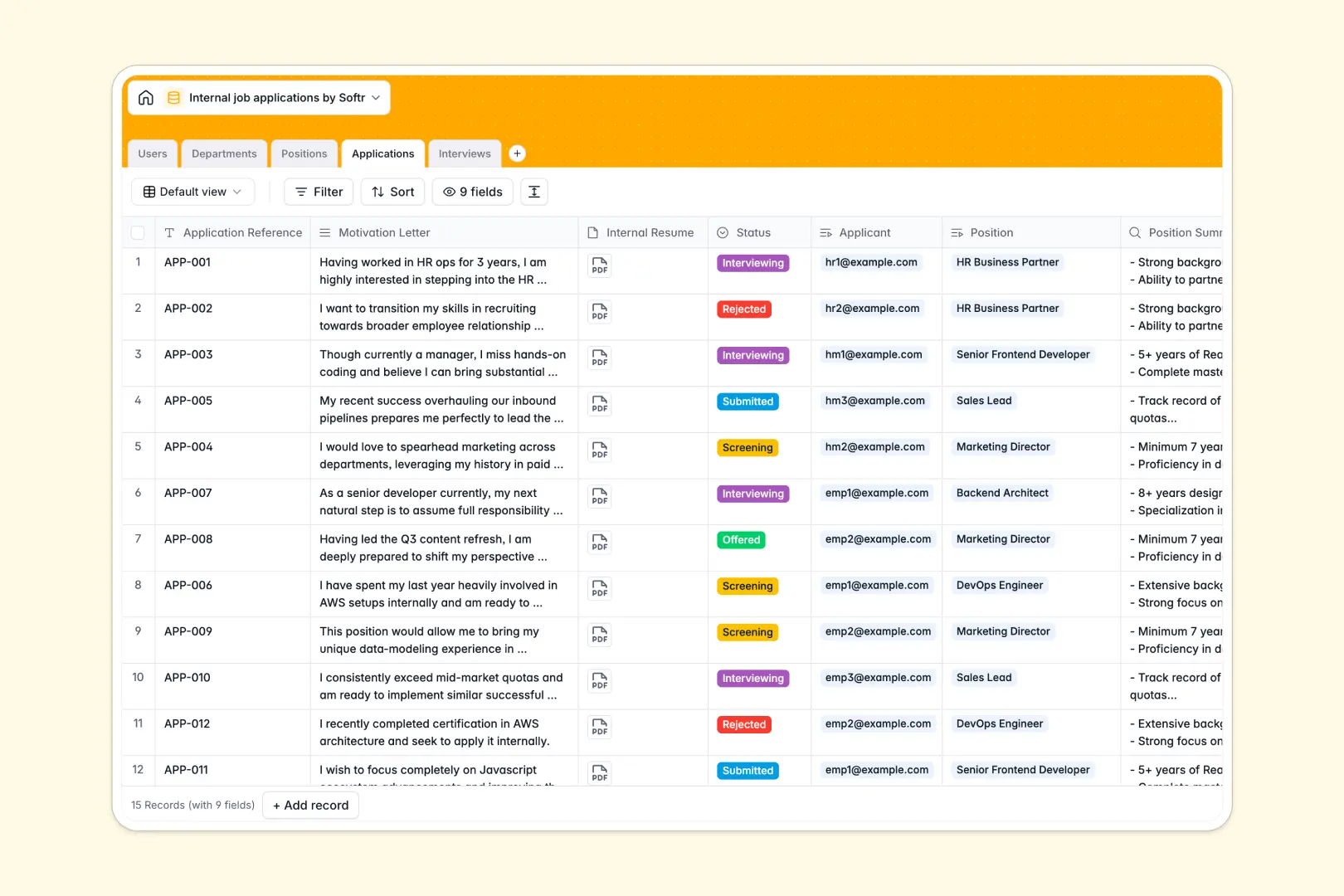
Your Internal Job Applications Database at a glance
This template gives your HR team and hiring managers a centralized place to track open roles and internal candidates. It eliminates scattered emails and lost resumes by keeping the entire internal mobility process structured.
It connects five distinct tables: Users, Departments, Positions, Applications, and Interviews. When an employee applies, their application automatically links directly to both the open position and any scheduled interviews.
Instead of manually reading every cover letter, built-in AI instantly evaluates candidate alignment and synthesizes interview notes naturally. This helps hiring managers make faster, highly objective decisions without the administrative burden.
Why internal job applications get messy in spreadsheets
Tracking internal moves inevitably breaks down when teams rely on Google Sheets. Resumes get detached from applicant rows, raw interview feedback gets lost in messy cells, and maintaining hiring privacy becomes a daily struggle.
What a structured database changes
A structured database enforces strict organization by keeping your data types clean and consistent. Resumes stay attached securely as files, feedback gets its own dedicated layout, and candidate statuses update clearly without breaking fragile formulas.
Instead of endlessly copying and pasting applicant details across different tracking sheets, records connect automatically behind the scenes. You can link an application directly to an interview event and a hiring manager with one seamless click.
This is exactly what Softr Databases are designed for. They provide the reliable, relational structure you need to scale internal mobility without the chaos of endless rows.
What you can do with this template
You can easily map out your entire internal hiring pipeline, from drafting a new open position to scheduling the final candidate interview. Every hiring stage becomes fully visible and cleanly tied to the specific department managing it.
It also automates the heavy lifting using AI-powered fields. As soon as an application is submitted, the system automatically evaluates the employee's motivation letter against the role's requirements to clearly highlight strengths and gaps.
-
Users
Store employee profiles, department links, and roles in the hiring process
-
Departments
Define internal organizational units and group employees with related roles
-
Positions
Manage job openings with AI-generated role summaries and tracking metrics
-
Applications
Track candidate progress with AI-powered candidate and role alignment analysis
-
Interviews
Coordinate interview schedules and synthesize feedback with AI-driven summaries
Who is this Internal Job Applications database for
This template is designed for growing organizations looking to streamline and professionalize their internal mobility.
- HR Administrators: Manage open positions, track department headcounts, and monitor applicant progress in one clear view.
- Hiring Managers: Review internal resumes, assess AI-driven candidate profiling, and log interview feedback easily.
- Internal Employees: Gain confidence that their candidacies are tracked securely and evaluated fairly.
How to take it further
Start by customizing the database to match your exact internal hiring process. You can easily add new fields for salary bands, or update the selection tags to reflect your unique interview stages.
Next, populate the system by importing your current open roles and employee directory via a quick CSV upload. This immediately turns the empty template into an active, functional hub for your hiring team.
When your team is ready, you can transform this foundation into a complete internal job board by adding a front-end interface. This lets employees securely log in, browse open roles by department, and hit apply directly from a custom company portal.
Because the data is already cleanly structured, applying users and permissions is effortless. You can easily ensure that employees only ever see public job descriptions, while hiring managers can access sensitive internal interview feedback.
-
1
-
2
-
3
-
4
Frequently asked questions
-
What is an internal job applications database?
-
Why use a no-code database to build an internal hiring tool?
-
How can AI help managing data for internal job applications?
-
Can I build an app with this internal job applications database?
-
Is this internal job applications template free?
-
How is this database different from an internal hiring spreadsheet?
Start building today. It's free!
Build and launch your first app in under 30 minutes.