


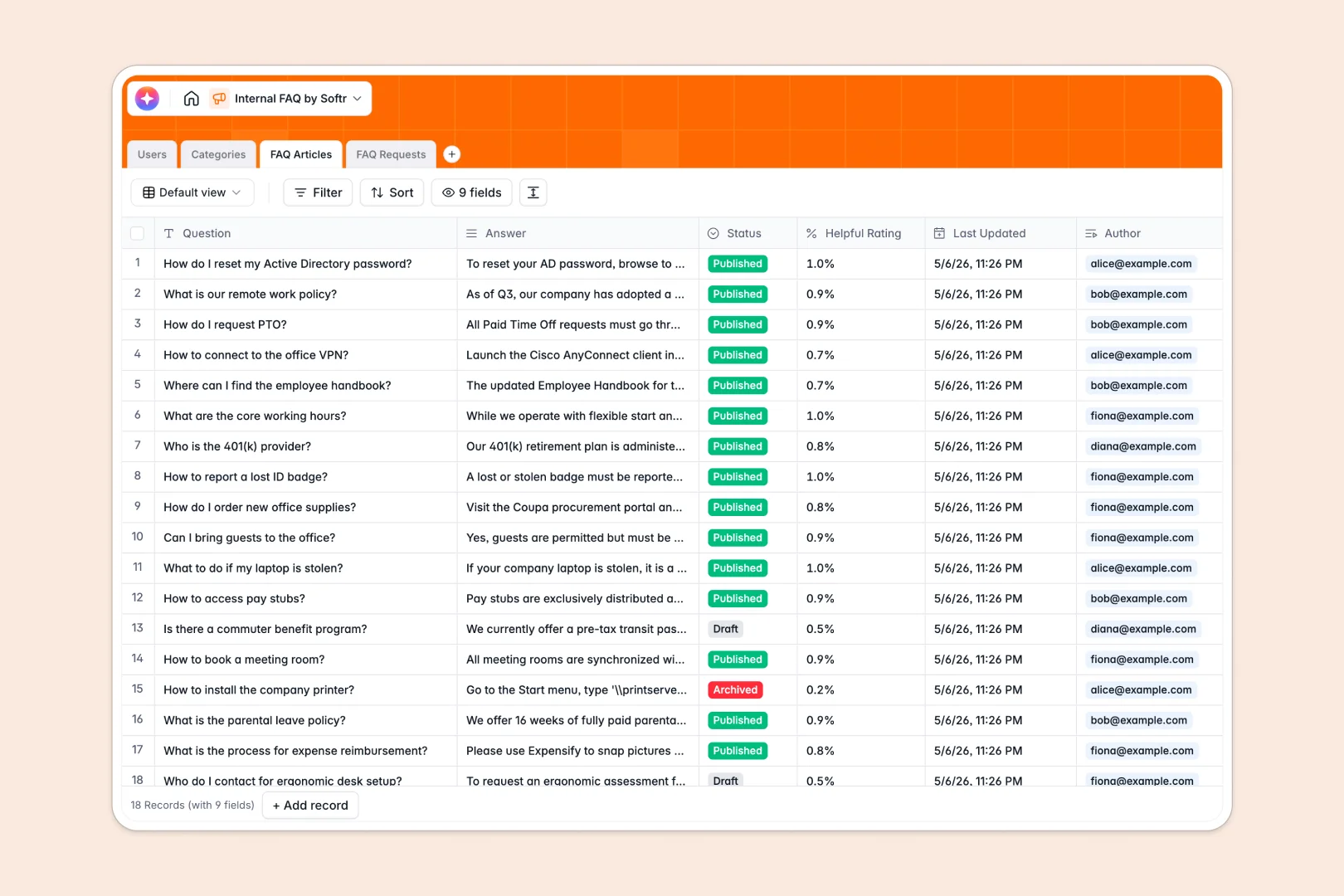
Your Internal FAQ Database at a glance
This ready-to-use template centralizes your company's knowledge base. It gives teams a single, structured place to find answers and log new information requests without digging through chat logs.
The structure connects your FAQ Articles directly to Categories like HR or IT. You can link each answer to the assigned Author in the Users table while tracking incoming questions in a dedicated Requests log.
Built-in AI automatically drafts quick summaries of long answers for faster reading. It also auto-classifies incoming employee requests into the right department instantly so nothing slips through the cracks.
Why managing employee answers in spreadsheets breaks down
Tracking company knowledge in an internal FAQ spreadsheet quickly turns into chaos. Rows get accidentally deleted, formatting breaks, and long answers become unreadable blocks of text hidden behind tiny cells.
What a structured database changes
A structured system keeps data types rigid. Rich-text answers stay readable, file attachments do not mess up rows, and questions link naturally to categories without relying on fragile VLOOKUP formulas.
This is exactly what Softr Databases are designed for. When an employee submits a new question, it links to their profile instantly, scaling effortlessly as your team grows.
What you can do with this template
You can track every published answer, draft, and incoming employee request in a unified view. Tag answers by category and monitor helpfulness ratings to see which documentation needs an update.
Powered by Database AI agents, this system works for you. It automatically summarizes long-winded answers and classifies new employee requests on the fly, saving administrators hours of manual sorting.
-
Users
Manage internal staff profiles, access roles, and contributions to the FAQ
-
Categories
Organize knowledge base topics into logical groups like HR, IT, and Benefits
-
FAQ Articles
Store knowledge base content with AI-powered summaries for quick reading
-
FAQ Requests
Track information requests using AI to auto-classify issues and priorities
Who is this Internal FAQ database for
This system is built for teams that need to standardize how knowledge is shared and requested across the company.
- HR Managers: Centralize benefits queries and policy updates so employee onboarding stays smooth.
- IT Departments: Log common troubleshooting steps and auto-classify tech requests instantly.
- Operations Leads: Keep process documentation up to date and track which answers are most helpful.
How to take it further
You can easily modify the database to fit your exact workflow. Add new dropdown options to the Categories table or adjust the status filters for incoming requests in seconds.
Connect your existing knowledge base instantly. Use an API or drag and drop a CSV file to bring in all your historical questions and answers right away.
When you are ready to share this company-wide, you can build an app directly on top of this data. Create a self-serve portal where employees can log in, search for answers, and submit new requests seamlessly.
By setting up users and permissions, you control exactly who sees what. Let department heads edit articles while regular employees only view published answers.
-
1
-
2
-
3
-
4
Frequently asked questions
-
What is an internal FAQ database?
-
Why use a no-code database to build a knowledge base?
-
How can AI help managing data for company FAQs?
-
Can I build an app with this internal knowledge database?
-
Is this Internal FAQ template free?
-
How is an FAQ database different from an internal FAQ spreadsheet?
Start building today. It's free!
Build and launch your first app in under 30 minutes.