


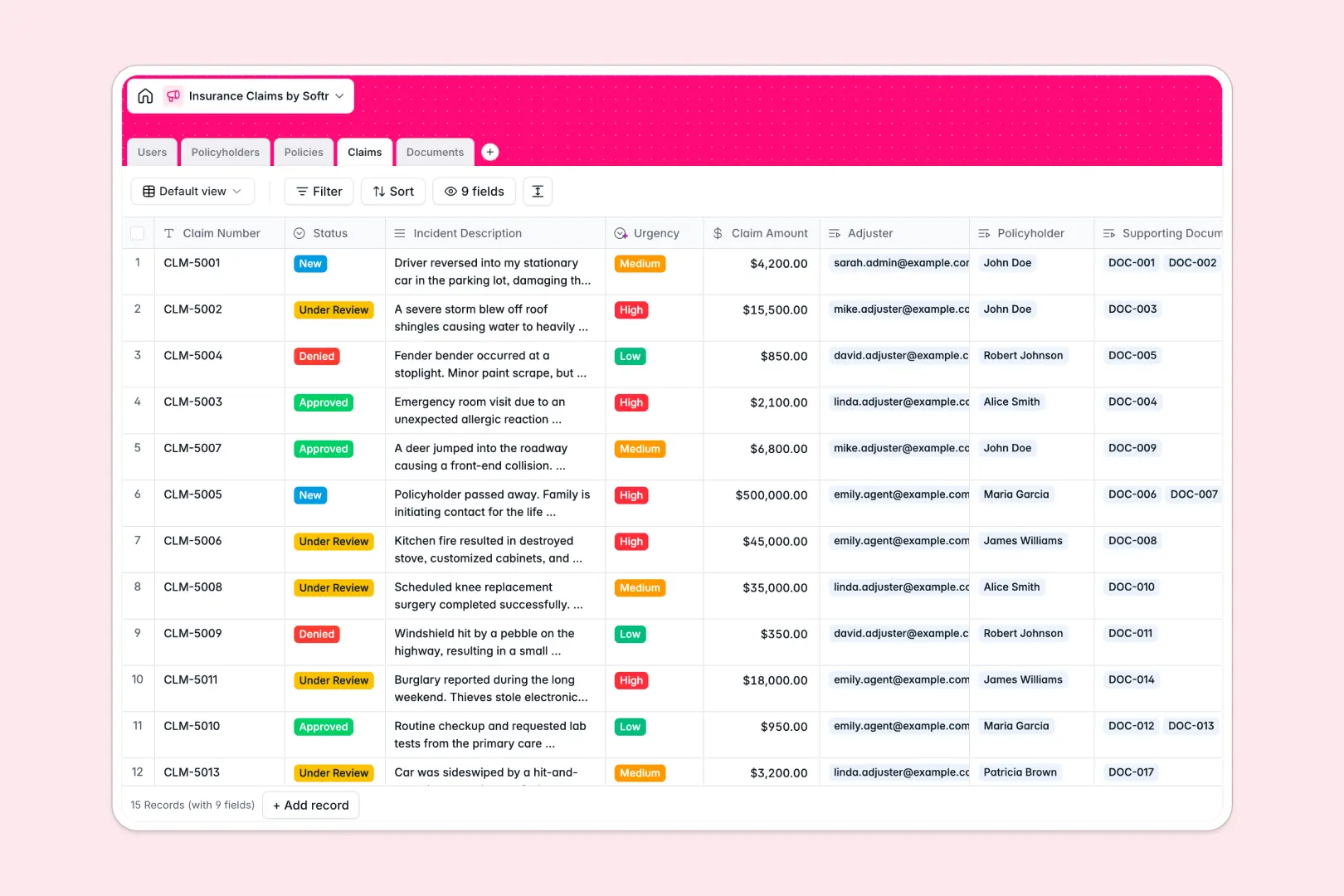
Your Insurance Claims Database at a glance
This template replaces fragile spreadsheets with a clean, connected system to track every claim, policy, and document. It ensures your adjusting team processes incidents efficiently without digging through messy rows.
The database uses linked tables to connect Policyholders directly to their active Policies and filed Claims. When a new incident occurs, you can attach categorized Documents—like police reports or repair estimates—straight to the claim record.
Built-in AI automatically classifies the urgency of new claims based on the incident description. It also generates quick, three-point bulleted summaries of uploaded documents, saving adjusters hours of reading.
Why insurance claims get messy in spreadsheets
Tracking claims across endless columns quickly turns into a nightmare of mixed data, broken formulas, and lost file attachments. When multiple adjusters try to update statuses at the same time, spreadsheets just can't keep up.
What a structured database changes
Unlike flat spreadsheets, a structured system keeps your data strict and organized. Coverage limits stay as currencies, statuses are restricted to clean dropdowns, and you can link a claim directly to a policyholder without fragile VLOOKUPs.
This enforced structure is exactly why Softr Databases are built. Every table acts as a reliable single source of truth that scales safely.
What you can do with this template
You can instantly track claims from 'New' to 'Approved' while keeping all related photos or medical records securely attached. It gives your team a complete, reliable view of every policyholder's history.
You can also leverage Database AI agents to automate the heavy lifting. The template naturally reads incident descriptions to assign urgency levels and summarizes complex claim evidence instantly.
-
Users
Manage claims staff and adjusters including roles and contact details
-
Policyholders
Store customer profiles with policy links and recorded claim history
-
Policies
Track active insurance contracts with coverage limits and status tracking
-
Claims
Process loss reports using AI to analyze incident urgency and status
-
Documents
Centralize claim evidence including AI-generated summaries of files
Who is this Insurance Claims database for
This system is built for insurance teams and independent agencies ready to ditch chaotic spreadsheets.
- Claims Adjusters: Access organized claim histories, policies, and attached evidence in one clear view.
- Agency Managers: Monitor team workloads, track resolution statuses, and ensure policies are active.
- Customer Support: Instantly look up policyholder details and linked claims without switching tools.
How to take it further
Because this is a native database structure, customizing it to your specific workflows is effortless. You can quickly add new coverage types, adjust the claim status dropdowns, or tweak the AI prompts to match your specific criteria.
When you're ready, ditch your old tracker by importing your existing policyholders and active claims directly via CSV. The data will map neatly into your new connected tables so you can start working immediately.
Eventually, you can connect this backend to the interface builder to create a custom portal for your team or clients. By configuring users and permissions, you let adjusters update notes securely while allowing policyholders to check their own claim status.
-
1
-
2
-
3
-
4
Frequently asked questions
-
What is an insurance claims database?
-
Why use a no-code database to manage insurance claims?
-
How can AI help managing data for insurance claims?
-
Can I build an app with this insurance claims database?
-
Is this Insurance Claims database template free?
-
How is an insurance claims database different from a spreadsheet?
Start building today. It's free!
Build and launch your first app in under 30 minutes.