


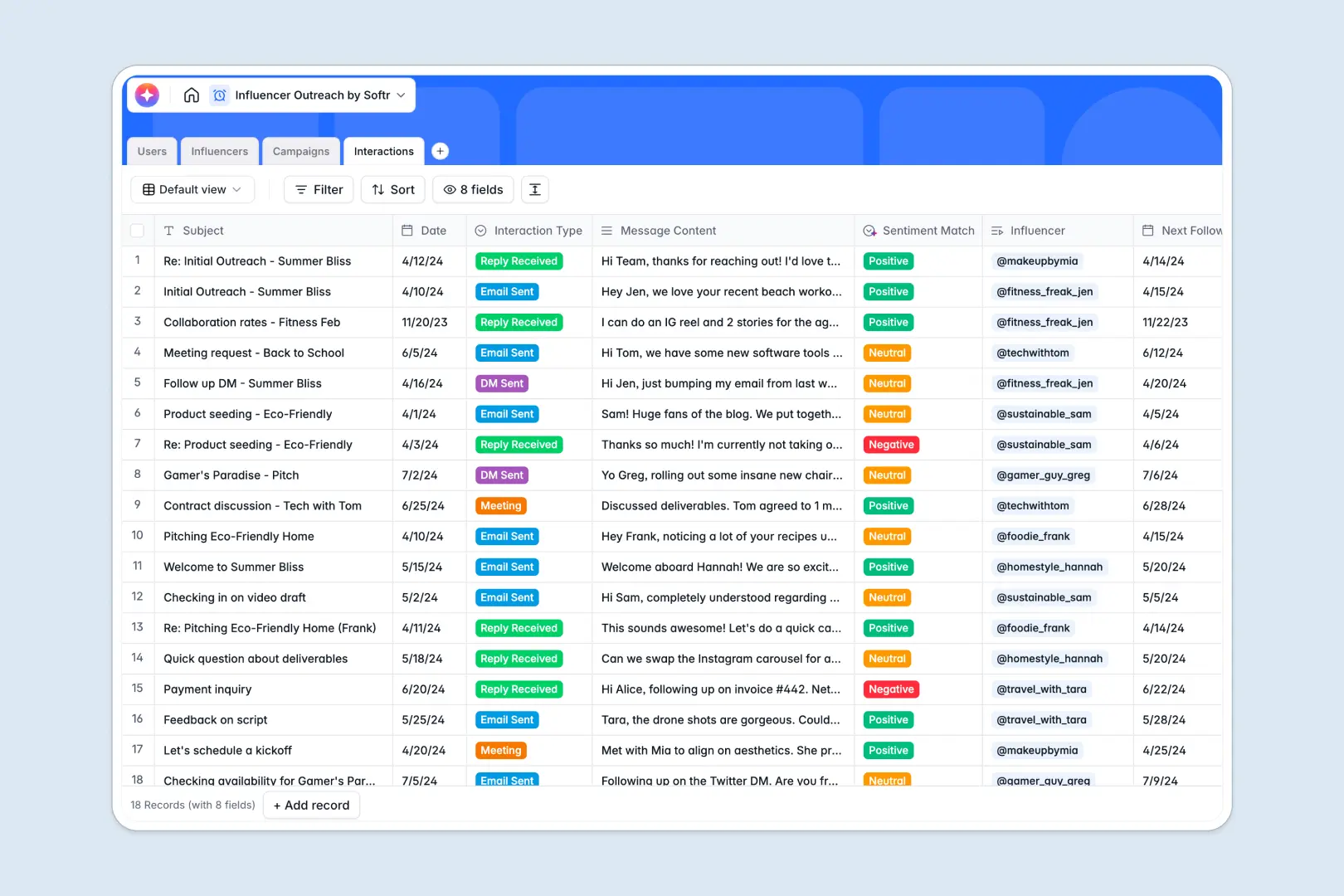
Your Influencer Outreach database at a glance
This template acts as a central hub for your entire influencer marketing workflow. It helps you track creator details, active campaigns, and communication logs in one clear view.
Instead of scattered data, everything stays connected natively. Your campaigns link directly to the assigned influencers, and every email or DM interaction is tied right back to their profile.
It also leverages built-in automation to handle the heavy lifting. The database can automatically summarize influencer bios using live web search, classify creator tiers based on follower count, and analyze the sentiment of your messages to gauge interest.
Why influencer outreach gets messy in spreadsheets
Tracking creators, budgets, and endless direct messages in spreadsheets quickly turns into chaos. Rows get accidentally deleted, columns hold a mix of links and unorganized notes, and you can't easily see which influencer belongs to which campaign.
What a structured database changes
In a database, every column enforces a specific rule, ensuring data stays clean as your outreach efforts scale. You can link interactions directly to campaigns and creators without writing fragile formulas or copy-pasting notes across tabs.
This is exactly what Softr Databases are built to solve. By giving every campaign, creator, and message its own dedicated space, your team always has an accurate, real-time overview of your marketing activations.
What you can do with this template
You can securely track creator contact details, organize campaigns by status, and log every interaction without missing a single follow-up. Everything connects naturally behind the scenes, so clicking on a campaign shows exactly which influencers are involved.
This template also includes native Database AI agents to speed up your marketing workflows. When you add a new campaign description, the AI instantly generates a creator-facing brief, accelerating your time to execution.
-
Users
Manage outreach team members with roles, contact details and assigned creators
-
Influencers
Catalog creators using AI for bio summarization and tier classification based on metrics
-
Campaigns
Track marketing initiatives and use AI to generate briefs based on campaign goals
-
Interactions
Log all communications using AI to detect sentiment and manage follow-up schedules
Who is this Influencer Outreach database for
This system is designed for teams managing multiple creator relationships and marketing activations at scale.
- Marketing Managers: Oversee total campaign budgets and easily track which team member is managing each activation.
- Outreach Specialists: Log daily emails and DMs efficiently without losing track of pending follow-ups.
- Social Media Teams: Keep an organized roster of vetted creators grouped by platform and follower tiers.
- Agencies: Manage multiple influencer rosters and quickly generate clear briefs for client approval.
How to take it further
Customizing this database is as simple as clicking and typing. You can easily adjust the platform dropdown to include new networks or tweak the campaign statuses to match your exact review process.
If you already hold creator data elsewhere, simply plug in your existing CSV files to populate the database instantly. You can also connect via API to automatically sync real-time follower counts or engagement stats from other marketing tools.
When your team grows, you can easily use our interface builder to turn this database into a robust internal tool. This lets you build custom views where outreach specialists only see their assigned lists of influencers.
By adding native users and permissions, you can even invite agencies or contractors to view shared campaign briefs without exposing your broader creator database. Starting with a cleanly structured database makes deploying these custom apps effortless.
-
1
-
2
-
3
-
4
Frequently asked questions
-
What is an influencer outreach database?
-
Why use a no-code database to build an influencer outreach system?
-
How can AI help managing data for influencer outreach?
-
Can I build an app with an influencer outreach database?
-
Is this Influencer Outreach Database free?
-
How is an influencer outreach database different from an Excel spreadsheet?
Start building today. It's free!
Build and launch your first app in under 30 minutes.