


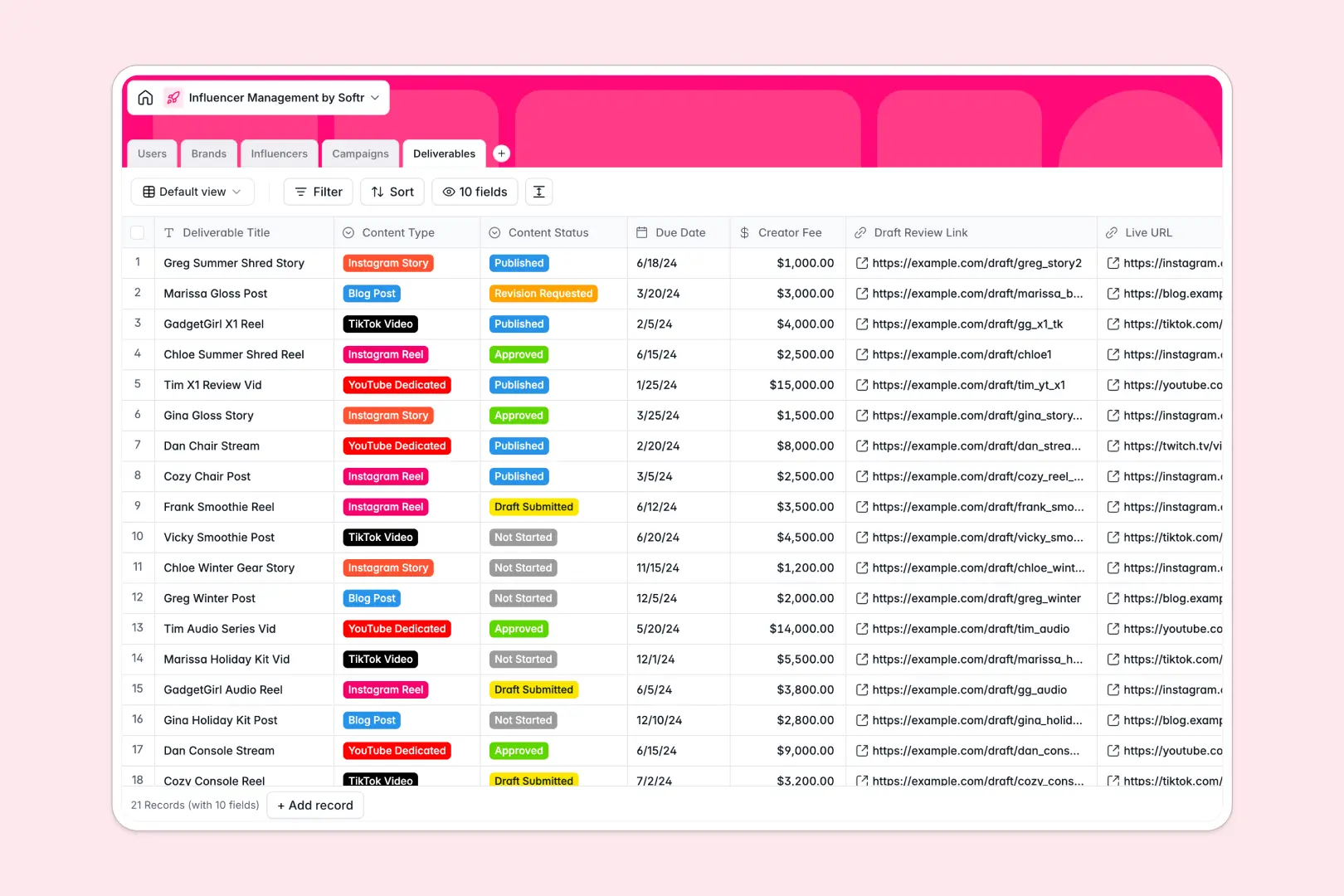
Your Influencer Management database at a glance
This template gives you a centralized system to track campaigns, coordinate with creators, and monitor deliverables. It replaces scattered files with a clean, connected source of truth for your entire marketing team.
Every piece of data is linked logically across dedicated tables. When you look at a specific brand or campaign, you can instantly see the assigned influencers, track the status of individual deliverables, and monitor live URLs.
Built-in AI features automatically research and draft content as you work. The system can pull brand descriptions from websites, write creator bios from social links, and even draft social caption ideas for specific deliverables.
Why managing influencer campaigns gets messy in spreadsheets
Spreadsheets work well for simple lists, but they quickly break down when you need to track complex marketing initiatives. Tracking a single campaign often means juggling creator negotiations, content drafts, and live links across multiple unlinked tabs.
What a structured database changes
In a database, every column enforces a specific data type so your dates, budgets, and links never get mixed up. Instead of relying on fragile formulas to connect a creator to their deliverables, native relationships do the heavy lifting automatically.
This means you can link a specific Instagram Reel to both the influencer and the overall campaign with one click. This is exactly what Softr Databases are designed for, keeping your data clean and scalable as your marketing efforts grow.
What you can do with this template
You can easily assign internal users to specific campaigns and track approval statuses for every piece of content. The visual fields allow you to attach brand logos and creator avatars directly next to their profiles.
By leveraging built-in AI intelligence, this database takes over repetitive administrative tasks. You can seamlessly generate professional creator bios or brainstorm social captions the moment a new deliverable is logged.
-
Users
Manage internal staff profiles with role assignments and influencer management linkages
-
Brands
Store client company details and use AI to generate summaries from website sources
-
Influencers
Track creator metrics and platform stats using AI to draft professional bios
-
Campaigns
Coordinate marketing initiatives including budget management and influencer assignments
-
Deliverables
Monitor content production and use AI to generate creative social media captions
Who is this Influencer Management database for
This tracking system is designed for teams that need to coordinate multiple creators and brand campaigns simultaneously.
- Marketing Agencies: Manage multiple brand clients and track creator performance across distinct initiatives.
- Talent Managers: Keep tabs on your roster's deliverables, content drafts, and campaign deadlines in one clear view.
- In-House Brand Teams: Organize your influencer marketing pipeline from initial outreach to published content.
- Campaign Coordinators: Track individual deliverable statuses, creator fees, and live links without chasing emails.
How to take it further
You can easily customize this database to match your exact campaign workflows. Add new social platforms to the Influencers table or update the content status options to precisely match your review process.
Bring your existing roster to life instantly by importing a CSV file directly into the tables. You can also use the API to automatically sync creator metrics or pull down new campaign briefs from external tools.
Once your data is organized, you can build a secure portal for your team or creators using Softr's interface builder. Instead of sharing raw database access, you can give each talent manager a customized dashboard showing only their active campaigns.
This provides a natural evolution from an internal tool to a fully collaborative front-end portal. A well-structured database makes it incredibly easy to launch a secure, full-stack application whenever your team is ready.
-
1
-
2
-
3
-
4
Frequently asked questions
-
What is an influencer management database?
-
Why use a no-code database over an influencer management spreadsheet?
-
How can AI help manage influencer data?
-
Can I build an app with this influencer management database?
-
Is this influencer management database free?
Start building today. It's free!
Build and launch your first app in under 30 minutes.