


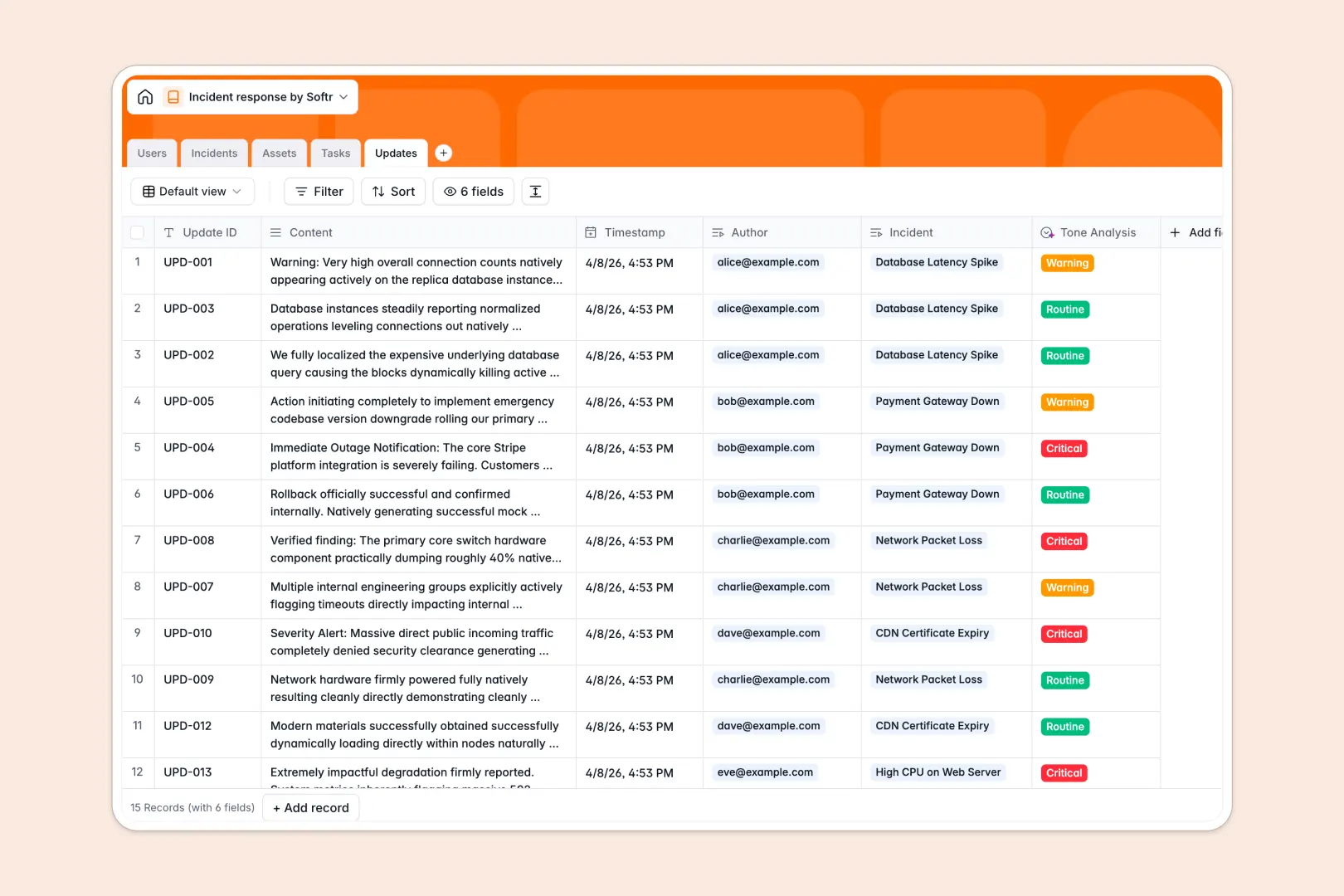
Your Incident Response Database at a glance
This template gives your team a central tracker for all technical, security, or operational incidents.
It natively links critical assets to active incidents, assigns specific tasks to responders, and maintains a chronological log of all specific updates.
Built-in AI automatically drafts post-mortem summaries and analyzes the urgency tone of new updates, saving you time during critical events.
Why tracking incidents in an incident response spreadsheet breaks down
When systems go down, relying on a flat spreadsheet to coordinate tasks, assign assets, and log updates creates dangerous delays.
What a structured database changes
In a spreadsheet, linking an affected web server to a critical incident requires messy VLOOKUPs or repetitive data entry across multiple rows.
A structured database ensures every column has a strict type—so severity ratings stay consistent and task assignments cleanly link to team members.
This is exactly what Softr Databases are designed for, keeping your data perfectly organized even as complex events unfold.
What you can do with this template
You can immediately log SEV-1 to SEV-4 events, trigger tasks for your responders, and track the live status of your infrastructure assets in one cohesive view.
To automate the busywork, integrated AI instantly reads your update logs to draft your final post-mortem reports without manual intervention.
-
Users
Manage incident responders with roles, contact details, and assigned tasks
-
Incidents
Track system events and generate AI powered post-mortems for resolution
-
Assets
Catalog hardware and services while monitoring their current operational health
-
Tasks
Organize remediation steps with status tracking and owner assignments
-
Updates
Log chronological findings and use AI to analyze communication urgency
Who is this Incident Response database for
This system is built for operations teams who need to resolve outages quickly without fighting complex tools.
- IT Service Desks: Standardize incident severity, assign tickets, and track resolution tasks efficiently.
- DevOps Teams: Monitor degraded assets, communicate updates clearly, and transition straight into post-mortems.
- Security Operations: Log critical vulnerabilities, maintain auditable updates, and ensure rapid team alignment.
How to take it further
Customize the database
You can easily tweak this template to match your specific workflows. Simply modify the incident severity dropdowns or add new asset types natively.
Import your existing data
Bring in your current asset directory securely and quickly. Use a fast CSV bulk upload or API connections to sync existing users and infrastructure components.
Build a full app around it
When your team is ready, you can transform this basic tracker into a full internal portal. Start sharing actionable interfaces securely with different IT departments or external partners.
You can effortlessly apply custom users and permissions to ensure that only designated incident commanders can close out an event. Starting with a perfectly structured database makes building these custom applications incredibly simple.
-
1
-
2
-
3
-
4
Frequently asked questions
-
What is an incident response database?
-
Why use a no-code database over an incident response spreadsheet?
-
How can AI help managing data for incident response?
-
Can I build an app with an incident response database?
-
Is this template actually free to use?
-
How does this database handle related incident assets?
Start building today. It's free!
Build and launch your first app in under 30 minutes.