


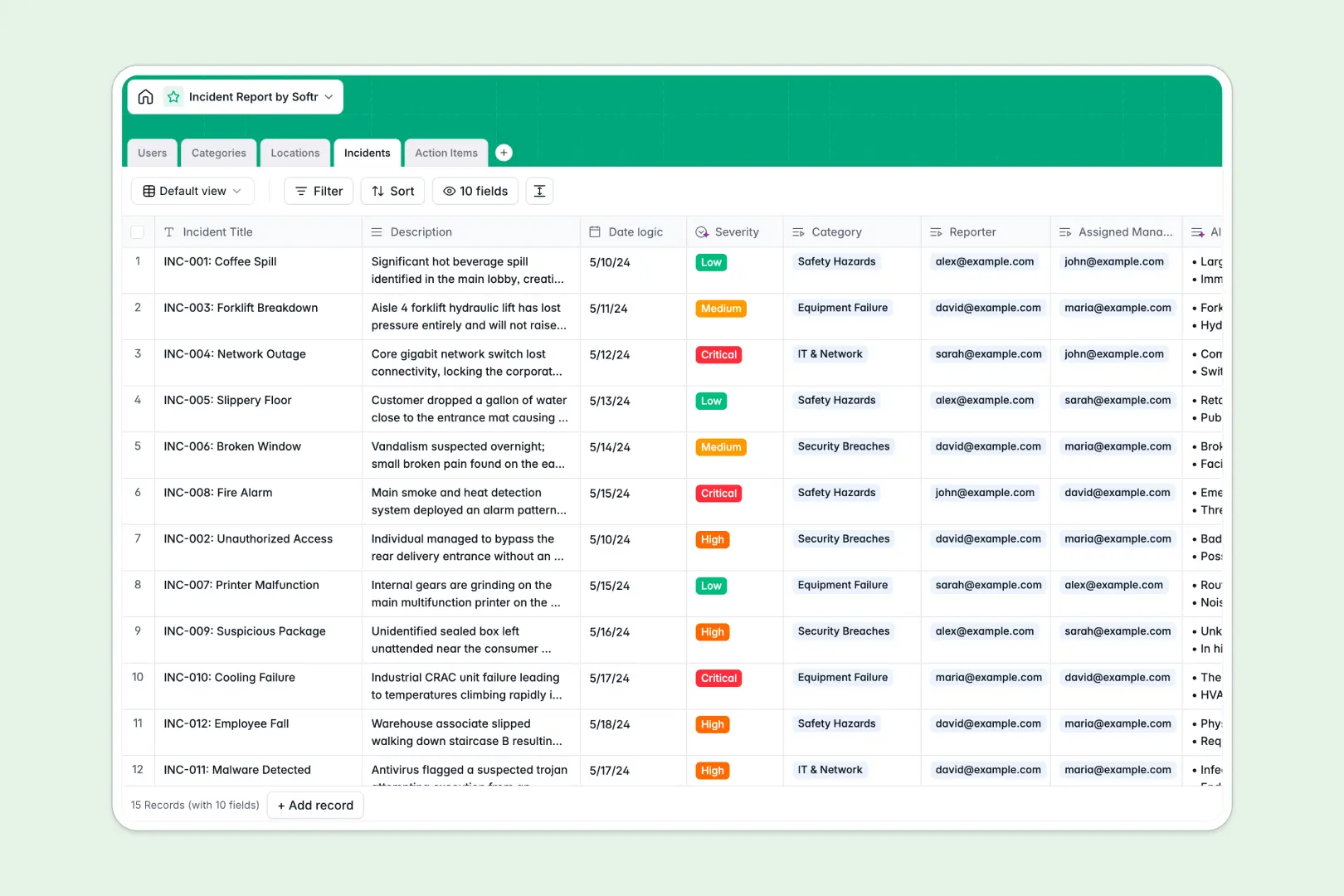
Your Incident Report database at a glance
This template provides a reliable system to log safety events, coordinate corrective actions, and monitor site risks in real time. It replaces fragile static logs with a secure, centralized hub for all operational incidents.
Key tables for Incidents, Action Items, Locations, and Users link together automatically. When a team member reports an issue, it directly connects to the exact site and the assigned manager without manual copy-pasting.
Built-in AI fields instantly evaluate descriptions to classify Severity levels and produce a 3-bullet triage summary as soon as a report is submitted.
When an incident report workbook gets passed around in email
Incident reporting breaks down quickly when managed through desktop files. One manager logs a breach locally, another updates task statuses on a separate copy, and safety leads must spend hours consolidating mismatched attachments.
Sharing full workbooks also means sensitive personnel details or confidential breach logs end up in the wrong inboxes.
What a structured database changes
A database replaces disconnected files with a single source of truth. Every field enforces strict types, so timestamps stay accurate, categories remain standardized, and linked records tie action items directly to their parent incident.
This structure ensures everyone works from real-time data without accidentally overwriting someone else's update. This is exactly what Softr Databases are designed for.
While Softr can connect an existing online Excel workbook as a data source, moving to a native database gives your team structured access control and direct automation.
What you can do with this template
You can track incidents across all sites, assign corrective tasks to specific managers, and monitor due dates in one synchronized view.
With Database AI agents, the database automatically analyzes incident descriptions to recommend step-by-step resolution advice for pending action items.
The entire setup is ready immediately, allowing you to log and triage operational issues with zero manual configuration.
-
Users
Directory of staff members, system responsibilities and incident assignments
-
Categories
Standardized incident classification groupings and taxonomy metadata
-
Locations
Physical facilities or digital assets tied to incidents and managers
-
Incidents
Log incidents with AI-generated summaries and automated severity scoring
-
Action Items
Track resolution tasks featuring AI-suggested mitigation workflows
Who is this Incident Report database for
This database is built for operational teams needing structured oversight of safety, security, and maintenance events.
- Operations Managers: Track physical site issues, monitor open risks, and ensure site managers resolve action items quickly.
- EHS & Safety Officers: Standardize incident categorization, enforce compliance protocols, and keep auditable records across departments.
- Facility Coordinators: Coordinate location repairs, assign cleanup tasks to team members, and monitor resolution times.
- Department Team Leads: Submit incident details rapidly with automated severity scoring and AI-generated triage summaries.
How to take it further
You can tailor this database to match your exact internal protocols. Rename fields, add custom category choices like environmental or IT security, or adjust severity thresholds with a few clicks.
If you have past logs, import your existing records instantly via CSV file or connect automated data syncs through our REST API.
When your team needs dedicated access, use the AI app generator to turn this database into a full internal portal in one prompt. You can configure granular users and permissions so reporters submit forms securely while managers only see incidents tied to their assigned locations.
-
1
-
2
-
3
-
4
Frequently asked questions
-
What is an incident report database?
-
Why use a no-code database to build an incident management tool?
-
How can AI help managing data for incident reports?
-
Can I build an app with this Incident Report database?
-
Is this Incident Report template free?
-
How is an Incident Report database better than an Excel file?
Start building today. It's free!
Build and launch your first app in under 30 minutes.