


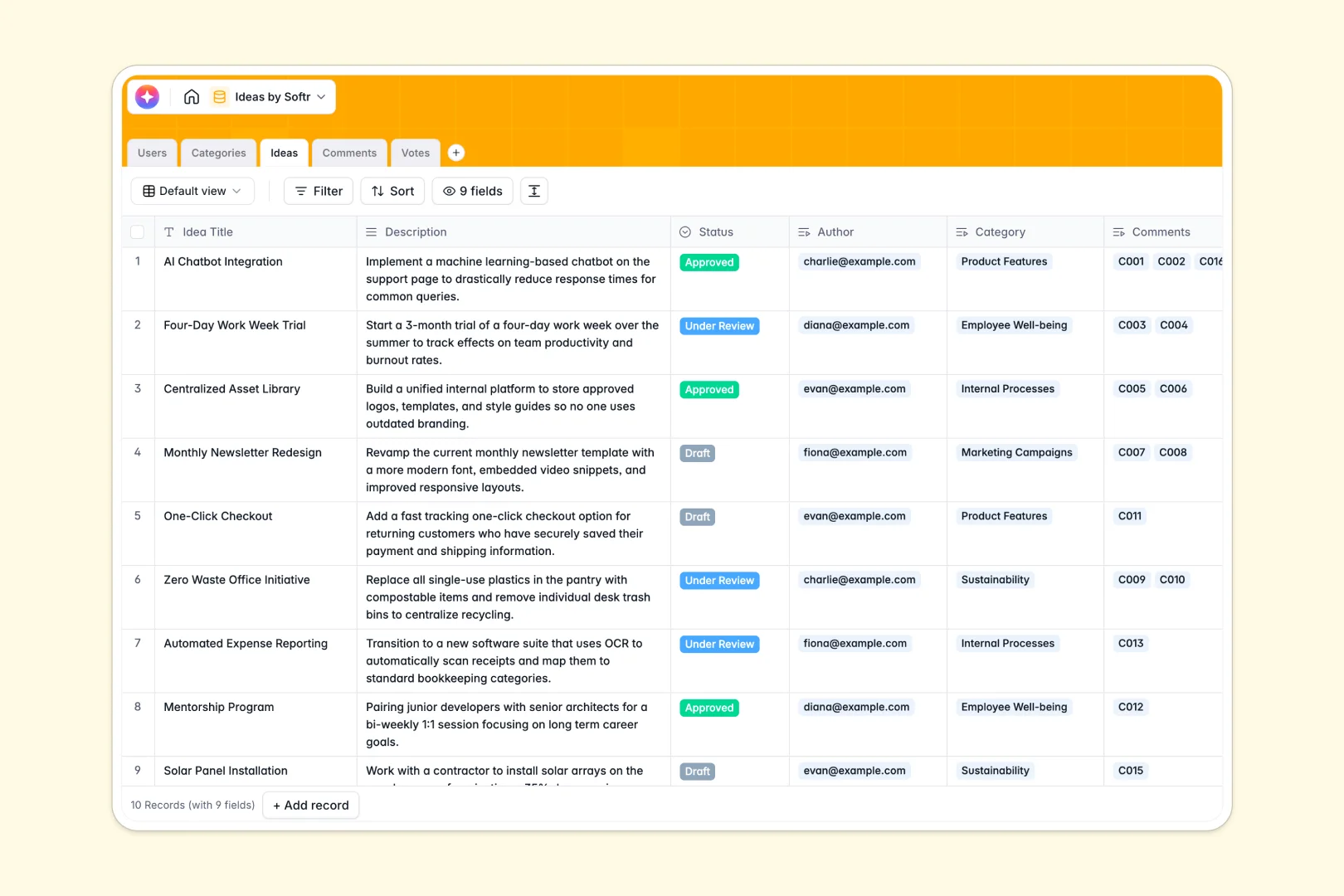
Your Ideas Database at a glance
This template replaces messy spreadsheets with a structured hub. It captures new concepts, organizes them by category, and tracks community feedback effortlessly.
It features dedicated tables for Users, Categories, Ideas, Comments, and Votes. These connect automatically, linking a contributor's profile directly to their submitted concepts and individual upvotes.
Instead of reading long descriptions, built-in AI summarizes concepts into quick 2-sentence elevator pitches. It also automatically classifies the sentiment of feedback comments as positive, neutral, or negative.
Why tracking concepts gets messy in an ideas spreadsheet
Collecting internal feedback or product ideas in a spreadsheet quickly turns chaotic. Blank columns get broken, text lengths vary wildly, and tracking who voted for what requires confusing counting methods.
What a structured database changes
With a real database, every element lives in its proper format. Ideas stay connected to categories, user profiles, and specific vote records without fragile VLOOKUPs.
This ensures that counting upvotes or grouping feedback happens automatically as the list grows. This is exactly what Softr Databases are designed for.
What you can do with this template
You can centralize submission drafts, filter by categories, and monitor which concepts gain the most traction. The dedicated voting and commenting structure keeps conversations organized around specific proposals.
Also, our native Database AI agents do the heavy lifting for you. They instantly generate snappy elevator pitches for every new idea and monitor comment sentiment in real time.
-
Users
Store participant profiles and access levels to manage idea contributions
-
Categories
Organize submitted concepts into thematic labels for better taxonomy
-
Ideas
Track innovative concepts with AI-powered pitch summaries for review
-
Comments
Log community feedback and utilize AI to analyze sentiment automatically
-
Votes
Record engagement metrics and user preferences for proposed initiatives
Who is this Ideas Database for
This template is built for teams looking to capture and prioritize feedback systematically.
- Product Managers: Gather feature requests, summarize them with AI, and track user upvotes.
- HR Leaders: Collect employee suggestions while monitoring workplace sentiment through structured comments.
- Innovation Teams: Maintain a backlog of concepts and track their lifecycle from draft to approved status.
How to take it further
Customize this template directly to your team's workflow in seconds. Rename category groupings, adjust the idea status values to reflect your internal processes, or modify the AI summarization prompts.
Don't start from scratch. Easily upload your old data via CSV to populate the tables and give your team immediate value on day one.
When you are ready to scale, you can build an app directly on top of this data. Instead of raw backend access, stakeholders can submit and vote on items through a clean, branded portal.
You can set up custom users and permissions to ensure contributors only see relevant categories or edit their own drafts. A well-structured backend makes launching an internal portal completely painless.
-
1
-
2
-
3
-
4
Frequently asked questions
-
What is an ideas database?
-
Why use a no-code database to build an ideas system?
-
How can AI help managing data for ideas?
-
Can I build an app with this ideas database?
-
Is this Ideas Database free?
-
How is an ideas database different from a spreadsheet?
Start building today. It's free!
Build and launch your first app in under 30 minutes.