


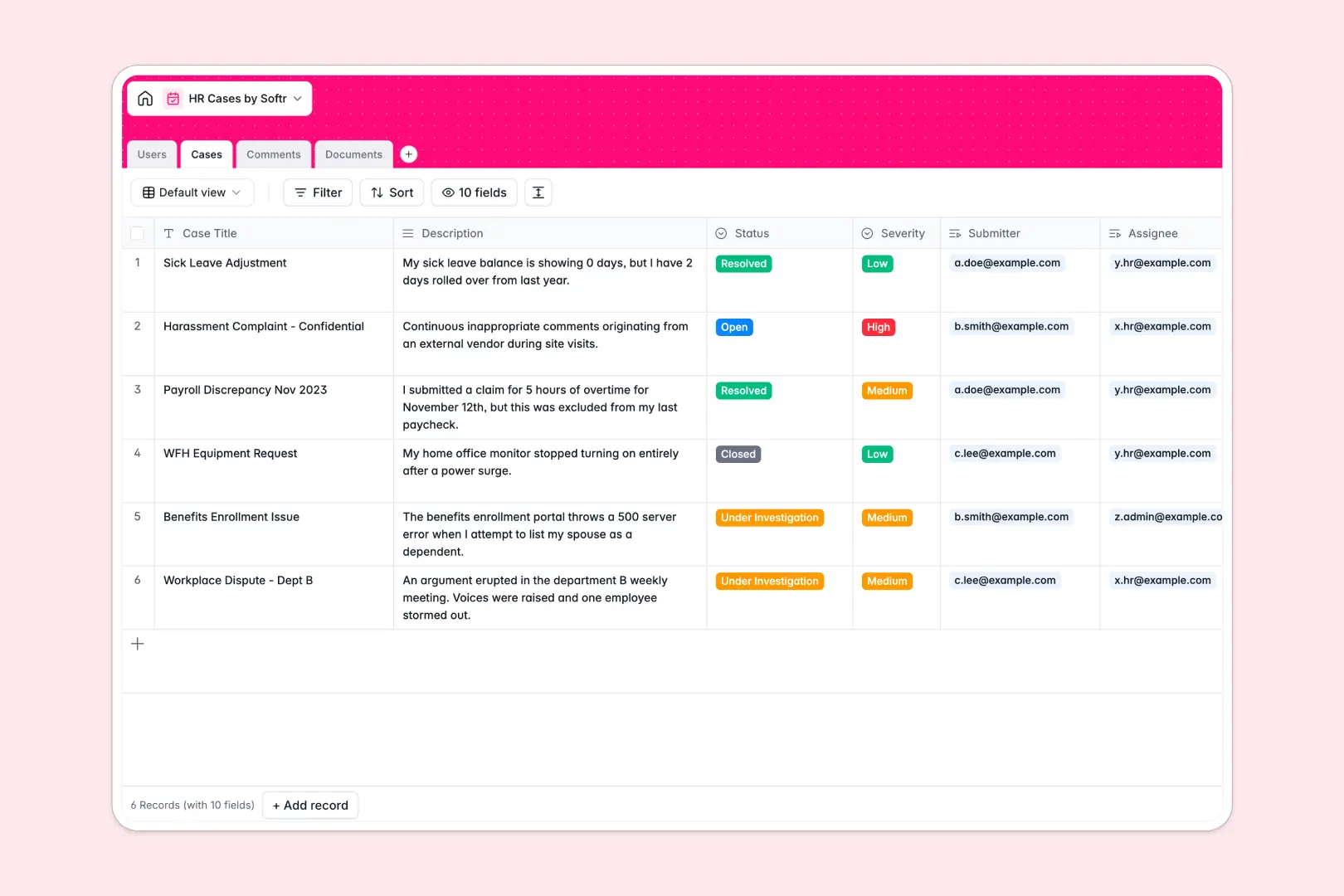
Your HR Cases Database at a glance
This template replaces messy spreadsheets with a secure, centralized system for tracking HR inquiries, grievances, and requests. It gives HR teams clear visibility into every employee issue from submission to resolution.
Information is organized across dedicated tables for Users, Cases, Comments, and Documents that connect naturally. When an employee logs a case or uploads a sick note, it automatically links to their profile without fragile VLOOKUP formulas.
Built-in AI automatically analyzes incoming case descriptions to assign an accurate priority level. When an investigation concludes, the system instantly generates a complete resolution summary based on the logged comments.
Why HR cases get messy in spreadsheets
Tracking sensitive employee issues in shared workbooks quickly becomes a severe liability. Mixed data columns, easily broken formulas, and awkward file links make it impossible to manage grievances effectively.
What a structured database changes
A structured system ensures column types stay rigid, so attachments remain secure files and statuses follow strict drop-down options. You can link a confidential document directly to a specific case without pasting arbitrary Google Drive URLs into tiny spreadsheet cells.
This level of reliable organization is exactly what Softr Databases are designed for. Unlike a spreadsheet, the structure scales elegantly as your company grows, keeping historical records and sensitive comment threads perfectly intact.
What you can do with this template
You can securely log complex cases, assign them to specific HR specialists, and track timelines in a unified view. Every update is tracked chronologically into a dedicated log, eliminating chaotic email threads.
This template also utilizes Database AI agents to automate tedious summaries. The AI instantly reads new case descriptions to classify their severity, and automatically writes a final resolution summary when closed.
-
Users
Manage employee and HR profiles with roles and related case history
-
Cases
Track inquiries using AI to predict severity and generate summaries
-
Comments
Maintain a timeline of updates and communication logs for every case
-
Documents
Store and organize evidence or sick notes linked to specific cases
Who is this HR Cases database for
This template is designed for teams that need to handle sensitive employee requests efficiently and securely.
- HR Managers: Track every grievance and inquiry securely from submission to resolution in a centralized view.
- People Ops Leads: Automate case triaging and ensure documentation connects reliably to accurate employee profiles.
- Department Heads: Monitor the status of high-level team member requests without digging through scattered inboxes.
How to take it further
Customize the database. You can easily modify the template to fit your own policies by adding new case status options or custom tags. Because it operates on a native database structure, your changes deploy instantly without breaking your records.
Import your existing data. Ditch your old, risky HR spreadsheet by quickly uploading a CSV. You can effortlessly populate your employee directory and historical cases in seconds to get immediate value.
Build a full app around it. When your team is ready, you can use the interface builder to create a confidential employee portal. By configuring firm users and permissions, you can ensure employees only see their own submitted cases, while HR specialists manage the entire pipeline securely.
-
1
-
2
-
3
-
4
Frequently asked questions
-
What is an HR cases database?
-
Why use a no-code database to build an HR tracking system?
-
How can AI help managing data for HR cases?
-
Can I build an app with this HR cases database?
-
Is this HR Cases template free?
-
How is an HR cases database different from Excel or Google Sheets?
Start building today. It's free!
Build and launch your first app in under 30 minutes.