


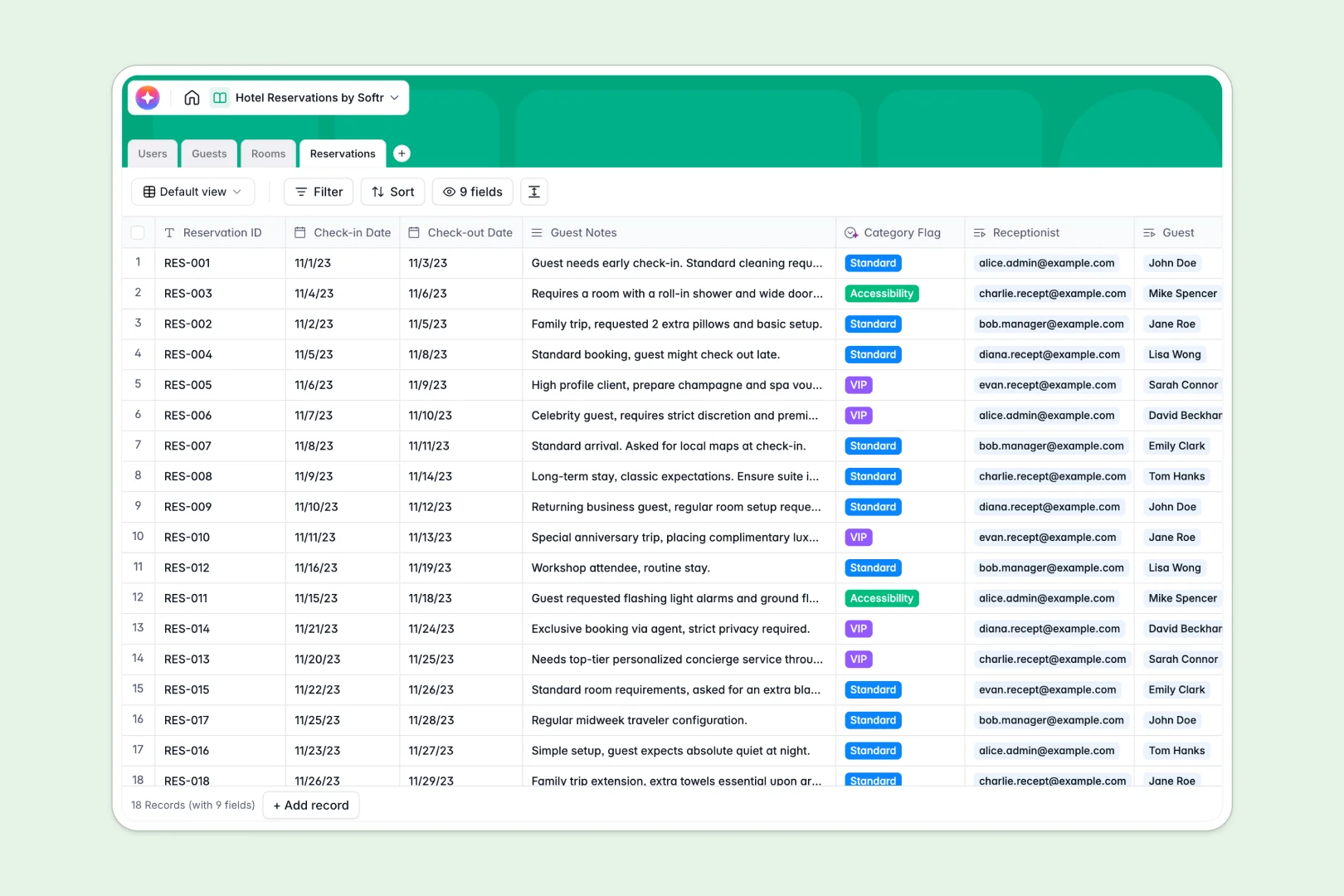
Your Hotel Reservations database at a glance
Track room availability, manage guest profiles, and oversee bookings in one central system. This template gives your front desk the structured reliability that traditional spreadsheets lack.
It works by connecting distinct tables for Guests, Rooms, and Reservations natively. When a guest books a room, you link them instantly—preventing double bookings without dealing with fragile VLOOKUPs.
Built-in AI fields take the manual work out of hospitality. They automatically categorize guest requests, summarize booking habits, and even draft room marketing copy instantly.
Why hotel reservations get messy in spreadsheets
Tracking check-ins, guest histories, and room statuses in a flat grid usually ends in disaster. Formulas break, rows get accidentally deleted, and managing daily room turnover becomes incredibly stressful.
What a structured database changes
In a structured system, columns enforce strict rules. Dates stay perfectly formatted, and room numbers don't accidentally become corrupted text.
Instead of copying and pasting guest details across empty rows every time they stay, you simply link their profile to a new reservation.
This is exactly what Softr Databases are designed for. Everything stays clean, connected, and scalable as your hotel grows.
What you can do with this template
Log check-in and check-out dates cleanly while automatically rolling up a guest's total historical spend.
Use native Database AI agents to read reception notes and tag bookings as VIP, Standard, or needing accessibility accommodations.
Monitor live room statuses—from occupied to maintenance—in a reliable view that your whole front desk team can trust.
-
Users
Manage hotel staff profiles with roles, credentials, and handled bookings
-
Guests
Store guest contact details and use AI to summarize profile preferences
-
Rooms
Track room inventory and generate AI-powered promotional marketing copy
-
Reservations
Link bookings to staff and use AI to flag VIP or accessibility categories
Who is this Hotel Reservations database for
This system is built for hospitality teams who need real-time clarity across their daily operations.
- Front Desk Receptionists: Process check-ins quickly and see exactly which rooms are ready for new arrivals.
- Hotel Managers: Monitor total guest spend, track room availability, and oversee daily operations without hunting down files.
- Reservation Agents: Log new bookings securely while automatically profiling returning guests and tracking their preferences.
How to take it further
You can easily customize this database to fit your exact property layout. Add new room types to the selection fields or adjust the nightly rate structures without writing a single line of code.
If you already manage lists of guests or room inventories, you don't have to start from scratch. Simply import your existing data via CSV and watch the connections happen instantly.
When you are ready, you can use the interface builder to turn this database into a secure front-desk portal. Connect your system so your staff immediately sees a clear dashboard of their daily responsibilities.
Well-structured databases make building these operational apps fast and highly reliable.
-
1
-
2
-
3
-
4
Frequently asked questions
-
What is a hotel reservations database?
-
Why use a no-code database to build a hotel reservations system?
-
How can AI help managing data for hotel bookings?
-
Can I build an app with this hotel reservations database?
-
Is this Hotel Reservations template free?
-
Why is a database better than an Excel spreadsheet for hotel tracking?
Start building today. It's free!
Build and launch your first app in under 30 minutes.