


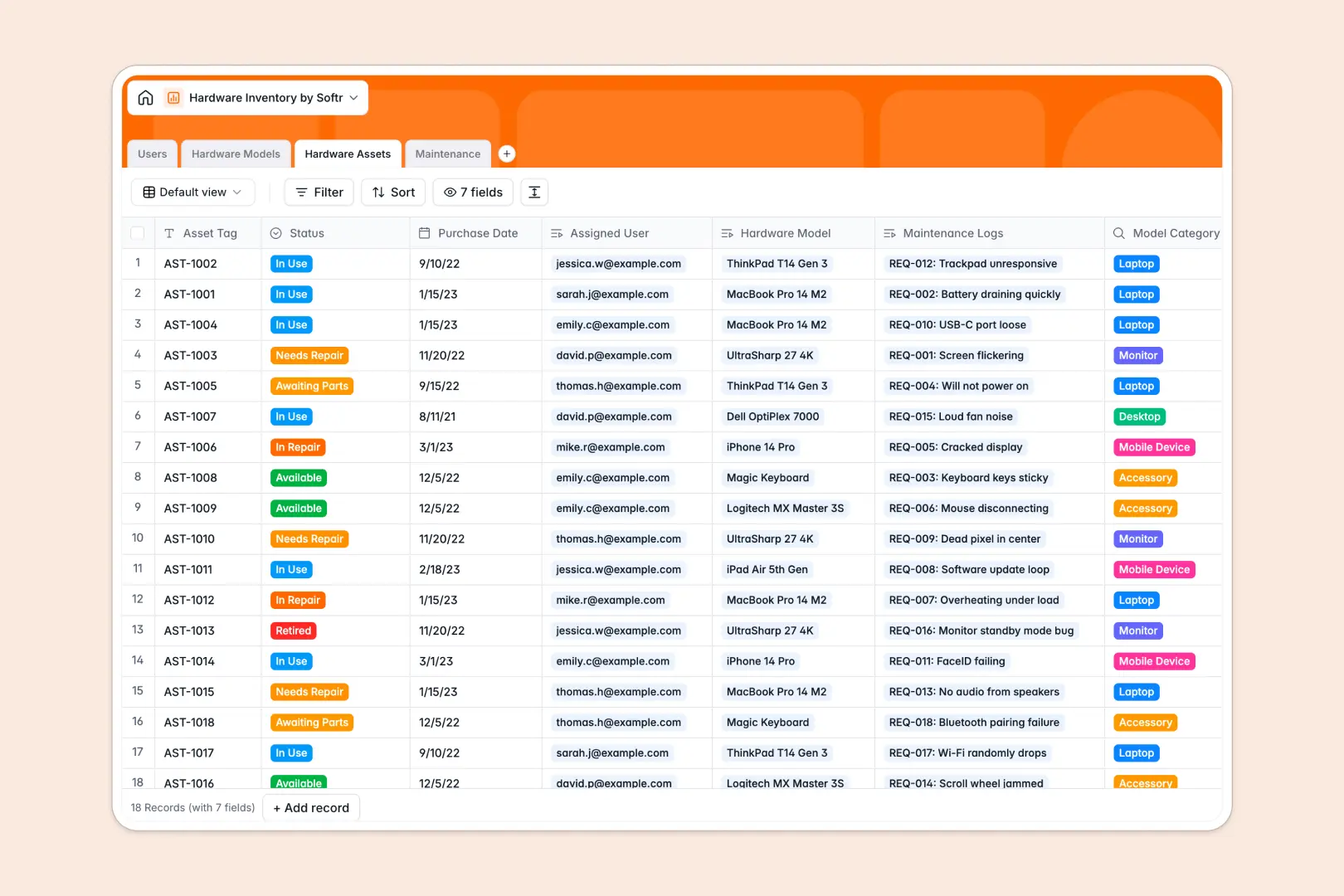
Your Hardware Inventory Database at a glance
This template gives your IT team complete visibility over every device, accessory, and repair request. You can instantly see who holds which piece of equipment and exactly when it was purchased.
The system automatically connects Users to specific Hardware Assets via unique asset tags. When something breaks, employees simply log tickets in the Maintenance table, which securely links right back to the affected device.
Built-in AI enriches your catalog by searching the web for exact hardware specs. It also automatically generates step-by-step troubleshooting guides for every new maintenance request, helping your team resolve issues faster.
Why hardware inventory spreadsheets get messy
Tracking laptops and monitors in a spreadsheet works for the first ten hires, but it exponentially quickly breaks down as teams grow. Rows get accidentally deleted, status updates are forgotten, and linking a broken laptop to an employee requires fragile VLOOKUPs.
What a structured database changes
In a database, data stays explicitly clean and connected. Instead of typing an employee's name across multiple tabs, you simply link their user profile directly to their assigned asset tag.
This is exactly what Softr Databases are designed for. When an asset changes from "In Use" to "Under Maintenance," the entire system updates instantly without broken formulas or manual copy-pasting.
What you can do with this template
Instantly launch a clean, connected directory of every laptop, monitor, and accessory in your company. You can track exact purchase dates, monitor asset statuses, and keep a reliable historical log of all repairs.
Using Database AI agents, the template automatically pulls technical specs from the web for new models. It also generates immediate IT troubleshooting steps whenever a repair ticket is logged.
-
Users
Manage employee profiles, IT staff roles, and hardware assignments
-
Hardware Models
Catalog hardware types with AI-powered web search for technical specs
-
Hardware Assets
Track individual physical units by status, serial tags, and ownership
-
Maintenance
Log repair tickets using AI to generate automated troubleshooting guides
Who is this Hardware Inventory database for
This system is built for teams that need strict control over their physical assets without the overhead of learning complex enterprise IT software.
- IT Managers: Instantly locate assigned devices and identify older models that need replacing.
- Office Managers: Keep a precise count of available monitors, accessories, and mobile devices before new hires start.
- Operations Leads: Analyze maintenance logs to clearly see which manufacturers cause the most hardware failures.
- Helpdesk Staff: Get a head start on support tickets with AI-generated troubleshooting steps built directly into the request.
How to take it further
Customizing this template is completely effortless. You can easily modify the status options, add new model categories like "VR Headsets," or create custom fields to track warranty expiration dates.
Getting started is incredibly seamless. Just upload your existing device list via CSV, and your data maps perfectly into the pre-configured asset tables.
When you are ready to stop managing IT requests via Slack or email, you can build an app directly on top of this data. Create an internal portal where employees can easily log their own maintenance tickets.
By setting up users and permissions, you ensure staff can only see their assigned devices. Meanwhile, IT admins maintain full editing access to the entire hardware catalog.
-
1
-
2
-
3
-
4
Frequently asked questions
-
What is a hardware inventory database?
-
Why use a no-code database to build a hardware inventory system?
-
How can AI help managing data for hardware inventory?
-
Can I build an app with this hardware inventory database?
-
Is this Hardware Inventory database free?
-
Why is tracking hardware inventory in spreadsheets a bad idea?
Start building today. It's free!
Build and launch your first app in under 30 minutes.