


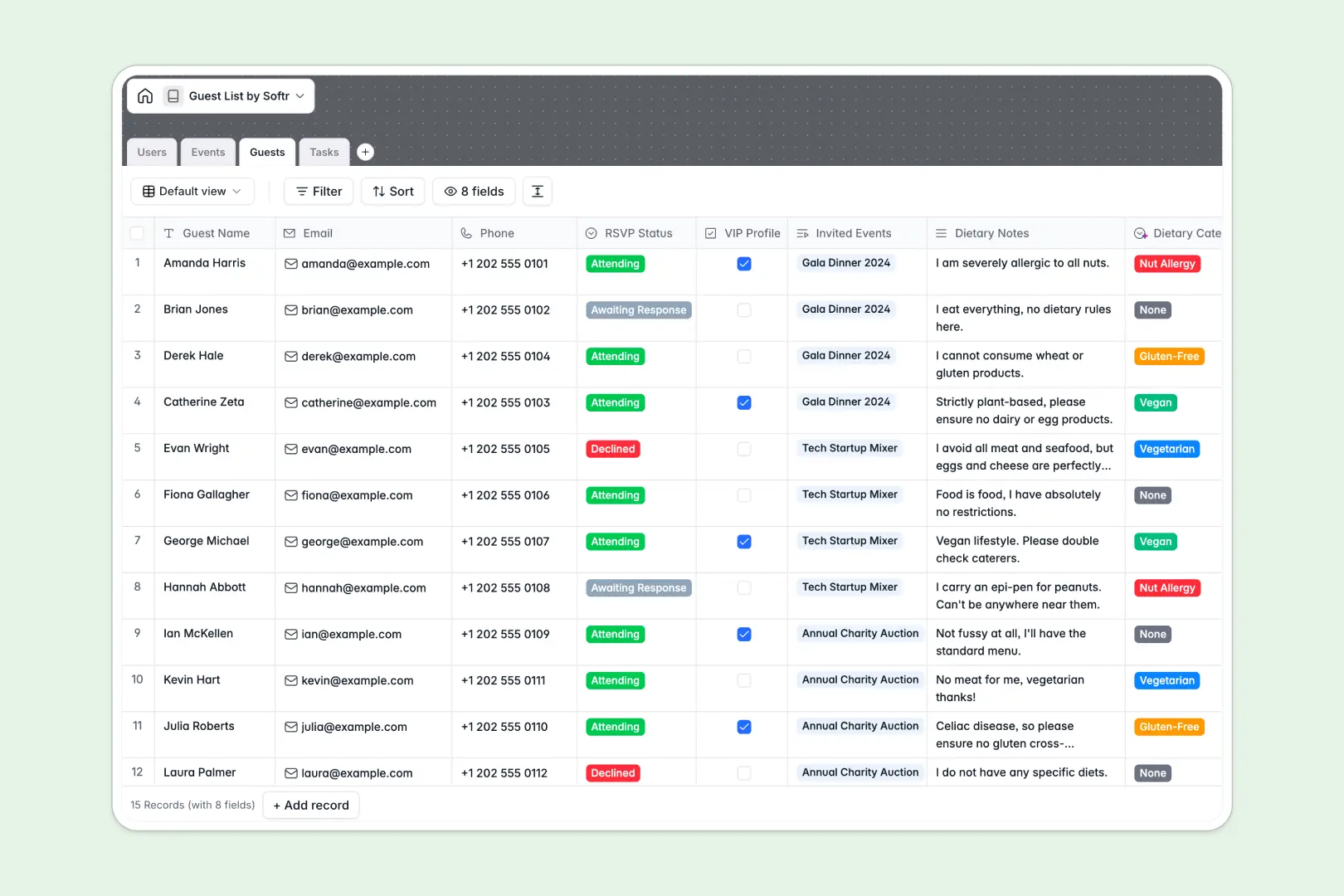
Your Guest List Database at a glance
This template provides a reliable, centralized hub to track invitees, monitor RSVP statuses, and assign event preparation tasks. It guarantees your team always has the latest headcount without hunting down scattered notes.
The system links multiple tables seamlessly to keep data clean. You can connect guests directly to specific events, automatically roll up total invitee numbers, and tie task checklists to the right organizers.
Built-in AI features handle the manual work automatically. AI instantly categorizes guest dietary restrictions from open notes, drafts engaging event descriptions, and generates step-by-step checklists for your assigned prep tasks.
Why managing a guest list spreadsheet gets messy
When planning events, spreadsheets quickly become chaotic with scattered RSVP changes, accidental row deletions, and unformatted dietary notes.
What a structured database changes
Structured databases enforce strict column types, ensuring emails stay formatted correctly and headcounts calculate flawlessly. You can link guests to events and assign tasks without writing a single fragile VLOOKUP formula.
This is exactly what Softr Databases are designed for—keeping your operations clean as your event scale grows.
What you can do with this template
You can easily track VIP attendees, instantly view total headcounts via automated rollups, and monitor exactly who is attending which event.
You also let built-in Database AI agents instantly organize complex dietary restrictions and map out detailed action steps for your event checklists.
-
Users
Manage administrative staff with roles, event access and task assignments
-
Events
Organize event logistics and generate AI-powered summaries for schedules
-
Guests
Track RSVP status and use AI to categorize dietary needs for guests
-
Tasks
Monitor preparation steps with AI-generated action plans and status tracking
Who is this Guest List Database for
Free your team from manual guest tracking and let this structured database handle the heavy event coordination.
- Event Planners: Track multiple events, VIP lists, and real-time RSVPs all in one reliable location.
- PR & Marketing Teams: Manage exclusive invites, categorize dietary needs, and prepare action steps confidently.
- Office Managers: Plan company parties smoothly while keeping organizational tasks assigned and highly visible.
How to take it further
It is very easy to customize this database to perfectly fit your exact event type. You can quickly add new RSVP status options, adjust the dietary category selections, or create custom fields to track plus-ones.
Once customized, you can easily pull in your existing contacts securely. Simply upload a CSV file of your previous guests or connect an API to synchronize new RSVPs automatically.
When your team is ready, you can turn this database into a complete event portal. Using the Softr interface builder, you can create a custom app where organizers can log in to directly update their assigned tasks.
By leveraging users and permissions, you can ensure external vendors or caterers only see the specific guest headcounts and dietary summaries they need.
-
1
-
2
-
3
-
4
Frequently asked questions
-
What is a guest list database?
-
Why use a no-code database to build a guest management system?
-
How can AI help managing data for event guest lists?
-
Can I build an app with this guest list database?
-
Is this Guest List Database free?
-
How is a guest list database different from a guest list spreadsheet?
Start building today. It's free!
Build and launch your first app in under 30 minutes.