


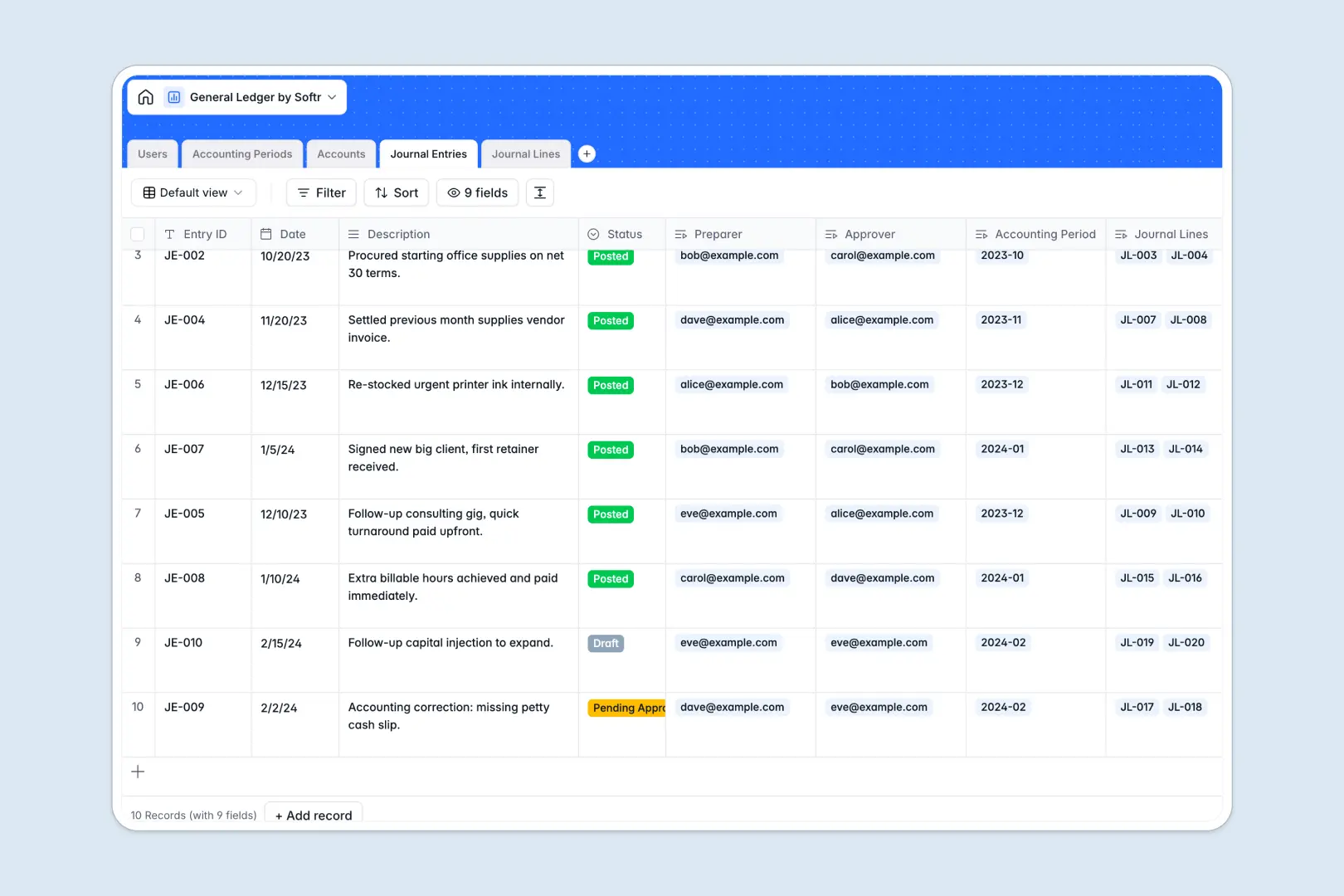
Your General Ledger database at a glance
This template replaces fragile spreadsheets with a secure, relational system to track your financial transactions. It keeps your chart of accounts, journal entries, and accounting periods perfectly organized.
The database connects master journal entries directly to granular debit and credit lines. This securely guarantees every transaction is categorized correctly without relying on fragile lookups.
Built-in AI automatically drafts audit-ready transaction summaries and classifies your line memos. This saves your accounting team hours of manual data entry while ensuring categorical consistency.
Why general ledgers get messy in spreadsheets
Tracking double-entry accounting in Google Sheets quickly becomes a nightmare of mismatched rows and broken formulas. Unrestricted cells allow anyone to accidentally delete historical data or post to closed financial periods.
What a structured database changes
A database enforces strict financial rules automatically. Columns are locked to distinct data types, ensuring currency stays as currency and dates remain dates.
You can securely link journal entries to specific chart of accounts categories without copy-pasting across tabs. This is exactly what Softr Databases are designed for.
When an accountant prepares an entry, it can easily be routed to an admin for official approval. You never have to worry about unauthorized changes throwing off your critical balances.
What you can do with this template
You can immediately establish strict accounting periods to block transactions outside of open dates. The system automatically rolls up your total debits and credits for every account in real time.
Thanks to native Database AI agents, this template categorizes transaction intents like 'payroll' or 'tax' automatically based on memos. It even generates formal audit summaries for every approved journal entry without any manual typing.
-
Users
Manage accounting staff, system permissions, and journal entry assignments
-
Accounting Periods
Define fiscal timeframes and statuses to control financial posting cycles
-
Accounts
Organize the chart of accounts with AI-generated usage rules and balances
-
Journal Entries
Record transaction headers with AI-powered audit summaries for transparency
-
Journal Lines
Detail ledger movements with AI-automated classification of transaction intent
Who is this General Ledger database for
This structured financial system is built for teams that have outgrown fragile spreadsheet accounting.
- Finance Managers: Approve journal entries securely before they impact the main ledger.
- Staff Accountants: Draft accurate debit and credit lines without fighting broken formulas.
- Controllers: Enforce strict accounting periods and ensure compliance across the company.
- Auditors: Review AI-generated transaction summaries and crystal-clear historical records.
How to take it further
It only takes a few clicks to adapt this database entirely to your company's specific financial structure. You can easily add new expense categories to your chart of accounts or modify auditing rules.
When you are ready, bring in your historical balances seamlessly. Use a simple CSV upload to import existing data or connect via API to sync automatically with external expense tools.
Eventually, your team can build an app straight from this data to streamline the entire month-end close. A dedicated portal gives your clerks a clean interface to submit journal entries while hiding complex backend tables.
By setting up users and permissions, you guarantee that only authorized admins can formally post entries or close accounting periods. A structured database makes building these secure financial workflows incredibly simple.
-
1
-
2
-
3
-
4
Frequently asked questions
-
What is a general ledger database?
-
Why use a no-code database to build a ledger system?
-
How can AI help manage financial ledger data?
-
Can I build an app with this general ledger database?
-
Is this General Ledger database template free?
-
How is a general ledger database different from an accounting spreadsheet?
Start building today. It's free!
Build and launch your first app in under 30 minutes.