


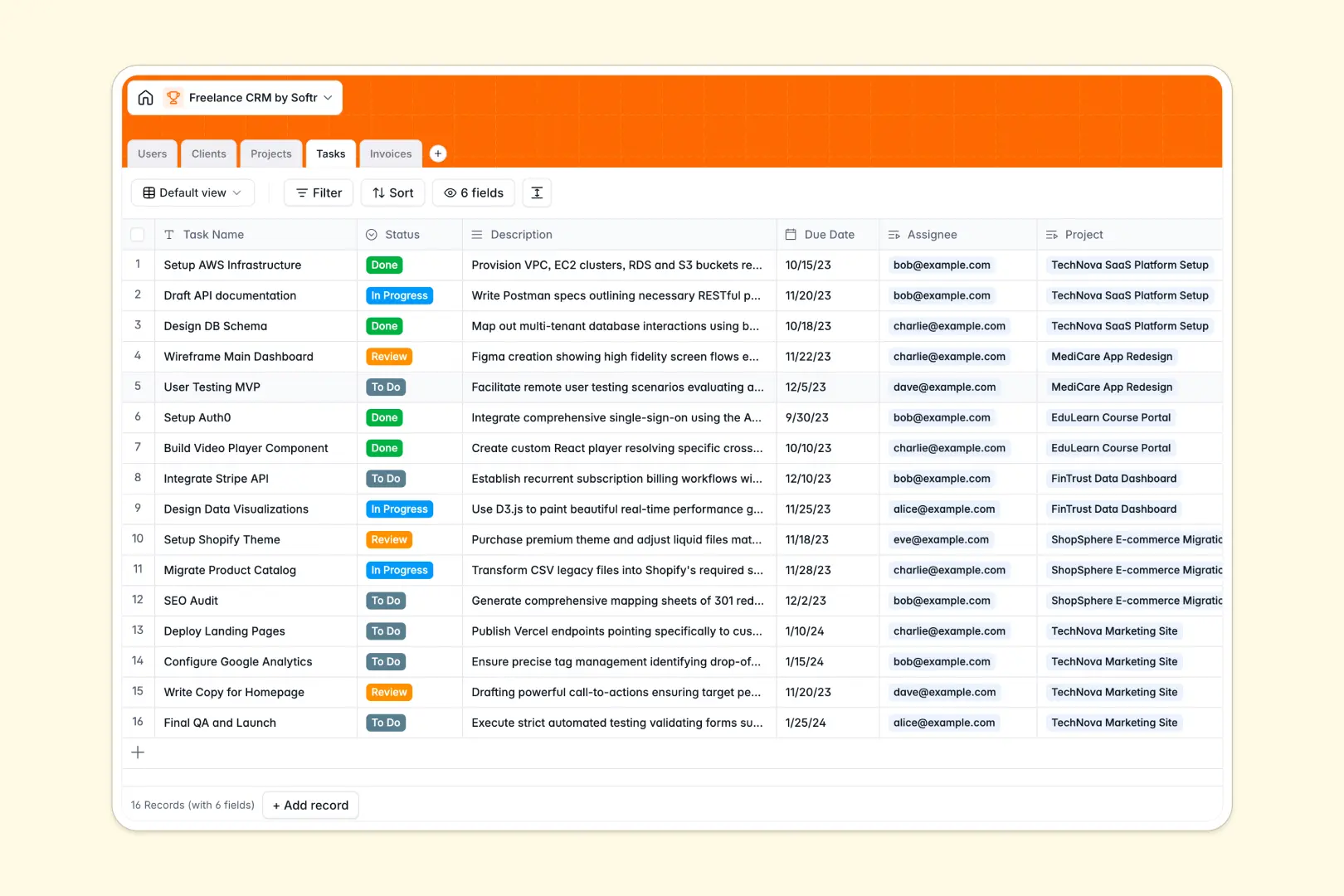
Your Freelance CRM Database at a glance
This Freelance CRM Database gives you a single source of truth to track clients, manage active projects, and monitor invoices. It keeps your independent business organized without the chaos of scattered tools.
The template connects your data seamlessly using native relational tables. When you view a client, you instantly see their linked projects, assigned tasks, and pending invoices without digging through folders.
Built-in AI agents do the administrative heavy lifting for you automatically. They research a client's website to draft company summaries, categorize industries, and even distill long project descriptions into quick bullet points.
Why freelance CRM gets messy in spreadsheets
When managing a solo business, spreadsheets quickly turn into a tangled web of separate tabs for leads, active gigs, and billing. As your client roster grows, keeping track of what tasks belong to which invoice becomes an administrative nightmare.
What a structured database changes
A proper database enforces structure so your data stays clean and reliable. Instead of relying on fragile VLOOKUPs, tables natively link together, meaning you can connect an invoice directly to a specific project and client with one click.
This native structure prevents errors, missing files, and mixed data types as your freelance business scales. This is exactly what Softr Databases are designed for.
What you can do with this template
Manage your entire pipeline from lead to paid invoice, tracking every project status and task deadline in structured views. Upload invoice files directly to client records so you never lose track of billing.
You can also leverage Database AI agents to automatically research new clients. Just paste their website URL, and the database will seamlessly browse the web to classify their industry and write a complete company profile.
-
Users
Manage profiles, roles, and assignments for freelancers and client guests
-
Clients
Store client data with AI-powered industry classification and summaries
-
Projects
Track project status and scope with AI-generated executive summaries
-
Tasks
Organize actionable to-do items with due dates and project ownership
-
Invoices
Monitor financial records including billing status and payment amounts
Who is this Freelance CRM database for
This template is designed for independent professionals who need a reliable system to run their operations.
- Independent consultants: Track active retainers, upcoming deadlines, and client histories cleanly.
- Freelance designers: Connect project briefs to actionable tasks and monitor payment statuses.
- Small agency owners: Manage a small team of collaborators by assigning users to specific projects.
How to take it further
It is incredibly easy to customize this database to fit your exact freelance workflow. You can modify the select tags for your project statuses or add new fields to track hourly rates effortlessly.
Moving away from spreadsheets is fast with native CSV imports. You can instantly upload your existing client list or active tasks to populate your database and get to work immediately.
When your business grows, you can easily build an app on top of this exact database. Turn your CRM into a professional client portal where clients can log in to view their project progress or download invoices.
Because your data is already structured properly, adding users and permissions to restrict clients to seeing only their own files takes just a few clicks.
-
1
-
2
-
3
-
4
Frequently asked questions
-
What is a freelance CRM database?
-
Why use a no-code database to build a freelance CRM spreadsheet alternative?
-
How can AI help managing data for a freelance business?
-
Can I build an app with this freelance CRM database?
-
Is this Freelance CRM database free?
-
How is a database different from tracking clients in Google Sheets or Excel?
Start building today. It's free!
Build and launch your first app in under 30 minutes.