


Overview
Building a completely functional client portal has never been easier. With Softr's Client Portal Builder, you can quickly create a custom, secure space for your clients to access their files, invoices, and project statuses directly from Airtable or Google Sheets.
Comparison: Softr vs. Traditional Development
Speed to Launch
Using Softr to build your application takes a matter of hours or days, whereas traditional web development can take months of intensive coding.
Cost Efficiency
Save thousands of dollars in engineering and maintenance costs while retaining top-tier app functionality by utilizing Softr's integrations and vast template library.
-
Users
Manage system members with contact info, roles, and departmental links
-
Departments
Organize business units with total budgets and aggregated spend tracking
-
Vendors
Log suppliers with AI-generated research on their services and industry
-
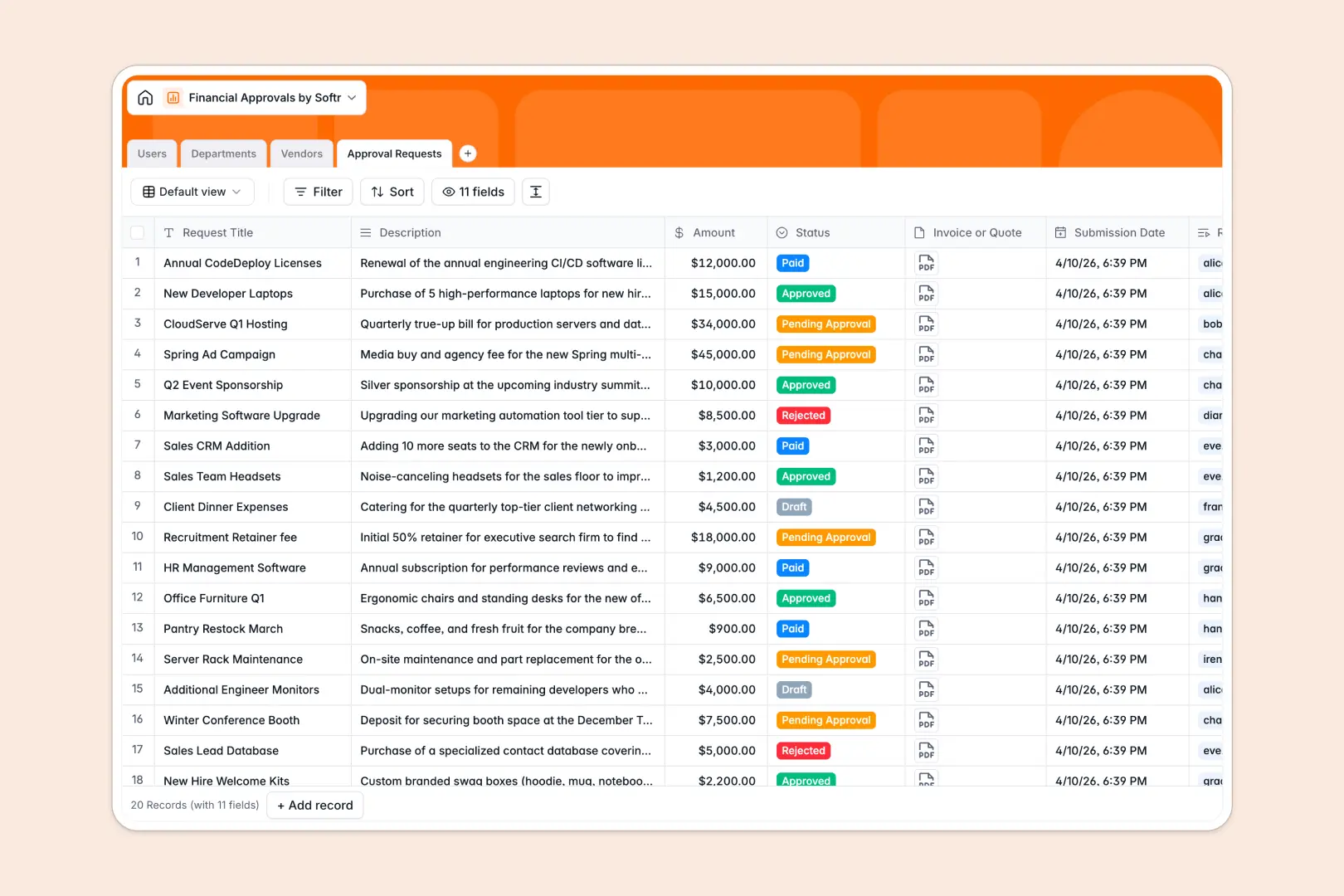
Approval Requests
Record financial requests using AI summaries to speed up reviews
Who is this for?
This customizable template is perfect for various service businesses needing secure and reliable client interaction:
- Marketing Agencies: Share final deliverables and track campaign progress seamlessly with your clients.
- Freelancers: Keep client invoices, contracts, and milestone project updates in one central location.
- Consultants: Deliver custom data dashboards or reports and host premium content using Softr's user management tools.
How to take it further
Once you launch your basic portal, you can expand its capabilities effortlessly. Integrate additional third-party data sources using Softr's data sources feature. You can also add custom domains and utilize advanced row-level permissions to provide a white-labeled, secure experience that scales smoothly as your client base expands. Explore more on Softr's official site.
-
1
-
2
-
3
-
4
Frequently asked questions
-
What is a client portal?
-
Can I connect my own database?
-
Are these templates fully customizable?
-
How secure is my client's private data?
-
Do I need to hire a developer to use this template?
Start building today. It's free!
Build and launch your first app in under 30 minutes.