


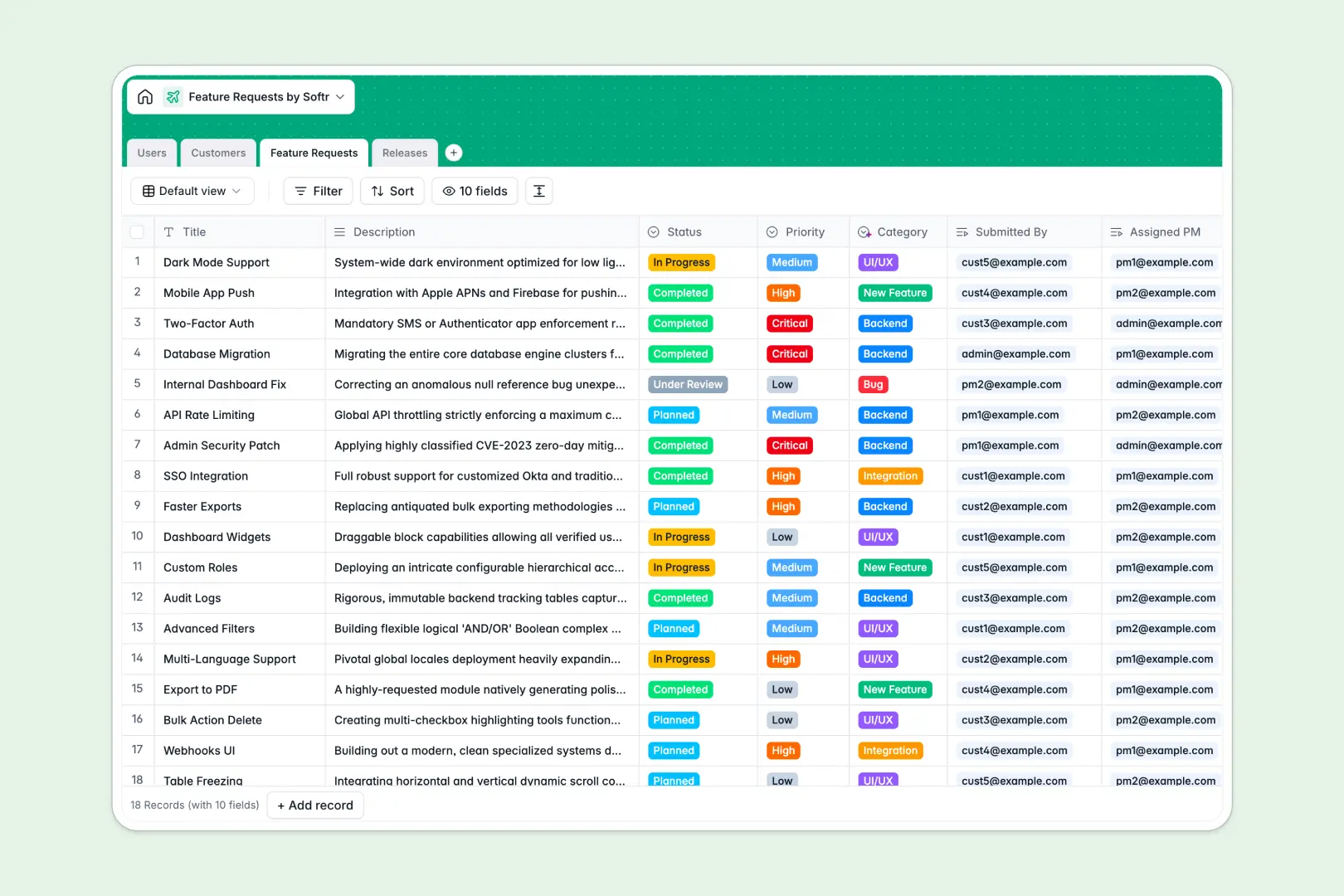
Your Feature Requests Database at a glance
This Feature Requests Database replaces chaotic spreadsheets by natively centralizing product bugs, ideas, and planned updates. It helps teams align on exactly what to build next based on real customer evidence.
The template structures your data into clearly defined tables for Users, Customers, Feature Requests, and Releases. You can seamlessly link a specific feature request to a requesting customer, or bundle multiple completed tickets into an upcoming release without relying on fragile formulas.
Built-in AI automatically categorizes new feature descriptions, researches customer websites to write company summaries, and drafts bulleted customer-facing release notes.
Why tracking feature requests in spreadsheets breaks down
Managing product feedback usually starts in a basic list, but spreadsheets quickly become unmanageable as request volumes multiply, duplicate, and lose contextual details.
What a structured database changes
Spreadsheets force you to constantly copy-paste customer names or rely on frequently broken VLOOKUPs just to track who asked for what. In a proper system, every single request natively connects to the exact customer and the targeted release cycle.
Everything stays clean as you scale because fields are strictly enforced—statuses remain standardized and priorities never get accidentally overwritten. This is exactly what Softr Databases are designed for.
What you can do with this template
Log incoming bugs and enhancements, assign them clearly to specific product managers, and track their lifecycle from "Under Review" through to "Completed."
You can also take advantage of built-in Database AI agents to effortlessly sort incoming requests into the right categories based on their description, and instantly transform feature lists into polished release announcements.
-
Users
Manage system accounts, product roles, and individual profiles for tracking actions
-
Customers
Store organization details with AI-powered web search for profile descriptions
-
Feature Requests
Track product evolution where AI automates category classification from descriptions
-
Releases
Schedule product updates and use AI to generate concise customer release notes
Who is this Feature Requests database for
This template serves product teams that need to prioritize development based on structured, actionable feedback.
- Product Managers: Centralize feedback, map out upcoming platform releases, and generate automated release notes.
- Customer Success: Easily log feature requests on behalf of clients and track their exact development status transparently.
- Engineering Leads: Review clear tickets, understand target dates, and update statuses efficiently as backend work progresses.
How to take it further
Start customizing your database immediately by editing the status choices or modifying priority levels to fit your sprint workflow. Because it is a native application database, renaming columns or changing select options only takes a second.
Bring your existing feedback backlog over by easily importing a CSV upload. If you collect requests via other forms, you can use the API to automatically sync those ideas straight into your tables without manual entry.
When your team is ready, you can transform this database into a complete product roadmap or customer portal. This allows external clients to securely submit their feature ideas directly into the tracker rather than emailing them.
By setting up strict users and permissions, you securely control what each person sees. Internal teams can view the whole roadmap, while customers only access their own submissions—all powered effortlessly by this structured database foundation.
-
1
-
2
-
3
-
4
Frequently asked questions
-
What is a feature requests database?
-
Why use a no-code database to build a product management system?
-
How can AI help managing data for feature requests?
-
Can I build an app with this feature requests database?
-
Is this Feature Requests template free?
-
How is a feature requests database different from a feature requests spreadsheet?
Start building today. It's free!
Build and launch your first app in under 30 minutes.