


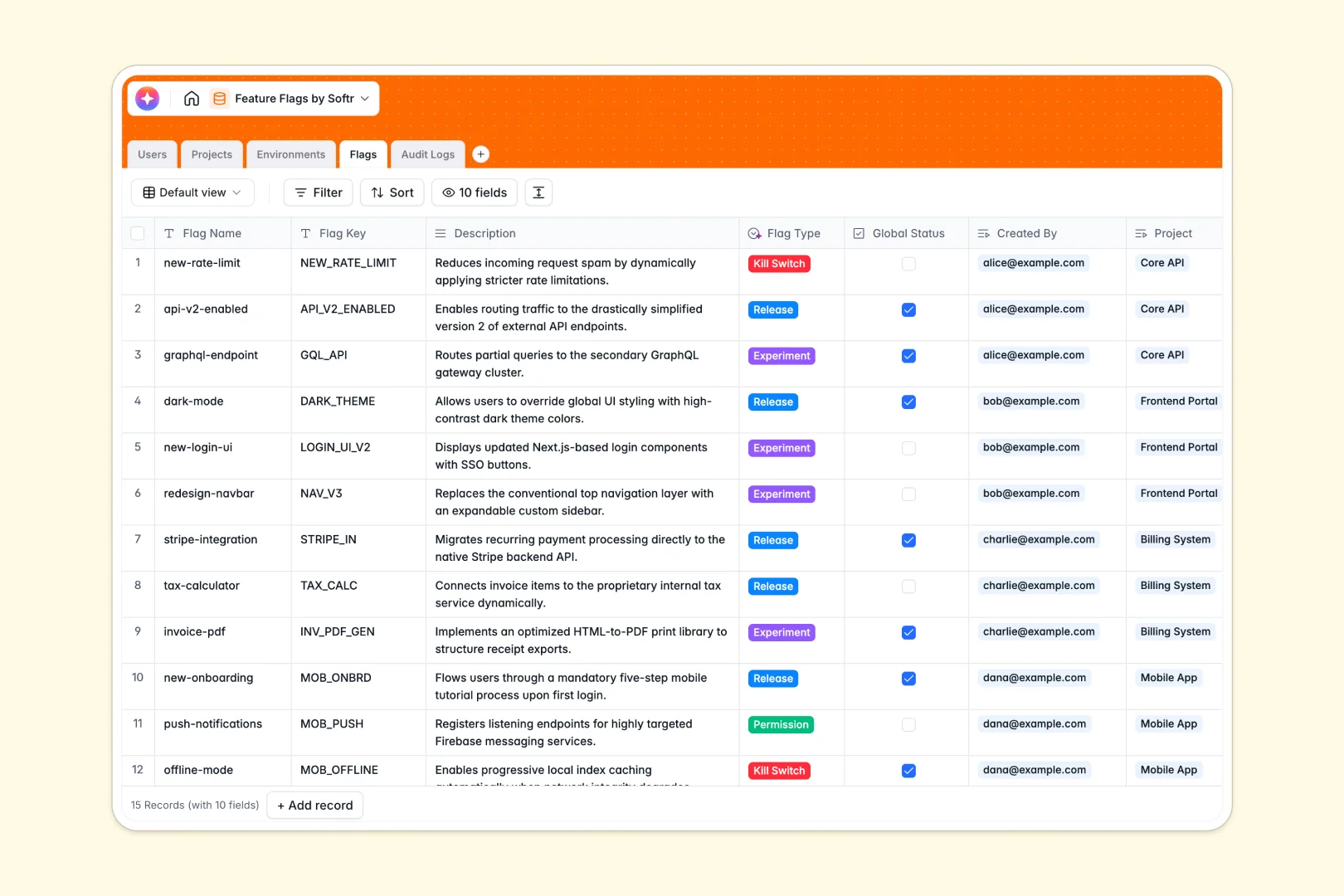
Your Feature Flags database at a glance
This template gives your team a single source of truth to manage and monitor feature toggles across every project. Stop guessing which features are active in production right now.
It connects custom tables for Projects, Environments, and Flags so you can track the exact status of every release. Audit Logs instantly record who made a change and when, maintaining perfect accountability.
Built-in AI automatically classifies your flags and writes summaries of your active rollouts. This keeps your engineering and product teams perfectly aligned without manual reporting.
Why feature flags get messy in spreadsheets
Tracking application behavior in a generic spreadsheet grid quickly becomes dangerous as your product scales. A single accidental row deletion or bad formula can leave your team completely lost during a critical deployment.
What a structured database changes
Instead of a flat list, a relational structure connects your kill switches directly to the exact project and environment they affect. Every entry stays organized, preventing accidental changes to live production toggles.
This is exactly what Softr Databases are designed for. You get rigorous structure and automated logging without needing a developer to build an internal admin panel from scratch.
Lookups and rollups automatically calculate total active flags per project. A dedicated audit trail guarantees you never lose track of who toggled a feature.
What you can do with this template
Easily toggle global statuses and instantly see which team member owns a specific experiment. Keep everything strictly organized by environment like Staging, QA, or Production.
Thanks to powerful Database AI agents, the system reviews your descriptions and categorizes flags as Experiments, Permissions, or Kill Switches. It even writes neat summary digests of project rollouts so stakeholders stay informed automatically.
-
Users
Manage team profiles and roles for developers and admins handling toggles
-
Projects
Track applications and deployment scopes with AI-generated status digests
-
Environments
Configure deployment stages like Production and Staging with unique API keys
-
Flags
Control feature toggles using AI for auto-classification and purpose summaries
-
Audit Logs
Monitor a complete history of flag changes and user actions for accountability
Who is this Feature Flags database for
This system is built for teams that need to deploy features safely and transparently.
- Product Managers: Track the status of new experiments and beta releases without bothering engineering.
- Engineering Leads: Maintain a secure audit log of all flag creations and switch events for total accountability.
- QA Teams: Verify which features are currently enabled in specific staging or testing environments.
- Operations: Quickly identify and manage kill switches related to live production projects.
How to take it further
You can easily modify the template to perfectly match your deployment cycles. Add new flag types, rename fields, or create custom environments that reflect your exact workflows.
Bring in your historical toggle data instantly by uploading a CSV. You can also easily connect external tools via API to keep your flag statuses synced automatically.
When your team grows, you can transform this database into a robust internal tool using our interface builder. This lets non-technical stakeholders view project status safely without touching the raw database.
By setting up custom users and permissions, you can ensure only lead developers have the right to edit critical kill switches. A well-structured database makes building this secure app incredibly simple.
-
1
-
2
-
3
-
4
Frequently asked questions
-
What is a feature flags database?
-
Why use a no-code database to build a feature flag tracker?
-
How can AI help managing data for feature flags?
-
Can I build an app with this Feature Flags database?
-
Is this Feature Flags database free?
-
How is this template different from a feature flags spreadsheet?
Start building today. It's free!
Build and launch your first app in under 30 minutes.