


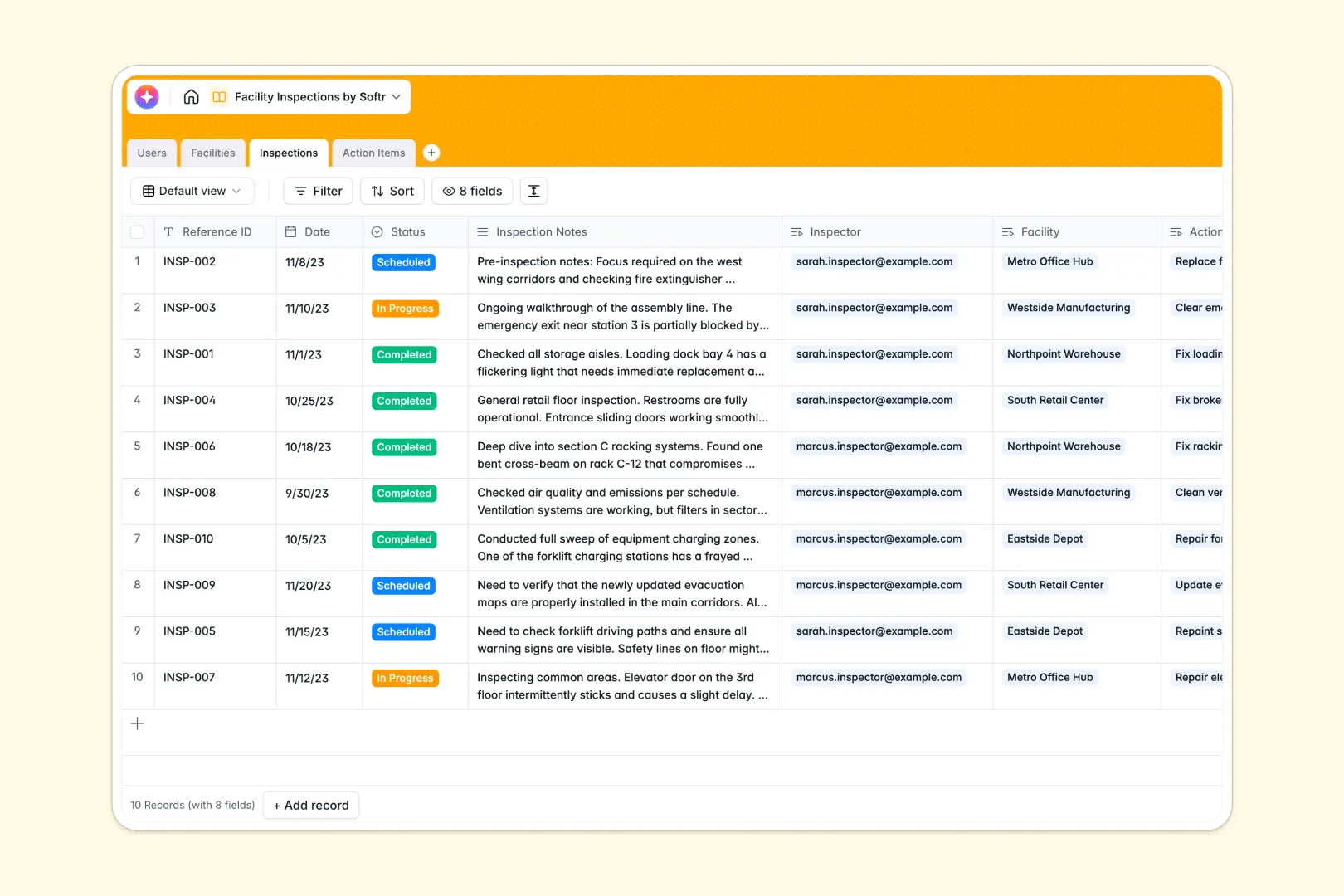
Your Facility Inspections Database at a glance
This template centralizes your entire physical inspection pipeline, helping you monitor warehouse, manufacturing, or retail locations effortlessly.
It cleanly connects your Facilities directly to historical Inspections and assigned Action Items, ensuring safety reports and repair tasks are never lost in a void.
Built-in AI automatically extracts a 3-bullet summary from lengthy inspection notes and intelligently ranks issue urgency based on the inspector's descriptions.
Why facility management gets messy in spreadsheets
Relying on a facility inspections spreadsheet quickly becomes chaotic when juggling multiple sites, daily recurring visits, and proof images.
What a structured database changes
Spreadsheets struggle to handle the relationship between a single facility and its hundreds of historical visit logs. Columns get messy, images break rows, and tracking resolution statuses requires fragile, complex formulas.
A true database organizes data logically: an inspector logs a single visit, and it automatically updates the facility's overall history. This is exactly what Softr Databases are designed for.
What you can do with this template
Link designated inspectors to specific locations, track total administered visits per facility, and attach photographic proof directly to open action items.
You can leverage Database AI agents to automate field reporting. When an inspector types out rough notes, the system automatically grades the severity from low to high and drafts a neat summary for the manager.
-
Users
Manage administrative staff, inspectors, and facility managers with roles
-
Facilities
Store physical locations, building types, and assigned management staff
-
Inspections
Track inspection logs with AI-powered summaries of findings and notes
-
Action Items
Manage tasks with AI-driven urgency classification for site violations
Who is this Facility Inspections database for
This system brings necessary order to any team responsible for building safety, maintenance, and structural compliance.
- Facility Managers: Monitor building health, track repair resolutions, and ensure ongoing safety across dozens of locations.
- Field Inspectors: Log condition issues, upload proof images directly from site visits, and view assigned schedules effortlessly.
- Maintenance Leads: Organize incoming action items by AI-flagged urgency and securely update completion statuses.
How to take it further
Start by tailoring the predefined fields to your exact environment. Add new facility types, adjust action item statuses, or tweak the AI prompt to search for your company's specific compliance keywords.
Then, import your past site reports using a simple CSV upload so you have immediate historical records. You can also connect via API to sync alongside your current operational tools.
When your field team needs controlled access on site, build an app directly on top of this structure.
You can enforce granular access control so that an inspector only sees their assigned routes, while administrators view the global operations dashboard. A well-organized database makes launching this kind of secure field-operations portal incredibly seamless.
-
1
-
2
-
3
-
4
Frequently asked questions
-
What is a facility inspections database?
-
Why use a no-code database to build a facility inspections tool?
-
How can AI help managing data for facility inspections?
-
Can I build an app with this facility inspections database?
-
Is this Facility Inspections template free?
-
How is a facility inspections database different from a spreadsheet?
Start building today. It's free!
Build and launch your first app in under 30 minutes.