


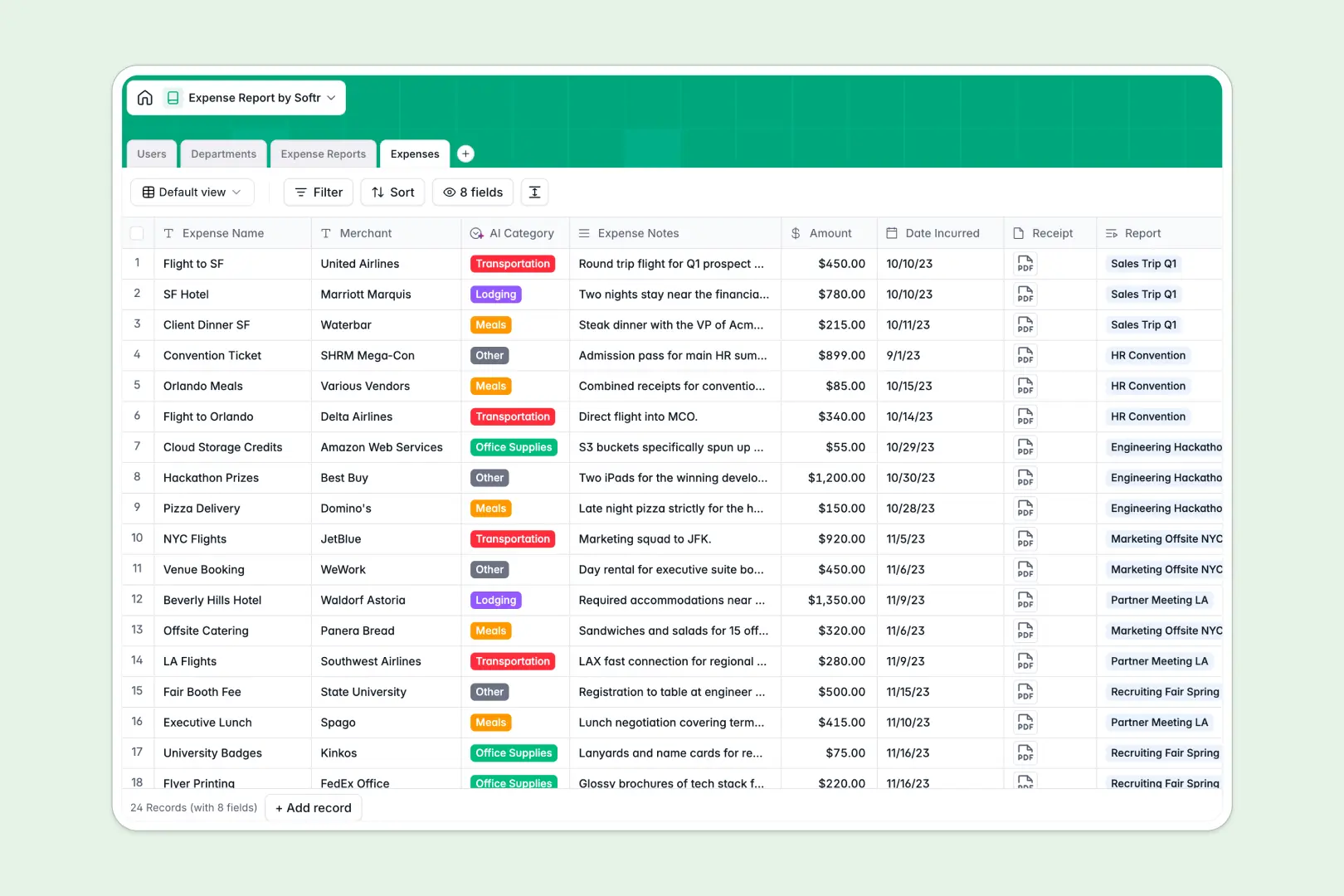
Your Expense Report database at a glance
This ready-to-use template replaces fragile spreadsheets with a central system to track every expense, receipt, and approval step. It keeps your finance team and employees perfectly aligned without chasing down paper receipts.
The database naturally links individual line items to larger expense reports, directly connecting them to specific employees and departments. A built-in rollup automatically calculates the total amount of each report as new expenses are added.
Built-in AI automatically reads expense notes to categorize purchases into groups like Travel or Meals. Another AI field instantly audits entire reports to summarize compliance and flag potential issues.
Why expense reporting gets messy in spreadsheets
Managing expenses in spreadsheets quickly breaks down as teams grow and receipts get lost in long email threads. Moving data between rows and folders creates endless busywork and data entry errors for finance teams.
What a structured database changes
In a structured system, columns strictly enforce data types so currencies stay as numbers and receipts remain securely attached as files. You never have to worry about mixed formats breaking a formula or someone accidentally deleting a critical cell.
Individual expenses seamlessly link back to parent reports and specific users without requiring fragile VLOOKUPs. This is exactly what Softr Databases are designed for.
Instead of scrolling through endless rows to find who spent what, every department's budget and employee spend is naturally connected and instantly visible.
What you can do with this template
Submit and review complete expense batches instantly with straightforward status tracking from draft to approved.
Leverage built-in Database AI agents to automatically categorize every line item and instantly generate an audit summary for the entire report.
Group your teams by department to clearly monitor annual budgets and individual employee assignments in one clean, scalable view.
-
Users
Manage employee profiles, departmental roles, and expense approval rights
-
Departments
Organize organizational units to track annual budgets and team structures
-
Expense Reports
Group expense batches with AI-powered audit summaries for compliance reviews
-
Expenses
Log line items with receipts and AI-driven categorization for budget tracking
Who is this Expense Report database for
This template provides a reliable tracking foundation for teams that need to eliminate manual expense entry.
- Finance Managers: Instantly audit entire reports and track spending against departmental budgets.
- Department Heads: Review and approve employee expenses with complete visibility into every line item.
- Employees: Submit expenses cleanly with attached receipts without worrying about formatting rows.
How to take it further
You can easily tailor this template by adjusting the expense categories or adding new approval statuses to match your workflow. Because it operates natively, renaming fields or restructuring tables takes just seconds.
Connect your existing financial records quickly by uploading a CSV of your past expenses. You can also use our API to automatically sync new transactions directly from your corporate card software.
When your team is ready, you can transform this database into a secure, self-serve internal portal. Using Softr's interface builder, you can create customized views where employees only interact with their own submissions.
By setting up robust users and permissions, approvers can automatically view their team's pending requests while finance gets global access. A well-structured database makes building this complete approval app incredibly straightforward.
-
1
-
2
-
3
-
4
Frequently asked questions
-
What is an expense report database?
-
Why use a no-code database over an expense report spreadsheet?
-
How can AI help managing data for expense reports?
-
Can I build an app with this expense report database?
-
Is this Expense Report template free?
-
How does this template track departmental budgets?
Start building today. It's free!
Build and launch your first app in under 30 minutes.