


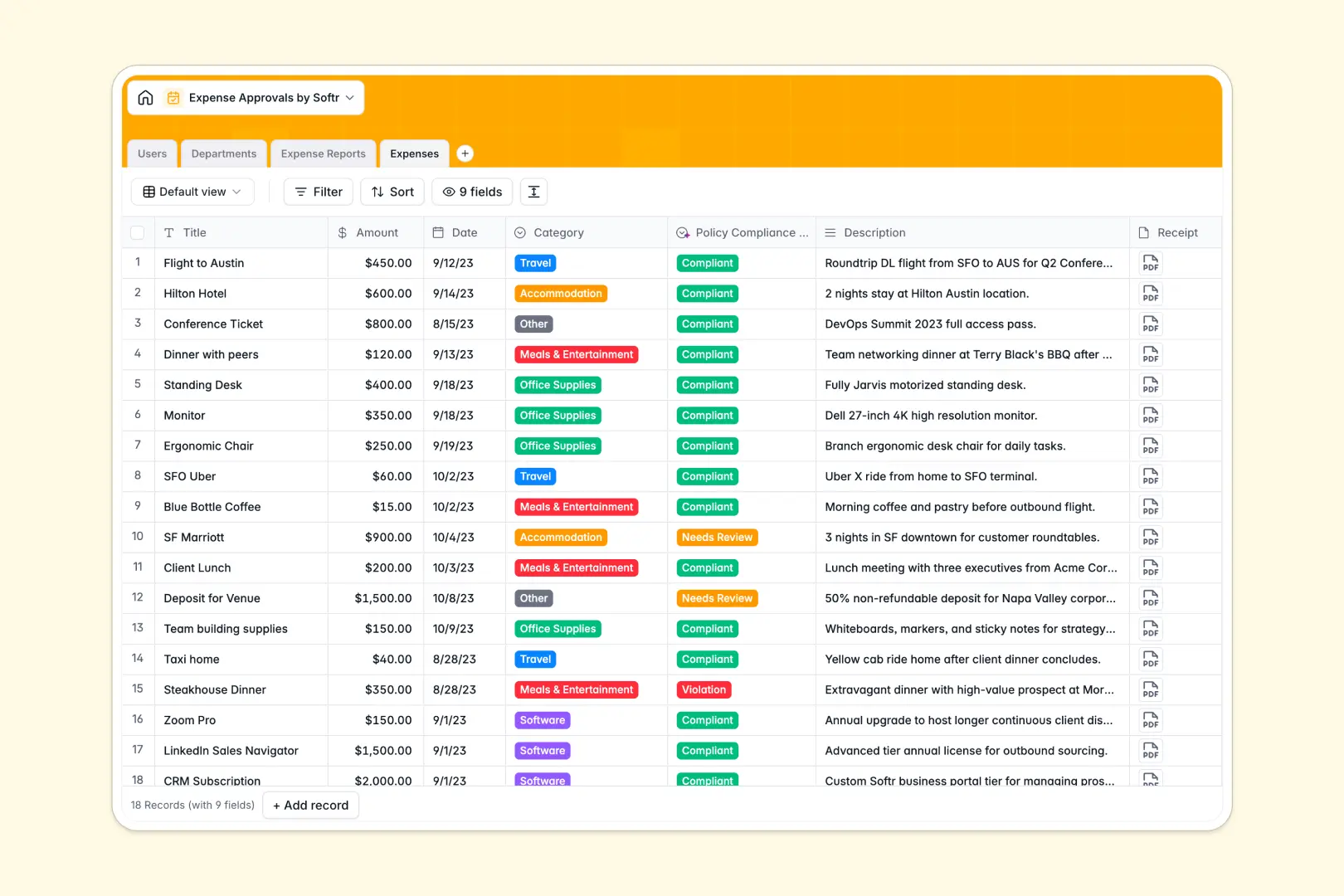
Your Expense Approvals database at a glance
This template provides a clear, seamless way to track company spending from individual receipts to total department budgets. Teams can log expenses easily, while managers review summarized reports without digging through messy rows.
It works by natively connecting four essential tables: Users, Departments, Expense Reports, and individual Expenses. When employees add line items, they automatically roll up into summary reports and update remaining department funds in real time.
Built-in AI features seamlessly review every line item to flag policy violations before managers even look. AI also generates quick executive summaries of full reports, saving approvers valuable time during their review process.
Why expense approvals get messy in spreadsheets
Tracking reimbursements in spreadsheets usually means lost receipts, mixed currency formats, and endless email threads. As teams grow, managers waste hours cross-checking totals, fixing broken formulas, and manually verifying spending policies.
What a structured database changes
Instead of relying on fragile copy-pasting, relational tables ensure that every expense is perfectly tied to the right employee, manager, and department. Column types enforce strict structure, meaning receipts stay safely attached and budget calculations never break.
This reliability and scale is exactly what Softr Databases are built for. You get the simple familiarity of a grid interface, but with the robust architecture needed to handle complex approvals seamlessly.
What you can do with this template
Out of the box, this template lets you track individual line items, calculate running department totals, and securely attach receipt files. It keeps your approval workflow highly organized and fully transparent.
You can also leverage Database AI agents to do the heavy lifting for your finance team. They can automatically categorize spending and classify whether an expense is compliant, needs review, or violates company rules.
-
Users
Manage employee profiles, departmental roles, and hierarchical reporting lines
-
Departments
Organize company units with allocated budgets and track total approved spend
-
Expense Reports
Review status-tracked submissions with AI summaries for executive oversight
-
Expenses
Log individual line items with AI-driven policy compliance classification
Who is this Expense Approvals database for
This ready-to-use template helps finance teams, department heads, and managers keep company spending perfectly clear and compliant.
- Finance Teams: Track department budgets in real time and ensure no double-reimbursements slip through.
- Department Managers: Approve or reject team reports in one click with smart, AI-generated executive summaries.
- Employees: Easily submit line items and track exactly where their reimbursement sits in the approval queue.
How to take it further
It is incredibly easy to customize this database to strictly match your own operational rules. You can quickly add new expense categories, modify the approval status options, or adjust the AI prompt to enforce your unique travel policies.
If you already have historical spending data, you can import your CSV files in seconds. This allows your team to connect to immediate value and pick up exactly where they left off.
When your team expands, you can transform this database into a secure internal portal using a visual interface builder. This step turns your data into a true full-stack app without writing any code.
Rather than sharing a fragile spreadsheet with the whole company, everyone gets a highly personalized dashboard. Thanks to robust users and permissions, employees will only see their own submissions while managers view team-wide reporting.
-
1
-
2
-
3
-
4
Frequently asked questions
-
What is an expense approvals database?
-
Why use a no-code database to build an expense tracking tool?
-
How can AI help managing data for expense approvals?
-
Can I build an app with this expense approvals database?
-
Is this Expense Approvals database free?
-
How is an expense approvals database different from spreadsheets?
Start building today. It's free!
Build and launch your first app in under 30 minutes.