


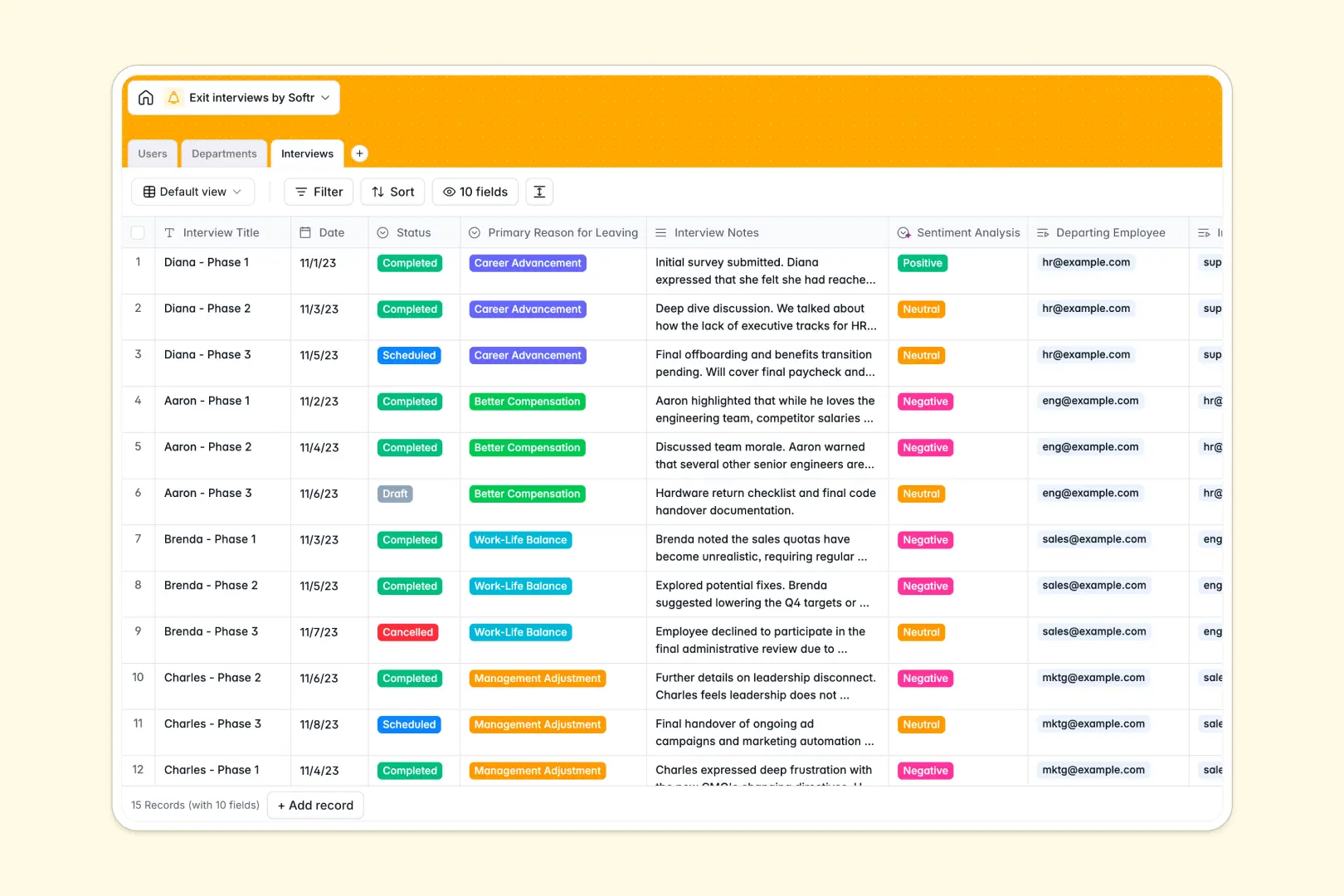
Your Exit Interviews Database at a glance
This template centralizes departing employee feedback so you can actually learn from turnover. It moves sensitive HR data out of messy rows and into a secure, organized system.
It connects Departments, Users, and Interviews natively. When you view an exit interview, you instantly see the employee's role, their manager, and the exact department they belong to without manual data entry.
Built-in AI automatically extracts key takeaways from your interview notes and categorizes the overall sentiment. You get instant, actionable insights without having to read through paragraphs of text.
Why tracking exit interviews in spreadsheets breaks down
Logging sensitive exit feedback in shared Google Sheets is a recipe for compliance issues and lost insights. Text-heavy notes get buried in infinite columns, and finding patterns across departments becomes a manual nightmare.
What a structured database changes
A true database enforces strict structures to protect privacy and data integrity. Instead of pasting redundant names across multiple tabs, you simply link a departing employee directly to their interview and department.
This keeps your HR records impeccably clean as your headcount scales. This is exactly what Softr Databases are designed for—giving you reliable structure without the rigidity of traditional tools.
What you can do with this template
You can securely track the status of every exit process from scheduled to completed. View the primary reason for leaving—whether compensation or work-life balance—to spot clear organizational trends.
You can also leverage Database AI agents to summarize messy interview notes on the fly. As soon as you log a conversation, the system automatically pulls the top three bullet points and assigns a positive, neutral, or negative sentiment.
-
Users
Manage employee profiles including HR staff, managers, and departing personnel
-
Departments
Organize company branches to monitor turnover rates and overall staff headcount
-
Interviews
Log exit feedback with AI-powered sentiment analysis and automated takeaway extraction
Who is this Exit Interviews database for
This template is built for teams that want to turn employee departures into actionable retention strategies securely.
- HR Professionals: Centralize sensitive feedback and streamline the offboarding process in one place.
- Department Managers: Track departmental headcount and understand exactly why key team members are leaving.
- People Ops Teams: Analyze qualitative interview notes across the entire company at scale without manual reading.
How to take it further
Add new custom leaving reasons to the drop-down fields or create new columns for internal HR follow-ups. Because it is a native Softr Database, customizing the structure takes seconds.
Bring in your historical exit data easily by importing past feedback via CSV. This instantly populates your legacy turnover trends so you are not starting from scratch.
When you are ready to scale, you can build an app directly on top of this data. You can create a secure internal portal where managers can only review feedback relevant to their specific department.
By leveraging custom users and permissions, you guarantee that sensitive exit notes remain strictly confidential. A well-structured database makes launching these secure, role-based workflows completely effortless.
-
1
-
2
-
3
-
4
Frequently asked questions
-
What is an exit interviews database?
-
Why use a no-code database to build an HR offboarding system?
-
How can AI help managing data for exit interviews?
-
Can I build an app with this exit interviews database?
-
Is this Exit Interviews template free?
-
Why are spreadsheets risky for handling exit interviews?
Start building today. It's free!
Build and launch your first app in under 30 minutes.