


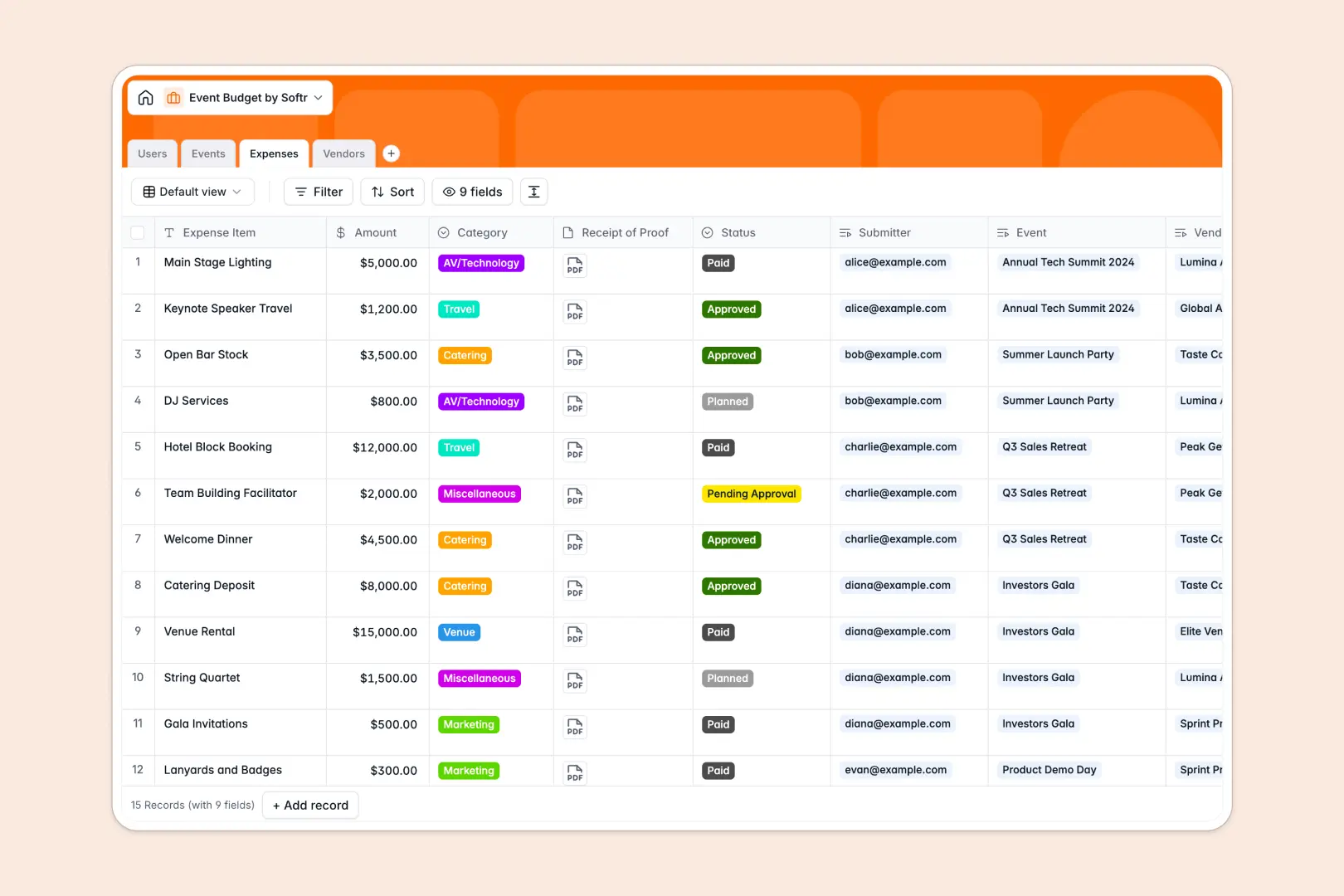
Your Event Budget database at a glance
This template gives you complete control over your event finances, helping you track allocations and prevent budget overruns. It replaces scattered receipts and disconnected files with a clean, centralized tracker.
The system organizes your data into connected tables for Events, Expenses, Vendors, and Users. When a new expense is logged, it automatically rolls up to show your remaining event budget in real time.
Built-in AI features automatically generate project briefs, write professional expense justifications, and research vendor services directly from the web.
Why event budgets get messy in spreadsheets
Tracking event costs in a spreadsheet often leads to broken formulas, missing receipts, and outdated budget totals across different tabs.
What a structured database changes
In a structured system, columns enforce strict rules so amounts stay as currencies and categories stay fully consistent. You can link a massive catering expense directly to a specific vendor and event without writing fragile VLOOKUPs.
This is exactly what Softr Databases are designed for. As your campaign scales, your financial data remains exceptionally accurate, clean, and tied perfectly to the right project managers.
What you can do with this template
Instantly view your total project allocation versus your used budget with automated rollups for every single event. No more manual math or end-of-month surprises.
You can also manage vendors effectively while Database AI agents automatically research their websites to summarize their service offerings natively inside your records.
-
Users
Manage internal team members with roles, emails, and managed event logs
-
Events
Track budget allocations and use AI to generate detailed project briefs
-
Expenses
Log costs and use AI to generate automated budget justifications for items
-
Vendors
Store provider details and use AI and web search to profile offered services
Who is this Event Budget database for
This system is built for teams that demand absolute visibility over their event spending and vendor relationships.
- Event Managers: Monitor remaining budgets in real time and track all external vendor payments in one reliable place.
- Marketing Teams: Keep track of diverse expenses across multiple active campaigns without constantly losing receipts.
- Finance Departments: Review AI-generated expense justifications and smoothly approve pending costs before they are paid.
How to take it further
You can easily customize this database to match your exact financial workflows. Add new expense categories or modify the approval statuses to suit your team's specific requirements.
If you already track your campaign budgets elsewhere, use the simple CSV import feature. This lets you seamlessly bring past events, existing expenses, and vendor directories straight into this clean structure.
When your team grows, you can easily build an app to let staff accurately submit their expenses through a dedicated internal portal. By configuring users and permissions, you can ensure event managers only see and approve budgets for their specific assignments. Launching secure internal tools is inherently faster when your foundational database is fully structured.
-
1
-
2
-
3
-
4
Frequently asked questions
-
What is an event budget database?
-
Why use a no-code database to build an event budget tool?
-
How can AI help managing data for event budgets?
-
Can I build an app with this event budget database?
-
Is this event budget database free?
-
How is an event budget database different from an event budget spreadsheet?
Start building today. It's free!
Build and launch your first app in under 30 minutes.