


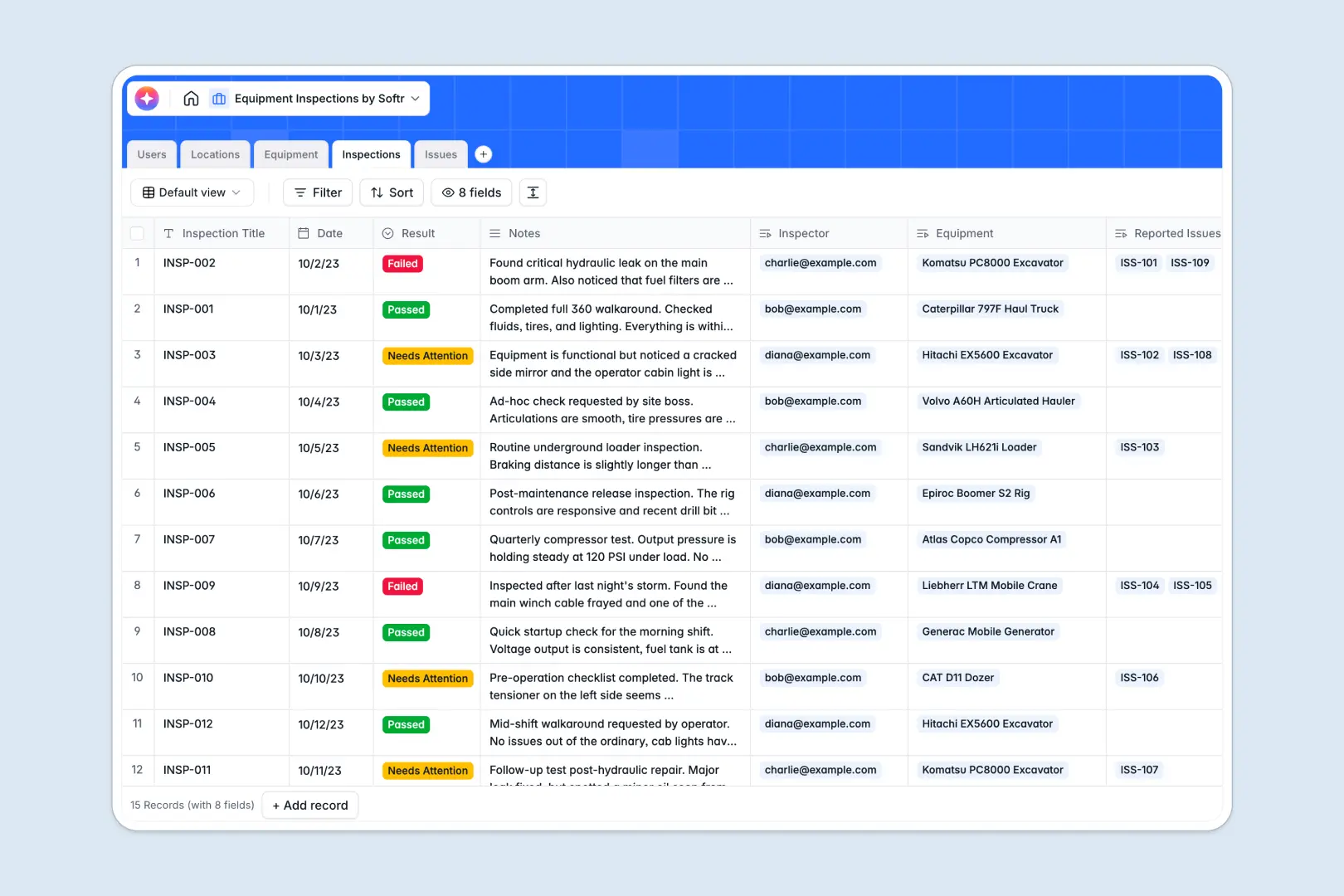
Your Equipment Inspections database at a glance
This ready-to-use template helps you track physical assets, log routine compliance checks, and manage maintenance issues in one clean place. It replaces scattered sheets with a reliable system where nothing falls through the cracks.
It connects your Equipment to specific Locations and automatically links them to ongoing Inspections. When a machine fails a check, you can log specific Issues with photo proofs attached directly to the database record.
It also automatically summarizes inspection notes, auto-classifies issue severity, and researches missing asset specifications for you.
Why equipment inspections get messy in spreadsheets
Tracking physical assets and safety checks in a spreadsheet quickly turns into a disaster. Rows get duplicated accidentally, critical photo attachments get lost, and maintenance histories become impossible to trace across multiple tabs.
What a structured database changes
In a structured database, your data stays perfectly organized because every column has a strict type. Status dropdowns stay consistent, dates capture the exact inspection time, and you can reliably upload photo proofs of damages right into the cell.
Instead of relying on fragile formulas, tables connect naturally to one another. You can view all past inspections and open issues for a specific piece of equipment with just a single click.
This is exactly what Softr Databases are designed for. They give you the bulletproof structure of heavy-duty software while staying as intuitive and easy to use as a simple list.
What you can do with this template
You can manage your entire maintenance pipeline immediately without complex setups. Log an inspection, record pass or fail results, and immediately flag unresolved anomalies for the repair team.
Thanks to built-in Database AI agents, the system handles the busywork for you. It automatically assigns High, Medium, or Low severity to new issues based entirely on your typed descriptions.
It also runs automatic web searches to instantly pull missing technical specifications for new machinery directly into your columns.
-
Users
Manage personnel profiles, contact details, and assigned security roles
-
Locations
Organize physical sites and facilities where assets are stored or used
-
Equipment
Catalog machinery assets with AI-powered specification and research logs
-
Inspections
Log safety checks for assets using AI to generate summary findings
-
Issues
Record defects using AI to classify risk severity from reports
Who is this Equipment Inspections database for
This completely customizable system is built for operations and safety teams who need reliable, scalable asset tracking.
- Facility Managers: Monitor equipment across multiple sites and keep an eye on operational status efficiently.
- Safety Inspectors: Log routine compliance checks, attach photo evidence, and let AI summarize findings instantly.
- Maintenance Crews: See exactly which machinery needs attention and easily prioritize repairs by severity levels.
How to take it further
You can easily customize this backend database to fit your company's exact field processes. Quickly rename columns, add new equipment statuses, or modify the inspection result options to follow your safety standards.
There is no need to start from scratch if you already have existing data. Simply import your historical asset lists or past inspection logs via an easy CSV upload to get value immediately.
When your team is ready to scale, you can build an app directly on top of this foundation. Turn your clean data into a mobile-friendly portal so field workers can click buttons to log checks right from their phones.
By layering native users and permissions, you keep the workflow secure. Maintenance staff will only see open repair tickets, while administrators get full visibility across all regional locations and users.
-
1
-
2
-
3
-
4
Frequently asked questions
-
What is an equipment inspections database?
-
Why use a no-code database to build an equipment inspection tool?
-
How can AI help managing data for equipment inspections?
-
Can I build an app with this equipment inspections database?
-
Is this Equipment Inspections template free?
-
Why is an equipment inspections database better than a spreadsheet?
Start building today. It's free!
Build and launch your first app in under 30 minutes.