


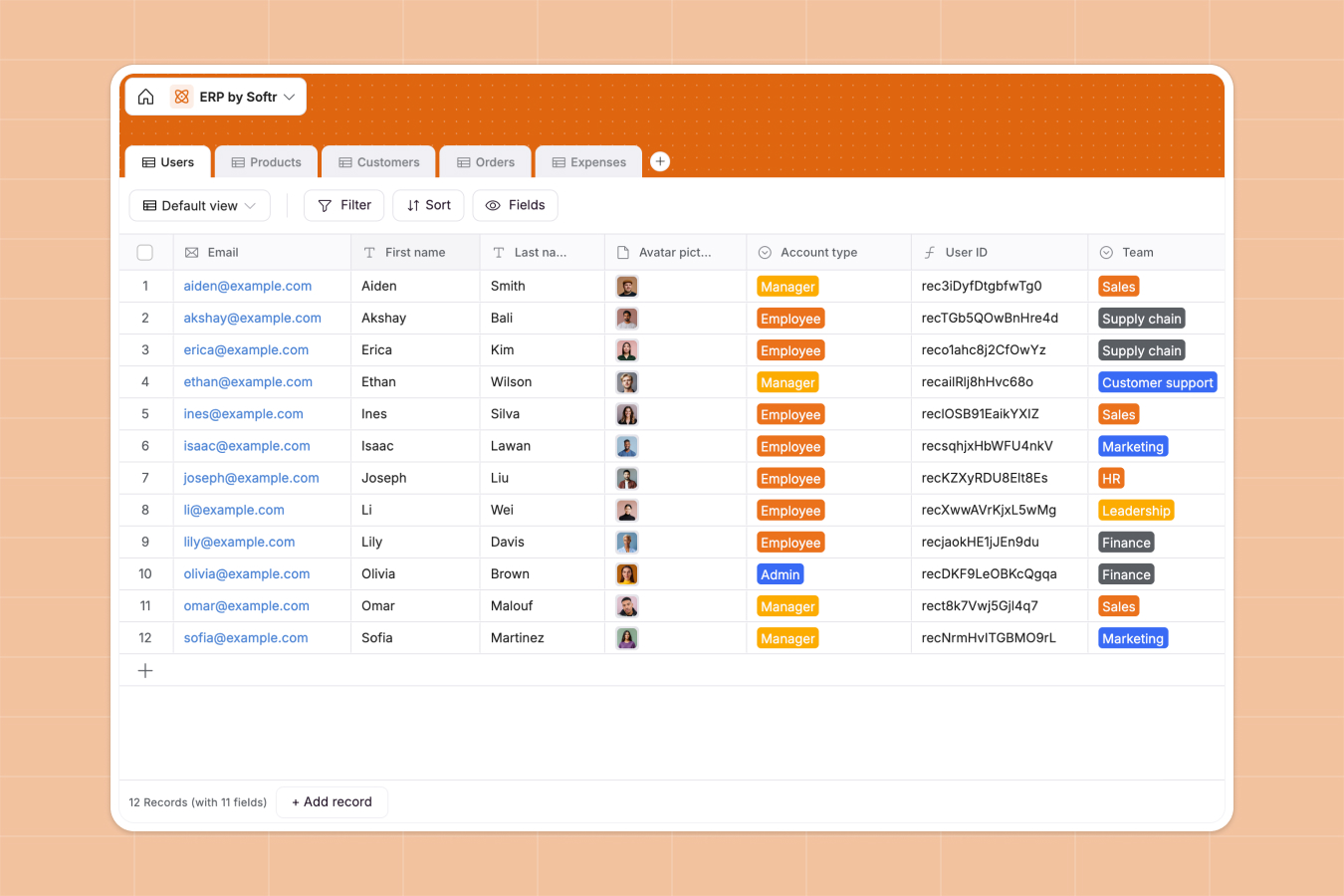
Your ERP Database at a glance
This Enterprise Resource Planning (ERP) template centralizes your core business operations. It connects your staff details, product inventory, and customer orders in a single, reliable system.
The database uses native relationships to keep everything perfectly synced. When your team logs an expense or a customer places an order, all linked records instantly update.
Why enterprise resource planning gets messy in spreadsheets
Managing complex business operations across dozens of connected spreadsheet tabs is a recipe for disaster. Important customer data gets accidentally deleted, and tracking expenses alongside product inventory quickly becomes chaotic.
What a structured database changes
A dedicated database enforces strict rules for your data so nothing breaks as you scale. Dates stay perfectly formatted as dates, and files like order invoices attach directly to the right row.
Instead of relying on fragile formulas between spreadsheet tabs, tables link naturally to one another. You can connect a single customer profile to all of their past orders without endless copy-pasting.
This is exactly what Softr Databases are designed for. Your entire business foundation stays organized, structured, and completely error-free.
What you can do with this template
Instantly track exactly how much stock you have and automatically calculate its total value. You can monitor team expenses by category and see exactly who submitted the invoice.
Track total revenue per customer through automated rollups that summarize all their past orders. Start using this ready-made setup instantly and leave broken spreadsheets behind.
-
Users
Manage employee profiles, contact information, and internal team assignments
-
Products
Track inventory levels, unit pricing, and product categories for retail operations
-
Customers
Centralize client details, geographic distribution, and lifetime revenue analytics
-
Orders
Process customer transactions with status tracking and invoice management
-
Expenses
Record corporate spending by category with linked documents for billing audits
Who is this ERP Database for
This template is designed for growing businesses that need a single source of truth for their daily corporate operations.
- Operations Managers: Track product stock levels and calculate inventory values in real time without digging through tabs.
- Sales Directors: Monitor customer revenue and see exactly which items are driving your monthly orders.
- HR Leaders: Maintain an organized directory of employees, their departments, and their specific contract details.
- Finance Teams: Keep a clean, searchable log of all staff expenses neatly categorized by department or type.
How to take it further
You can easily customize this database to perfectly match your company's actual internal workflows. Add new expense categories like software subscriptions or tweak the default order processing statuses natively.
Import your existing operations data instantly via simple CSV uploads. You can also use the API to automatically sync new orders coming from your online store directly into the database.
When your team is ready, you can build a full internal operations portal around this structured data. Using a drag-and-drop interface builder, you can turn these tables into a powerful web application.
You can easily apply granular users and permissions to control exactly what your team sees. Employees can safely log in to submit their own expenses without accidentally accessing sensitive company revenue data.
-
1
-
2
-
3
-
4
Frequently asked questions
-
What is an ERP database?
-
Why use a no-code database to build an ERP system?
-
How can AI help managing data for enterprise resource planning?
-
Can I build an app with an ERP database?
-
Is this ERP Database template free?
-
How is an ERP database different from an ERP spreadsheet?
Start building today. It's free!
Build and launch your first app in under 30 minutes.