


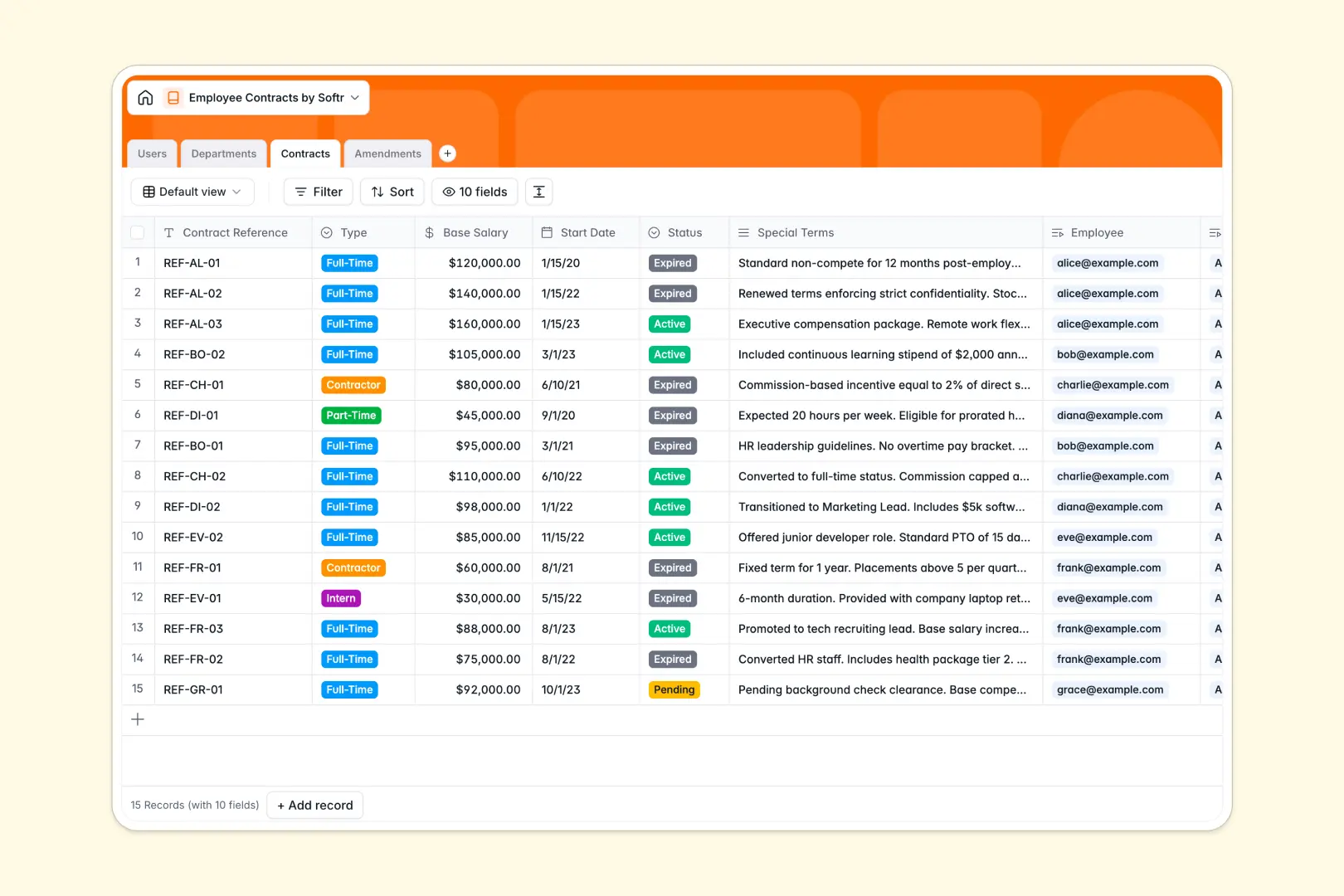
Your Employee Contracts Database at a glance
This template replaces scattered files with a clean, connected system for managing your team's agreements. It lets you monitor salaries, track contract life cycles, and log every official amendment securely.
The database links your Users directly to their Contracts and Departments seamlessly. When an agreement changes, you log Amendments that connect back to the original contract without duplicating basic records.
Built-in AI features automatically summarize special terms, classify amendment types, and generate department descriptions instantly as your operations grow.
Why managing employee contracts gets messy in spreadsheets
Tracking employment agreements in an employee contracts spreadsheet usually ends in chaos. Crucial dates get lost, sensitive compensation data sits next to casual notes, and file attachments disconnect from their original owners.
What a structured database changes
A structured system enforces strict column types so dates stay as dates and salaries stay intact as currency. Instead of fragile formulas, tables naturally link an employee to their specific department and contract history.
You never have to copy-paste rows to update an agreement as your business scales. This is exactly what Softr Databases are designed for—keeping critical HR information securely organized.
What you can do with this template
Instantly track active or expired agreements while securely uploading signed documents directly to the relevant row. Rollup fields automatically calculate department headcounts without manual counting.
By utilizing native Database AI agents, the template automatically reads contract terms to generate concise bullet-point summaries. It even evaluates subjective amendment descriptions and categorizes them automatically.
-
Users
Manage employee identities with roles, departments, and linked contract records
-
Departments
Organize teams and use AI to generate role descriptions based on team names
-
Contracts
Track employment terms with AI-powered summaries of special clauses and salary
-
Amendments
Log contract changes with AI classification of updates based on descriptions
Who is this Employee Contracts database for
This system provides reliable structure for growing teams managing complex agreements.
- Human Resources Managers: Track active statuses, renewal dates, and signed documents in seconds.
- Department Heads: View team headcount and assigned roles without digging through scattered files.
- Founders & Operations Leads: Keep compensation data and legal amendments strictly organized.
How to take it further
Customize the database
You can easily tweak this template to fit your exact HR processes. Add new contract status options to the select fields, or drag in a new column to track performance reviews.
Import your existing data
Upload your current staff list natively via CSV without losing historical context. The platform maps your existing rows into the correct fields instantly.
Build a full internal app around it
When your team is ready, you can transform this database into a secure internal HR portal. Employees can log in to view only their own contracts, while managers see their entire department.
By using an intuitive interface builder, everything stays visually tied to your raw data. Connected permissions ensure strict privacy over compensation details.
-
1
-
2
-
3
-
4
Frequently asked questions
-
What is an employee contracts database?
-
Why use a no-code database to build an HR system?
-
How can AI help managing employee contracts?
-
Can I build an app with an employee contracts database?
-
Is this Employee Contracts database free?
-
How is an employee contracts database different from Excel or Google Sheets?
Start building today. It's free!
Build and launch your first app in under 30 minutes.