


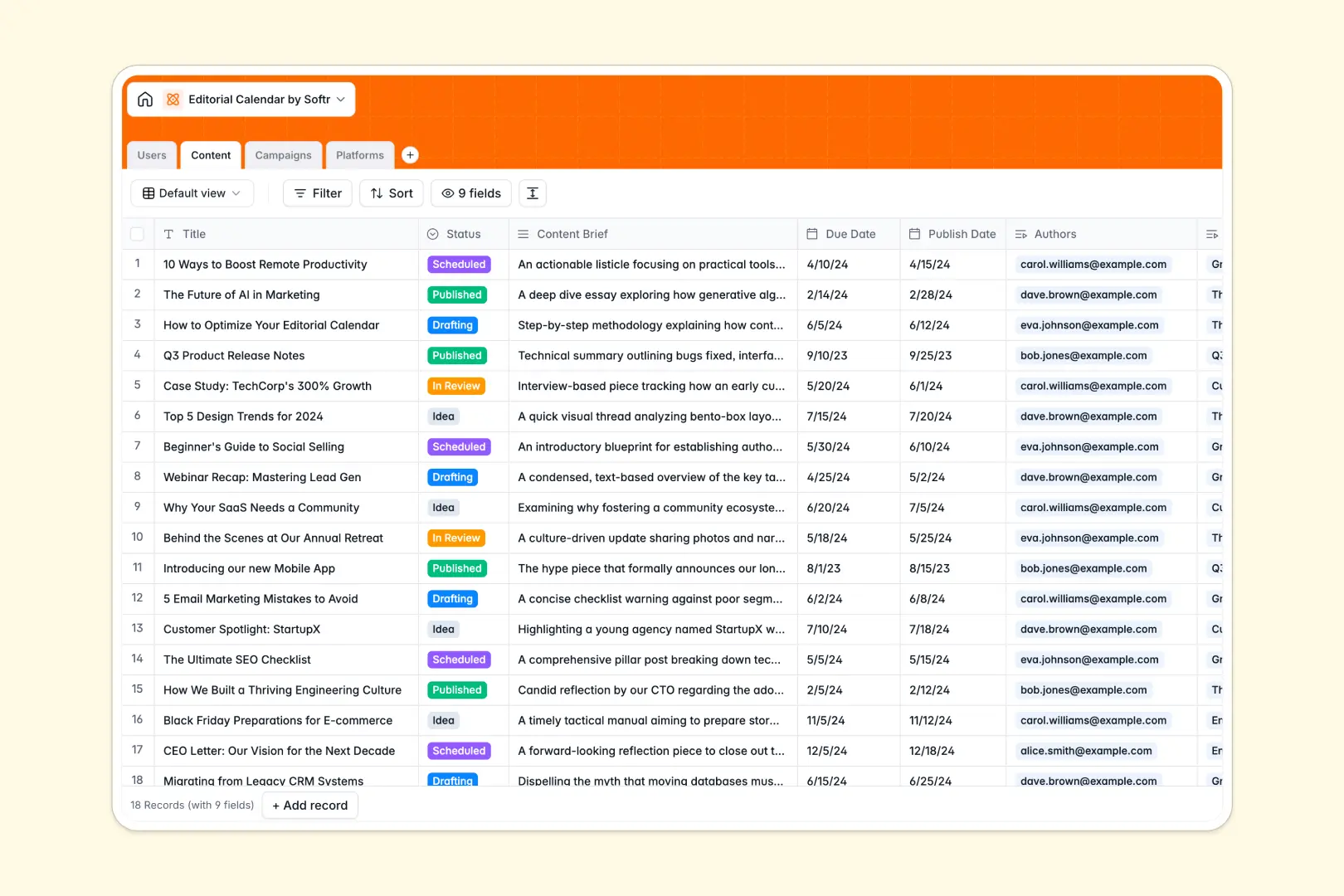
Your Editorial Calendar database at a glance
This editorial calendar helps marketing teams effortlessly track ideas, assign drafts, and monitor live campaigns in real time. It ensures every writer, editor, and manager knows exactly what is due and when.
The template comes pre-structured with connected tables for Users, Content, Campaigns, and Platforms. You can assign authors to specific articles, link content to overarching marketing campaigns, and clearly see where each piece will be published.
Built-in AI fields help you quickly generate SEO titles based on your assigned content briefs. The database even searches the web to summarize publishing platforms instantly, saving hours of manual research.
Why editorial calendars get messy in spreadsheets
When you manage a content pipeline in spreadsheets, rows inevitably get deleted, and tracking related campaigns becomes a copy-paste nightmare.
What a structured database changes
A structured setup ensures dates stay formatted correctly, statuses remain consistent, and writers are easily tied to their assigned content. Instead of digging through multiple tabs or relying on fragile VLOOKUPs, every piece of content naturally links back to its parent campaign.
This keeps your pipeline incredibly clean as your team scales. This is exactly what Softr Databases are designed for—giving you reliable structure without sacrificing ease of use.
What you can do with this template
You can instantly group content by status—from idea to published—and cleanly roll up the total number of articles running in any given campaign.
Thanks to built-in AI tools, the template naturally writes metadata and enriches platform details for you as soon as you drop in a website link. It is ready to be used the absolute moment you copy it.
-
Users
Manage team roles and contact details for writers and editors
-
Content
Track articles and social posts while using AI to generate SEO titles
-
Campaigns
Coordinate marketing initiatives by grouping related content pieces
-
Platforms
Manage distribution channels using AI to research website descriptions
Who is this Editorial Calendar database for
This template provides instant structure for teams producing consistently high-quality content.
- Content Managers: Track every draft's status and ensure nothing misses its publication date.
- SEO Specialists: Keep a central repository of AI-generated SEO titles and target platforms.
- Marketing Leaders: Gain a clear bird's-eye view of active campaigns and total content volume.
- Freelance Writers: See exactly what content briefs are assigned to them and when they are due.
How to take it further
Customize the database quickly by renaming the status options, adding new distribution platforms, or adjusting the AI prompts to match your brand's voice. Modifying this structure is intuitive and requires absolutely no technical setup.
Seamlessly upload your current content backlog via CSV. Your historical campaigns and articles will instantly adapt to this clean, highly structured format.
When you're ready to share this with external writers, you can build a full app on top of it. Full-stack apps combine this exact database with a frontend interface and automated workflows, all connected effortlessly in one place.
By setting up proper permissions, you can ensure external freelancers only see their assigned articles, while your internal editors view the entire pipeline. Starting with a well-structured database makes launching this kind of custom content portal incredibly simple.
-
1
-
2
-
3
-
4
Frequently asked questions
-
What is an editorial calendar database?
-
Why use a no-code database to build an editorial calendar?
-
How can AI help managing data for editorial calendars?
-
Can I build an app with this editorial calendar database?
-
Is this editorial calendar template free?
-
How is an editorial calendar database different from a spreadsheet?
Start building today. It's free!
Build and launch your first app in under 30 minutes.