


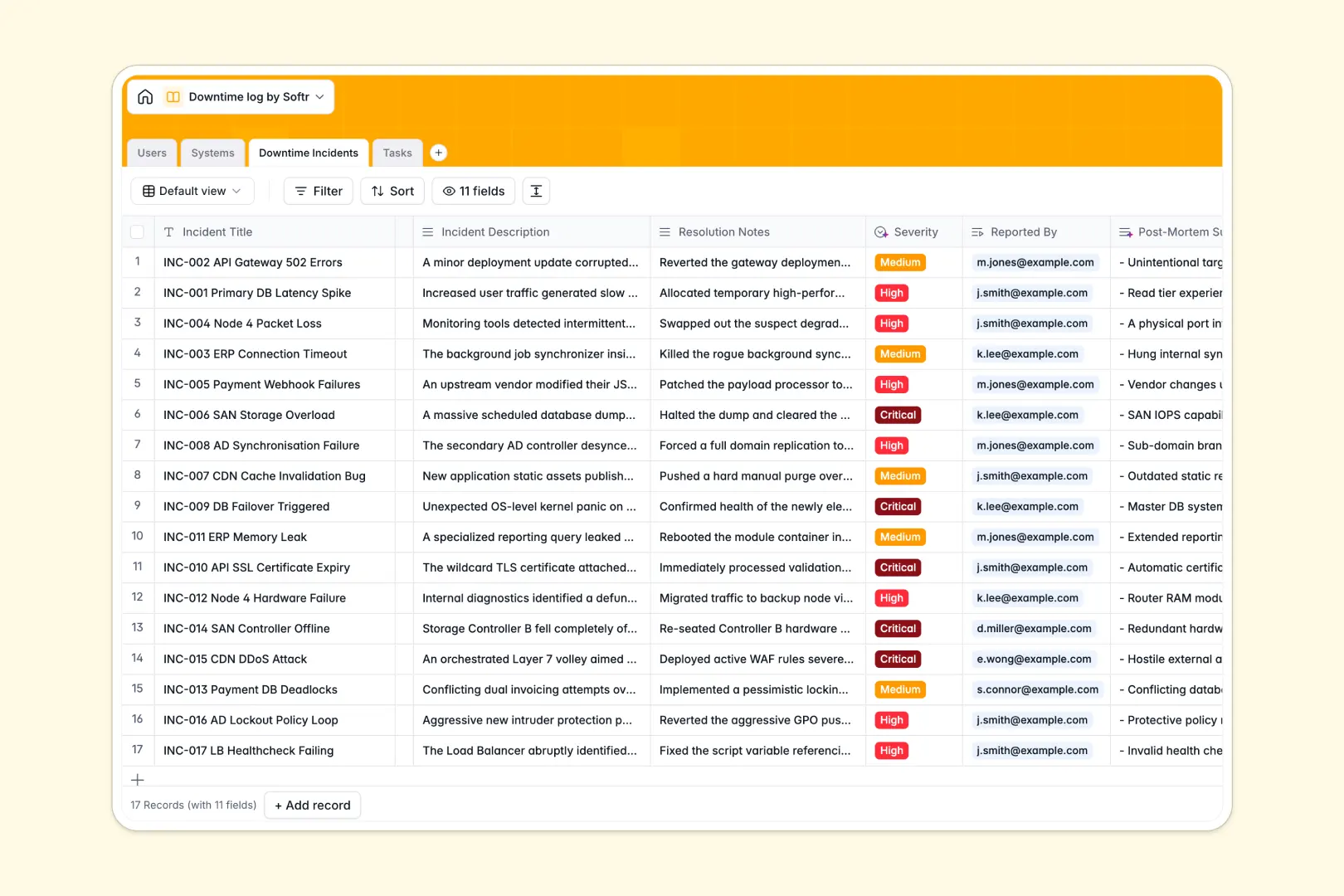
Your Downtime Log database at a glance
This template tracks system status, logs outage metrics automatically, and organizes the exact steps needed to restore services. It keeps your engineering team aligned when critical response times matter most.
It connects your systems, reported incidents, and mitigation tasks in one highly organized structure. Instead of hunting through isolated lists, you can instantly see which engineer is assigned to a specific downed server.
Built-in AI automatically drafts system descriptions from the web, classifies incident severity, and generates concise post-mortem summaries instantly.
Why a downtime log spreadsheet breaks down
When critical services fail, hunting through messy spreadsheet tabs for incident histories or system owners wastes valuable time. Spreadsheets simply aren't built to handle the relational complexity of tracking multiple users, assets, and tasks simultaneously.
What a structured database changes
A proper database creates a clean, relational environment where data types are strictly enforced. Dates stay formatted exactly as dates, operational statuses are standardized, and nothing gets accidentally overwritten during a crisis.
You can securely link an offline server directly to its incident report and the assigned mitigation tasks without relying on fragile VLOOKUPs. This is exactly what Softr Databases are designed for.
What you can do with this template
Log downtime events with precise start and end times while instantly assigning resolution tasks to system engineers. Everything stays visible, structured, and actionable for your IT operations team.
You can also use Database AI agents to automatically research system specs, classify outage severity, and write clean post-mortem summaries as soon as an incident is resolved.
-
Users
Manage IT staff and operators with linked incident and task records
-
Systems
Track IT assets with AI-generated technical descriptions and status
-
Downtime Incidents
Log outages using AI for severity classification and post-mortems
-
Tasks
Organize recovery steps with AI-powered actionable task generation
Who is this Downtime Log database for
This template is built for technical teams that need to organize IT assets, track operational disruptions, and respond to outages quickly.
- System Administrators: Track the operational status of all servers and cloud services in one unified dashboard.
- IT Operations Leaders: Review automated post-mortems and track total outages across categories to spot recurring hardware issues.
- Support Engineers: Claim assigned mitigation tasks and log resolution notes immediately during an active incident.
- Site Reliability Managers: Instantly identify recovery times and streamline task generation for faster future resolutions.
How to take it further
This is a highly adaptable system that you can modify immediately. You can easily add new fields to track estimated financial impacts or update the status dropdowns to match your specific incident response workflow.
Bring your historical outage logs directly into the system to maintain a complete history. You can bulk import CSV files or connect via API to sync data directly from your existing network monitoring tools.
When your team is ready, you can transform this database into a complete internal IT portal using the interface builder. This creates a dedicated application interface sitting perfectly on top of your data.
From there, you can configure detailed users and permissions to control exactly who can configure systems versus who can just report an incident. A well-structured backend makes building these operational apps incredibly fast.
-
1
-
2
-
3
-
4
Frequently asked questions
-
What is a downtime log database?
-
Why use a no-code database to build an incident tracking tool?
-
How can AI help managing data for IT incidents?
-
Can I build an app with this downtime log database?
-
Is this downtime log template free?
-
Why is a database better than a downtime log spreadsheet?
Start building today. It's free!
Build and launch your first app in under 30 minutes.