


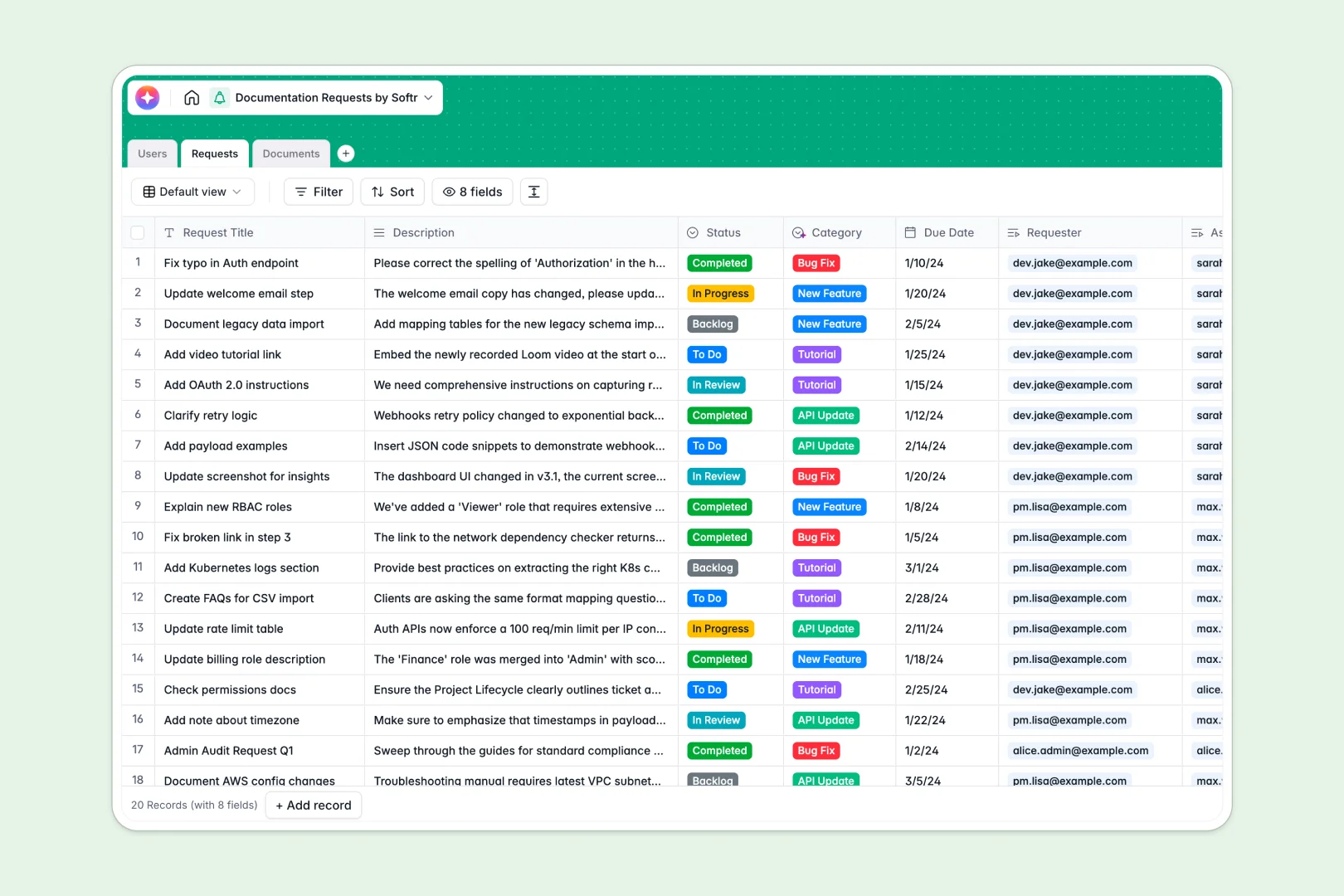
Your Documentation Requests database at a glance
This template centralizes incoming requests, documentation statuses, and writer assignments in one accessible system.
It works by natively linking your Users directory to incoming Requests and your central Documents repository. You can neatly assign technical writers to specific tickets and connect each request directly to the related file.
It also features built-in AI capabilities. As you add data, it automatically categorizes your requests based on descriptions and generates instant summaries for new documents.
Why tracking documentation requests in spreadsheets breaks down
When using a spreadsheet to manage document requests, rows quickly get messy, drafting statuses get overwritten, and linking authors to tasks requires extremely fragile formulas.
What a structured database changes
In a structured database, every piece of data has a clear, enforced type—dates stay dates, and assignments stay clean.
Instead of copy-pasting writer names across multiple tabs, tables connect natively. You can link a backlogged request directly to an existing document without ever breaking a cell as your list grows.
This clean, scalable structure is exactly what Softr Databases are designed for.
What you can do with this template
You can immediately start tracking requests from backlog to final completion while monitoring writer workloads. Every incoming ticket stays clearly tied to the exact document that needs updating.
This system also leverages Database AI agents to completely automate administrative work. The AI classifies new requests into categories like "Bug Fix" or "New Feature" completely on its own, and auto-generates meta summaries for your published docs.
-
Users
Manage technical writers and requesters with roles and contact details
-
Requests
Track documentation tickets with AI-powered category classification
-
Documents
Store documentation files with status tracking and AI-generated summaries
Who is this Documentation Requests database for
This structured system is designed for teams that need to maintain accurate, up-to-date knowledge bases without friction.
- Technical Writers: Track assigned tickets, project deadlines, and document review statuses in a clear chronological view.
- Product Managers: Submit updates for new features and easily monitor the progress of their documentation requests without pinging writers.
- Customer Support: Log missing tutorials or bug fixes quickly from user feedback straight into the technical writing backlog.
How to take it further
To start, you can easily customize the database structure to fit your exact workflow. You might add custom select values for your document statuses or introduce new priority levels to the requests table.
Next, import your existing documentation backlog in seconds. Simply upload a CSV file or use an API to sync ongoing requests directly into your straightforward new tables.
When your team grows, you can evolve this database into a complete internal portal using Softr's interface builder.
By applying native users and permissions, you can ensure requesters only see their own tickets, while writers manage the entire backlog seamlessly. Because the data is already structured perfectly, rolling out this portal takes minutes.
-
1
-
2
-
3
-
4
Frequently asked questions
-
What is a documentation requests database?
-
Why use a no-code database to build a documentation ticketing system?
-
How can AI help managing data for documentation requests?
-
Can I build an app with this documentation requests database?
-
Is this Documentation Requests template free?
-
How is a documentation requests database different from a spreadsheet?
Start building today. It's free!
Build and launch your first app in under 30 minutes.