


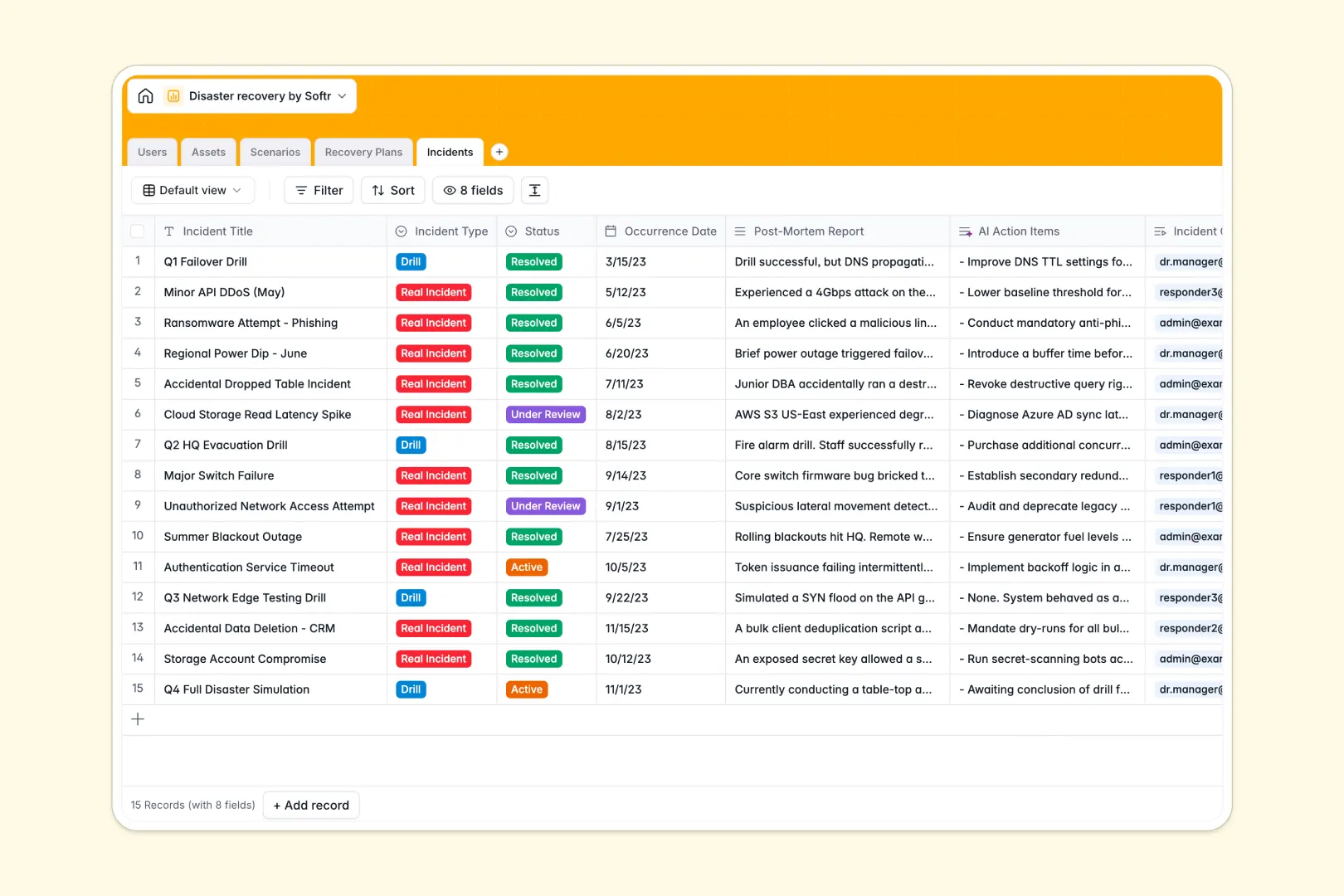
Your Disaster Recovery Database at a glance
This template gives your team a resilient, unified system to track infrastructure, assign responder roles, and oversee active incidents. It ensures every critical failure has an immediate, documented path to resolution.
Instead of hunting across isolated files, you can connect specific company assets—like network servers or software—directly to their exact threat scenarios and executable recovery plans. Everything links together natively so no critical context is ever isolated.
Designed for speed during crises, native AI fields automatically summarize threat risks from the web and extract fast-action protocols from dense procedure manuals. Your data transforms into immediate action lines when seconds matter.
Why disaster recovery gets messy in spreadsheets
Relying on a disaster recovery spreadsheet during a high-stakes crisis creates dangerous blind spots. When systems go down, you cannot waste time scrolling through endless, unstructured rows to figure out who owns a failing asset.
What a structured database changes
A true relational system keeps your emergency protocols strictly enforced and instantly accessible. Hardware and facility categorizations stay standardized, while real-time dropdowns prevent responders from using outdated status labels during a drill.
Instead of trusting fragile formulas to match asset lists with response plans, tables connect securely out of the box. You can link a "Mission-Critical" facility to its natural disaster scenario in a single click.
This level of structured, dependable connection is exactly what Softr Databases are built to handle. Your continuity information scales cleanly without breaking as your systemic infrastructure expands.
What you can do with this template
Start instantly logging real incidents or planned drills while tying them precisely to affected assets and their incident commanders. You gain an immediate system of record for operational resilience.
Leverage built-in Database AI agents to automatically pull broad threat research from the web or turn lengthy post-mortem reports into a clear list of needed improvements.
You get a ready-to-use foundation that removes the guesswork from crisis management. Teams can step right in and execute mitigation actions without technical bottlenecks.
-
Users
Manage recovery team members with roles, contact info, and asset ownership
-
Assets
Inventory critical infrastructure and facilities linked to owners and threats
-
Scenarios
Profile disaster threats and generate AI-powered summaries of standard risks
-
Recovery Plans
Define recovery protocols with AI-generated fast-action procedure summaries
-
Incidents
Log events and drills while using AI to extract improvement action items
Who is this Disaster Recovery database for
This template is built for operations and IT teams that need to maintain structural resilience and business continuity.
- IT Directors: Keep clear, centralized records of mission-critical hardware, software, and their assigned owners.
- Incident Commanders: Instantly access step-by-step mitigation procedures during active technical or security threats.
- Operations Managers: Log regular drills and track post-mortem action lines to constantly improve disaster readiness.
How to take it further
Customize the setup in minutes by modifying the severity labels for threat scenarios or adding an entirely new classification for cloud infrastructure assets. Because it functions as a native database, structural adjustments happen safely and instantly.
You can pull directly from existing legacy files by running a quick CSV import of your hardware inventory logs. Teams can also use the API to automatically sync live asset details from external monitoring tools directly to this system.
When your organization needs secure operational access outside the raw data tables, it is simple to build an app to serve as a complete continuity portal.
By leveraging granular permissions, you guarantee that incident responders and executives only see the specific recovery plans and drill reports relevant to their clearance. A structured foundation makes spinning up this type of secure portal truly effortless.
-
1
-
2
-
3
-
4
Frequently asked questions
-
What is a disaster recovery database?
-
Why use a no-code database to build a disaster recovery tool?
-
How can AI help managing data for disaster recovery?
-
Can I build an app with this disaster recovery database?
-
Is this Disaster Recovery Database free?
-
How is a disaster recovery database different from a spreadsheet?
Start building today. It's free!
Build and launch your first app in under 30 minutes.