


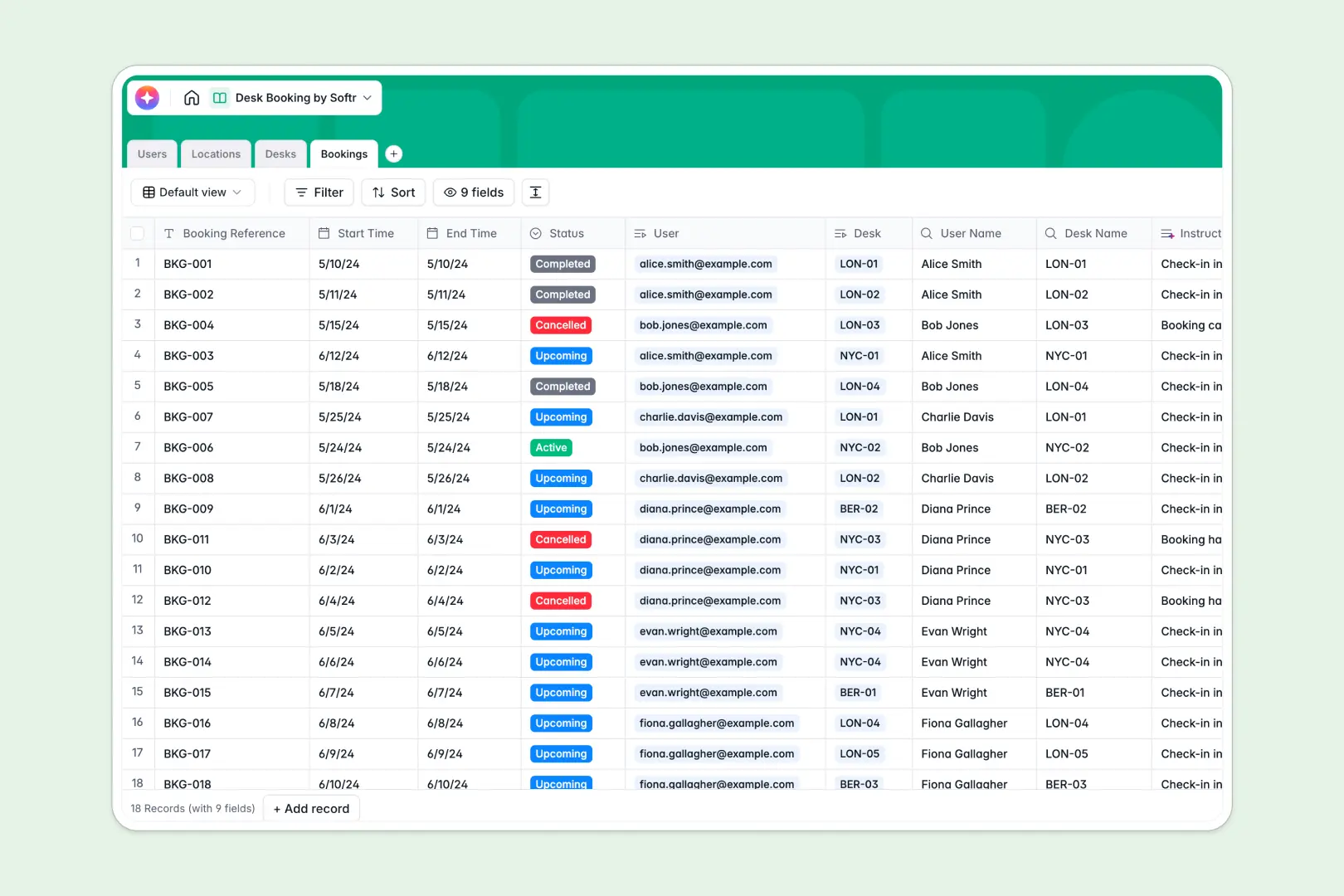
Your Desk Booking database at a glance
Manage agile workspaces effortlessly. This database tracks desk availability and books workstations in real time without conflicting schedules.
It cleanly organizes Users, Locations, Desks, and Bookings into connected relational tables. A booking automatically links an employee to a specific desk and location without relying on fragile spreadsheet formulas.
AI runs directly inside your fields to automatically draft personalized check-in instructions and pull nearby cafe guides for office locations.
Why desk booking spreadsheets break down
Managing workspace reservations in a manual grid quickly turns into an operational nightmare of accidental overwrites, stale status updates, and double-booked seats.
What a structured database changes
Spreadsheets rely on employees remembering to color-code cells out of habit. A structured database enforces firm rules, ensuring an "Under Maintenance" desk literally cannot be booked.
Instead of copy-pasting employee details into every single row, relational tables do the heavy lifting natively. One employee record links to all their past and future reservations organically.
This predictable table structure scales automatically as your hybrid team grows. This is exactly what Softr Databases are built to deliver without the chaotic constraints of a spreadsheet.
What you can do with this template
Track specific workstation types—like ergonomic setups or dual-monitor desks—so employees always find exactly what they need.
Rely on AI to instantly write custom check-in instructions. It seamlessly acts the moment a user completes a new reservation without manual typing.
Maintain a live count of total available desks per office location using automatic rollup fields. This gives ops teams instant, real-time visibility into office capacity.
-
Users
Manage employee profiles, contact information, and desk booking history
-
Locations
Organize office buildings with AI-generated neighborhood and cafe guides
-
Desks
List workstation assets featuring AI-powered descriptions of desk amenities
-
Bookings
Schedule reservations with AI-generated check-in instructions for staff
Who is this Desk Booking database for
This predictable template simplifies hybrid office management for modern operations teams.
- Office Managers: Ensure daily desk availability and minimize seating conflicts across multiple locations natively.
- HR Professionals: Track which employees are onsite versus remote to align with flexible work policies directly.
- IT Departments: Monitor which specialized workstations, like dual-monitor desks, require regular hardware maintenance.
How to take it further
Customize the database by adjusting the select values to match your specific layout, like adding a "Focus Room" or "Standing Desk". Because this is a native Softr Database, adding new columns or tweaking fields takes seconds.
Import your existing data by directly uploading a CSV of your employee directory and current office inventory. You will bypass the tedious manual setup phase and get straight to booking seats directly.
Build a full app around it when your team is ready for an integrated employee experience. You can deploy an intuitive internal portal where staff confidently log in to claim their chosen workstation for the day.
By applying granular users and permissions, normal employees only see empty seats, while administrators retain full control of network capacity. Since the data is perfectly structured, building apps happens intuitively without bugs.
-
1
-
2
-
3
-
4
Frequently asked questions
-
What is a desk booking database?
-
Why use a no-code database to build a desk booking tool?
-
How can AI help managing data for desk bookings?
-
Can I build an app with this desk booking database?
-
Is this Desk Booking Database free?
-
Why is a desk booking spreadsheet a bad idea?
Start building today. It's free!
Build and launch your first app in under 30 minutes.