


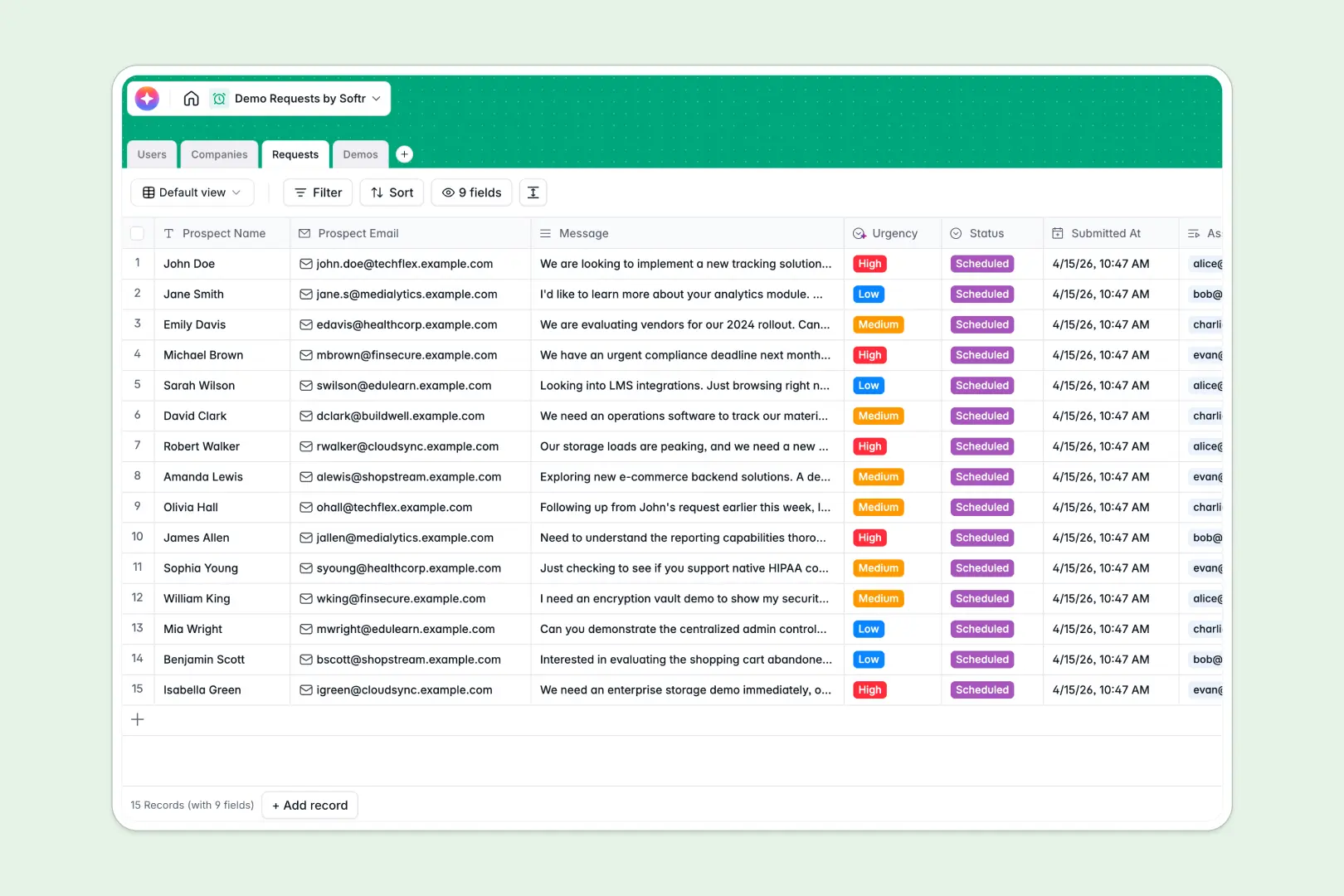
Your Demo Requests database at a glance
This template replaces messy spreadsheets with a structured system to capture, track, and manage inbound prospect demonstrations. It keeps your sales pipeline organized and prevents high-intent leads from slipping through the cracks.
Everything is connected naturally. New submissions in the Requests table automatically link to prospect Companies, assigned Users, and scheduled Demos so you can view the entire relationship history at once.
Built-in AI agents automatically analyze incoming messages to score request urgency, summarize follow-up notes, and search the web to enrich company profiles completely hands-off.
Why tracking demo requests in a spreadsheet breaks down
Relying on a demo requests spreadsheet quickly becomes a nightmare when your lead volume grows. Tracking inbound forms, scheduling updates, and follow-up notes across scattered rows leads to broken views and lost context.
What a structured database changes
In a database, every piece of information has a strict home. Dates stay formatted, emails remain clickable, and statuses use locked dropdowns so your data stays perfectly clean.
Instead of endless copying and pasting or fragile VLOOKUPs, tables connect to each other naturally. You can link multiple demo requests to a single company record with one simple click.
This is exactly what Softr Databases are designed for. They provide the rigid structure your sales team needs to scale without the endless maintenance of a spreadsheet.
What you can do with this template
Capture inbound requests and track them from "New" to "Scheduled" or "Closed" with absolute clarity. Give every sales rep a clean view of their assigned leads and upcoming calls.
Tap into Database AI agents to instantly classify lead urgency based on their message sentiment. Let the system browse the web to draft company summaries automatically before your reps even pick up the phone.
-
Users
Manage internal team members assigned to handle inbound demo requests
-
Companies
Track prospect organizations with AI-generated web summaries and data
-
Requests
Log inbound submissions while using AI to detect request urgency and sentiment
-
Demos
Schedule events and generate AI-powered summaries of meeting outcomes
Who is this Demo Requests database for
This template provides immediate structure for teams managing inbound lead pipelines.
- Sales Managers: Easily monitor request volumes, assign leads securely, and track demo outcomes.
- Account Executives: Keep track of scheduled demos, access auto-enriched prospect data, and log follow-up notes.
- RevOps Leaders: Maintain perfect data hygiene across companies, contacts, and requests without endless formatting.
How to take it further
Customize the database to fit your exact sales motion. Add custom fields, modify the status dropdown choices, or adjust the AI prompts to extract specific details from prospect messages.
Import your existing lead pipeline instantly. Bring in your current demo requests via CSV or connect an API to sync new form submissions automatically into the native database.
When your team is ready, use the interface builder to transform this database into a complete sales portal. You can build custom dashboards for your reps so they only see the data they need to act on.
By setting up granular users and permissions, you can ensure that sales reps only view their assigned leads while managers get a bird's-eye view of the entire pipeline. A well-structured database makes app-building effortless.
-
1
-
2
-
3
-
4
Frequently asked questions
-
What is a demo requests database?
-
Why use a no-code database to build a demo tracking system?
-
How can AI help managing data for demo requests?
-
Can I build an app with this demo requests database?
-
Is this Demo Requests database free?
-
How is a demo requests database different from a spreadsheet?
Start building today. It's free!
Build and launch your first app in under 30 minutes.