


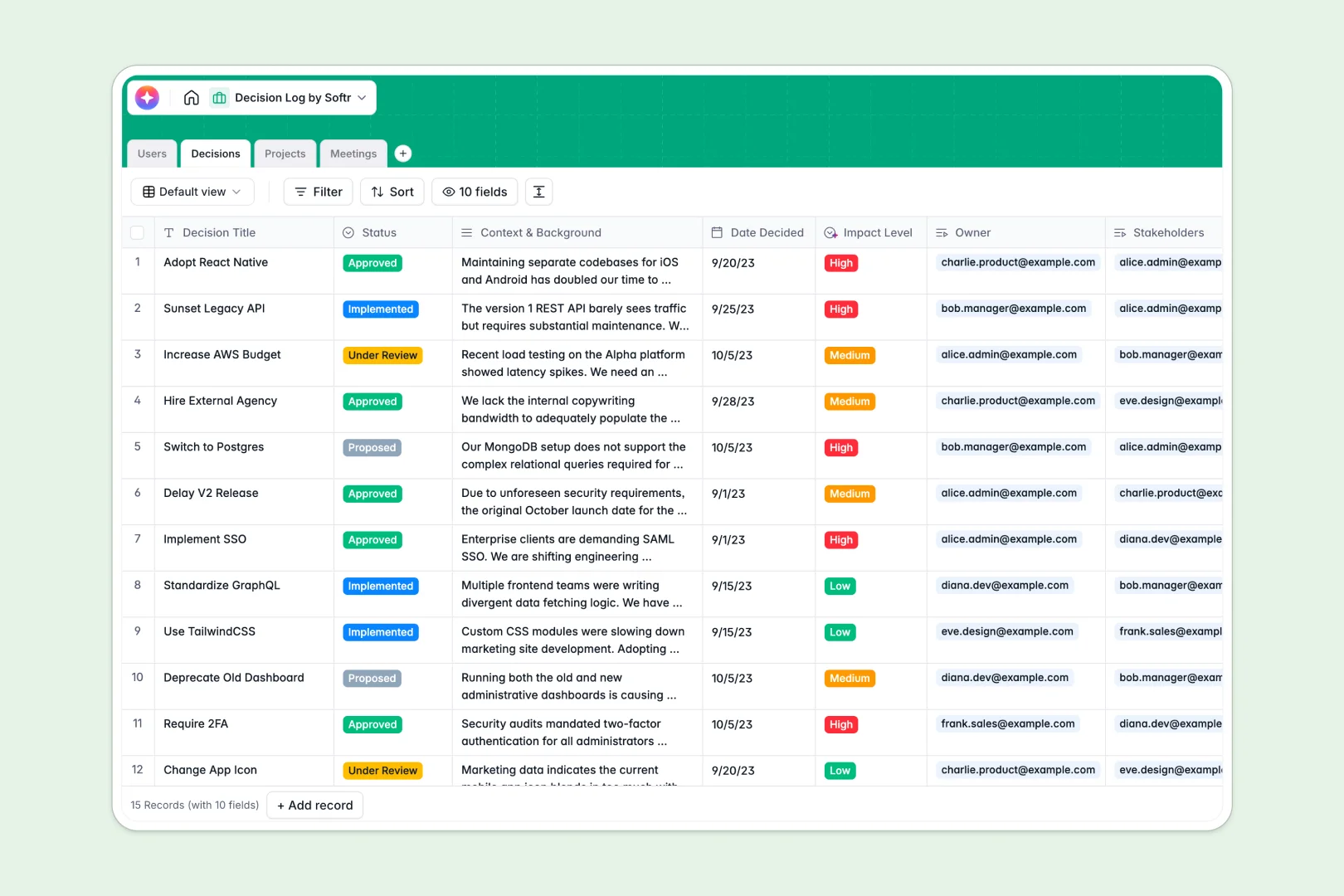
Your Decision Log Database at a glance
This template gives your team a single source of truth for every choice made. It eliminates the chaos of scattered notes and endless meetings asking why a specific path was chosen.
It natively tracks how Projects, Meetings, and Users connect directly to specific Decisions. When you need to know which stakeholders approved a choice during yesterday's meeting, that exact context is just one click away.
Built-in AI fields automatically augment your records as they are created. The system extracts action items directly from meeting notes, summarizes long background contexts, and assigns an impact severity to new entries automatically.
Why keeping a decision log gets messy in spreadsheets
Spreadsheets might work for a quick brainstorm, but they quickly break down when you need to track the nuanced history of complex business choices.
What a structured database changes
In spreadsheets, linking a decision to a specific project, a meeting, and multiple stakeholders requires fragile formulas or messy duplicate rows. Important context gets buried in tiny cells, and historical data easily gets accidentally deleted.
A relational structure solves this by letting you link records natively, so a decision naturally belongs to the right project without duplicating text. This is exactly what Softr Databases are designed for, keeping your historical choices completely clean and scalable.
What you can do with this template
You can instantly categorize choices by their review status, link them directly to the meetings where they happened, and assign clear ownership. Nothing slips through the cracks or gets lost in team chat logs.
Because it is AI-enabled, the database acts as a smart assistant for your leadership team. It analyzes the context of new entries in real time, flags high-impact decisions, and generates executive summaries without any manual effort.
-
Users
Store and manage team profiles with roles, personal info and project ownership
-
Decisions
Log organizational choices using AI for executive summaries and impact analysis
-
Projects
Manage key initiatives by grouping related decisions and monitoring team resources
-
Meetings
Record discussion sessions using AI to extract action items from meeting notes
Who is this Decision Log database for
This template is a ready-to-use foundation for any team that needs to maintain long-term alignment and execution speed.
- Project Managers: Keep a clear history of steering choices to prevent scope creep over time.
- Engineering Leads: Document architecture decisions so new hires understand why systems were built a certain way.
- Leadership Teams: Ensure stakeholders have full visibility into company-level shifts and impacts.
- Operations Teams: Track the lifecycle of internal process changes from proposed to implemented without friction.
How to take it further
Customizing this log is incredibly simple and requires zero technical setup. You can easily adjust the status workflows, modify the user roles, or add custom fields to track department-specific OKRs natively.
If you already have a history of decisions scattered across different documents, you can import them directly via CSV or API. This instantly builds your searchable historical index so you can start getting value immediately.
When your team grows, you can easily build a completely custom portal around this structure. Instead of sharing raw tables, you can create a tailored dashboard where team members only interact with the data they need.
With native users and permissions, you can ensure stakeholders only see projects relevant to them, while administrators retain full editing control. A well-organized database makes launching these custom apps practically effortless.
-
1
-
2
-
3
-
4
Frequently asked questions
-
What is a decision log database?
-
Why use a no-code database to build a decision log system?
-
How can AI help managing data for decision logs?
-
Can I build an app with this decision log database?
-
Is this Decision Log template free?
-
How is a decision log database different from a decision log spreadsheet?
Start building today. It's free!
Build and launch your first app in under 30 minutes.