


Overview
Create a professional customer portal to manage client interactions, share documents, and track project progress effortlessly. With Softr's customer portal builder, you can turn your Airtable or Google Sheets data into a fully functional app in minutes without writing a single line of code.
Why Choose Softr Over Alternatives?
When looking at Softr vs Webflow or other website builders, you'll find that Softr is specifically designed for building web apps and portals with advanced user permissions.
Rapid Development
Launch your portal in days, not months. No more waiting for expensive developer resources.
Seamless Integration
Connect directly to Airtable, Google Sheets, HubSpot, and more.
-
Users
Manage sales staff and deal desk members with roles and access levels
-
Customers
Store client profiles with AI-generated research and industry snapshots
-
Deals
Track sales opportunities through stages and monitor pipeline amounts
-
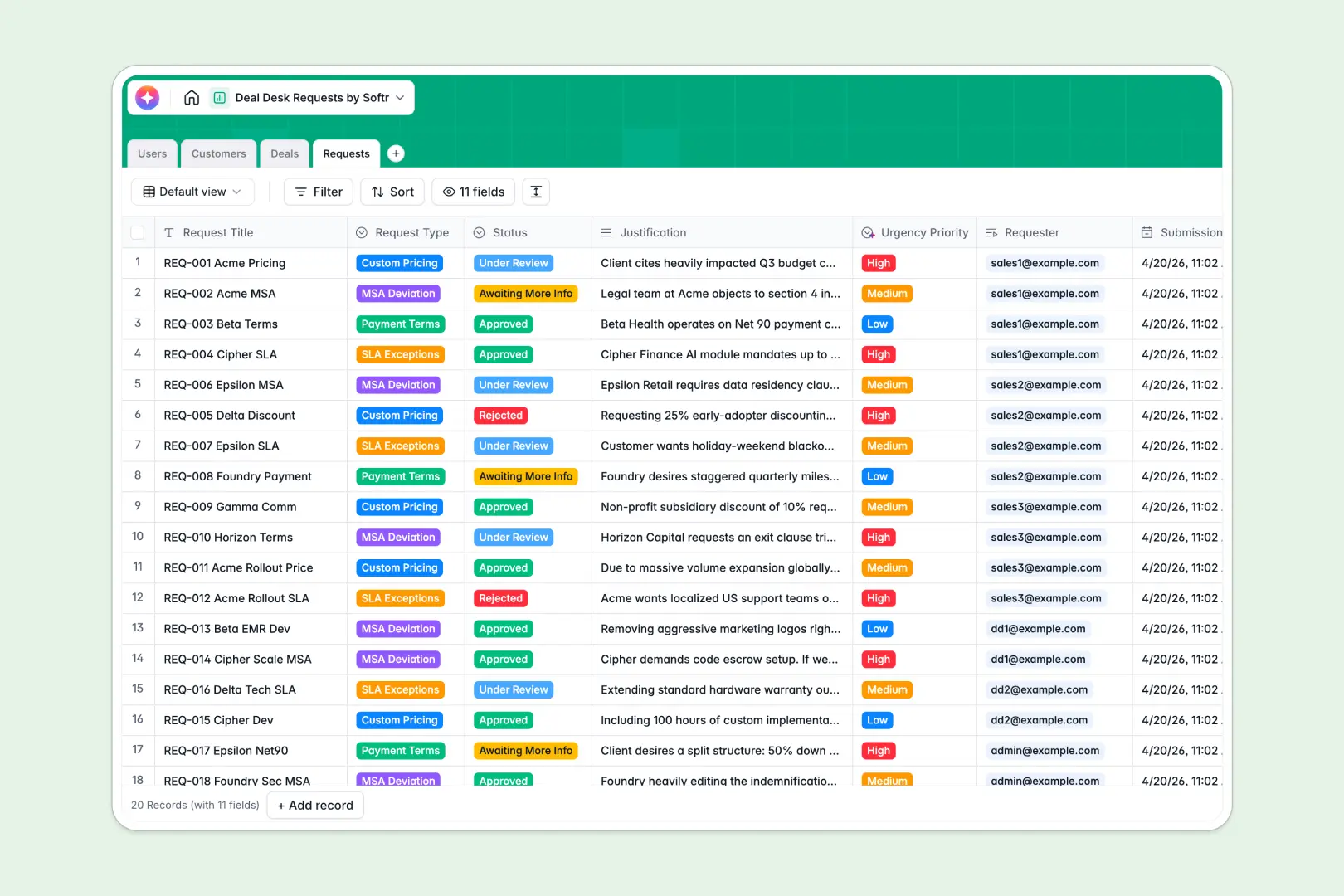
Requests
Process approvals using AI to classify urgency and summarize justifications
Who is this for?
This template is perfectly suited for businesses looking to enhance their client experience.
- Agencies: Share project updates and deliverables with ease.
- Accounting Firms: Securely exchange sensitive financial documents.
- Consultants: Provide a centralized hub for client resources and onboarding materials.
How to take it further
Once you've launched your basic portal, you can easily expand its capabilities with Softr's powerful integrations. Add Stripe for payment processing or connect via Zapier to automate your workflows. You can even combine this with Softr's internal tools to manage back-office operations seamlessly.
-
1
-
2
-
3
-
4
Frequently asked questions
-
What is a customer portal?
-
Do I need to know how to code to use this template?
-
Can I customize the portal to match my brand?
-
Is my clients' data secure?
-
Which databases can I connect to this customer portal?
Start building today. It's free!
Build and launch your first app in under 30 minutes.